
Take a photo with your phone and, unless you've changed a setting, it records exactly where you were standing — latitude and longitude, often accurate to a few meters. That location rides along inside the image file. Share the photo without cleaning it, and you may be sharing your home address, your kid's school, or the hotel you're staying at right now.
Here's how the location gets in there, why it matters, and how to take it back out.
How GPS ends up inside a photo
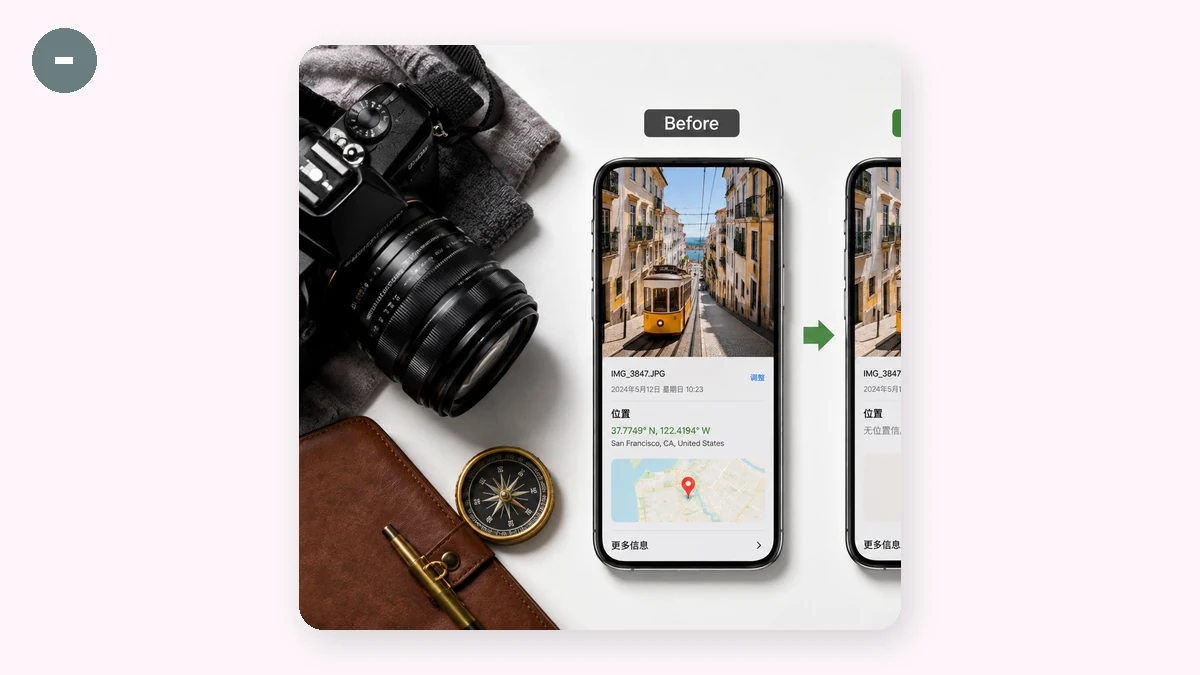
Your image file isn't just pixels. Alongside the picture, cameras and phones write a block of hidden data called EXIF (Exchangeable Image File Format). It records the shot's settings — shutter speed, ISO, the camera model — and, when location services are on, the GPS coordinates where you pressed the shutter.
You never see this data in the photo itself. It's baked into the file, traveling with it wherever the file goes. Copy the photo, email it, drop it in a chat — the coordinates come along unless something strips them out.
Some platforms remove EXIF when you post (many social networks scrub it on upload). Many don't. Files sent over email, most messaging apps' "send as file" option, cloud drive links, and marketplace listings frequently keep the full EXIF block intact. You can't assume it's gone.
Why embedded location is a real risk
This isn't paranoia — it's just geometry plus habit.
- Selling something online? A photo of the item taken at home can hand a stranger your home coordinates.
- Posting about your kids? Pictures from home, school, or a regular playground map out a child's routine.
- Sharing travel photos in real time? You're broadcasting that your house is empty right now.
- A dating profile or a forum post? An "anonymous" photo with GPS attached isn't anonymous.
The unsettling part is how invisible it is. The photo looks identical with or without coordinates. Nothing warns you they're there. People have been located from a single casually shared image more than once.
Step by step: strip GPS from a photo
You don't need special software, and you shouldn't upload a sensitive photo to a random server just to clean it. Use a browser-based EXIF remover that does the work on your own device:
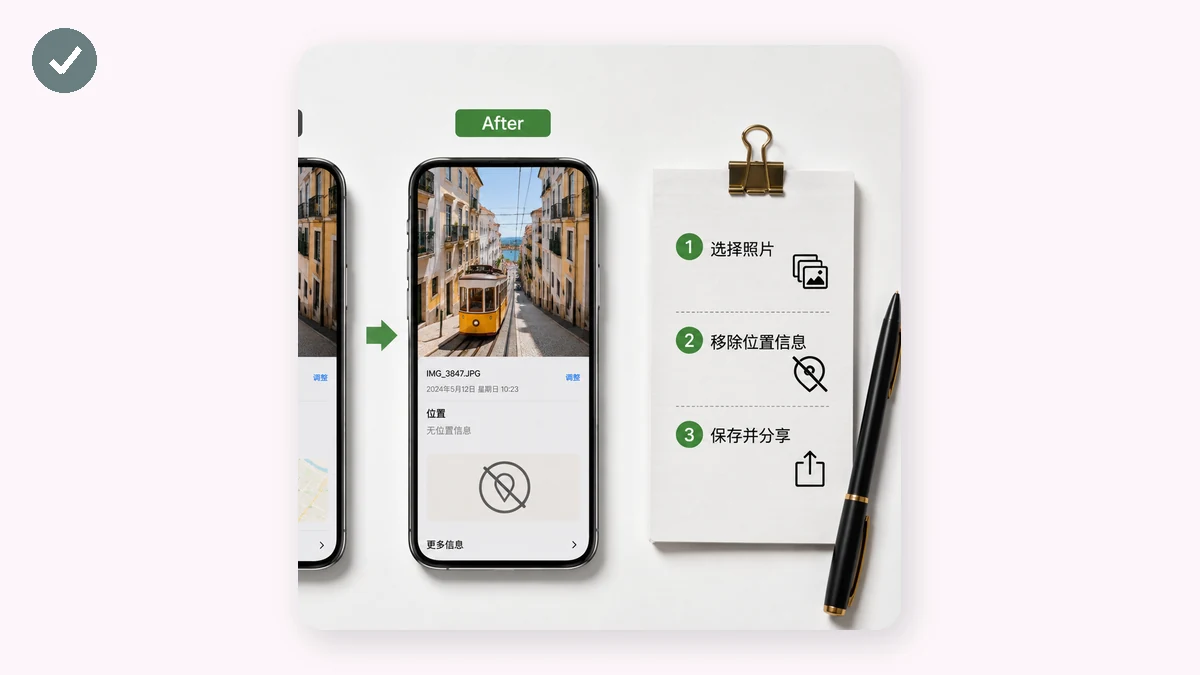
- Open the EXIF tool on tools.faxianai.com. Because it runs in your browser, your photo isn't uploaded anywhere.
- Select your photo. The tool reads and displays the embedded metadata — you'll see the camera, the timestamp, and any GPS coordinates that are present.
- Check what's there. Seeing your own coordinates listed is usually the moment the risk becomes real.
- Download the clean copy. The tool hands back a version of the image with all metadata stripped — no GPS, no serial number, no timestamps. Same picture, none of the baggage.
- Share the clean file instead of the original.
The whole thing takes a few clicks, and nothing left your device. It's a PWA too, so once loaded it works offline.
A few habits that help
- Turn off geotagging at the source. In your phone's camera permissions, deny location access to the camera app. New photos won't record coordinates at all.
- Clean before sharing, not after. Once a file with GPS is out, you can't recall it. Strip it first.
- Don't trust "the platform handles it." Some do, some don't, and "send as file" often bypasses whatever scrubbing exists. Clean it yourself when it matters.
GPS in your photos is a default you never chose. Turning it off, and cleaning the photos you've already taken, is a small habit with an outsized payoff for your safety.