Image Tool Guides & Tutorials
Plain-English answers to common image questions — compress, convert, resize, remove backgrounds and more — plus how to do it all privately, in your browser.
Formats, compression & size
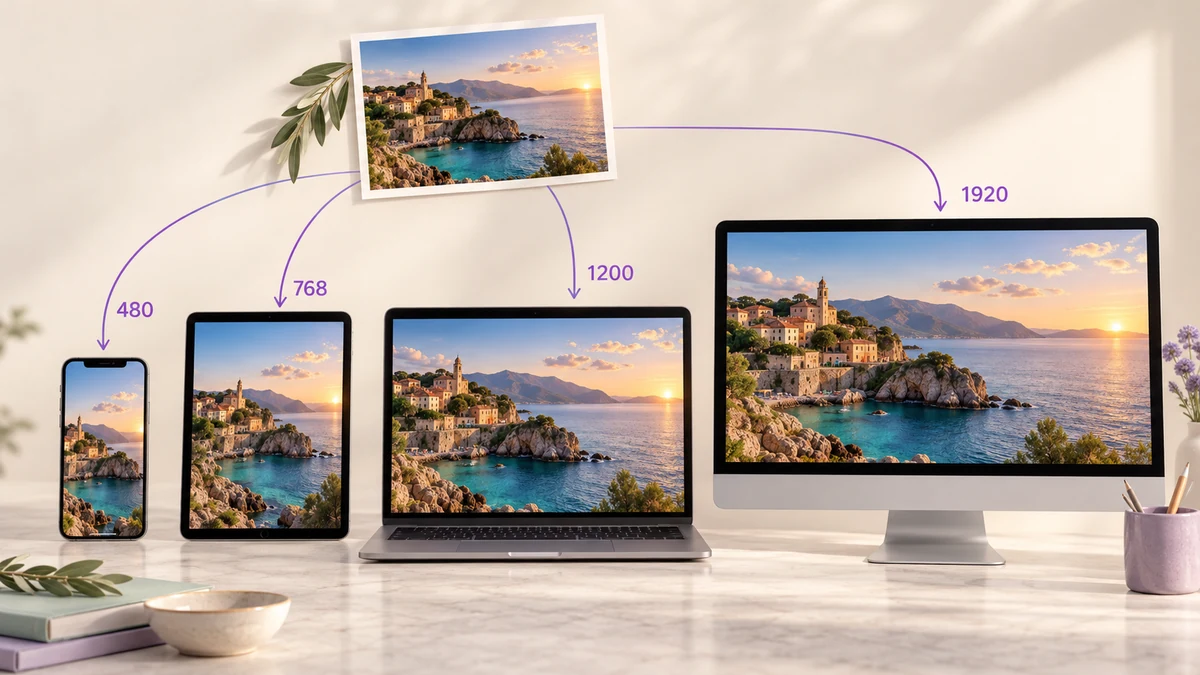
Which Sizes to Export for Responsive Images: A Practical srcset Breakpoint Table and Batch Export
Three sizes or six? Where 480, 768, 1200 and 1920 come from, when you need 2x versions, whether to keep both WebP and JPG — a practical table for site owners and front-end developers, plus how to batch-export the whole set in the browser.
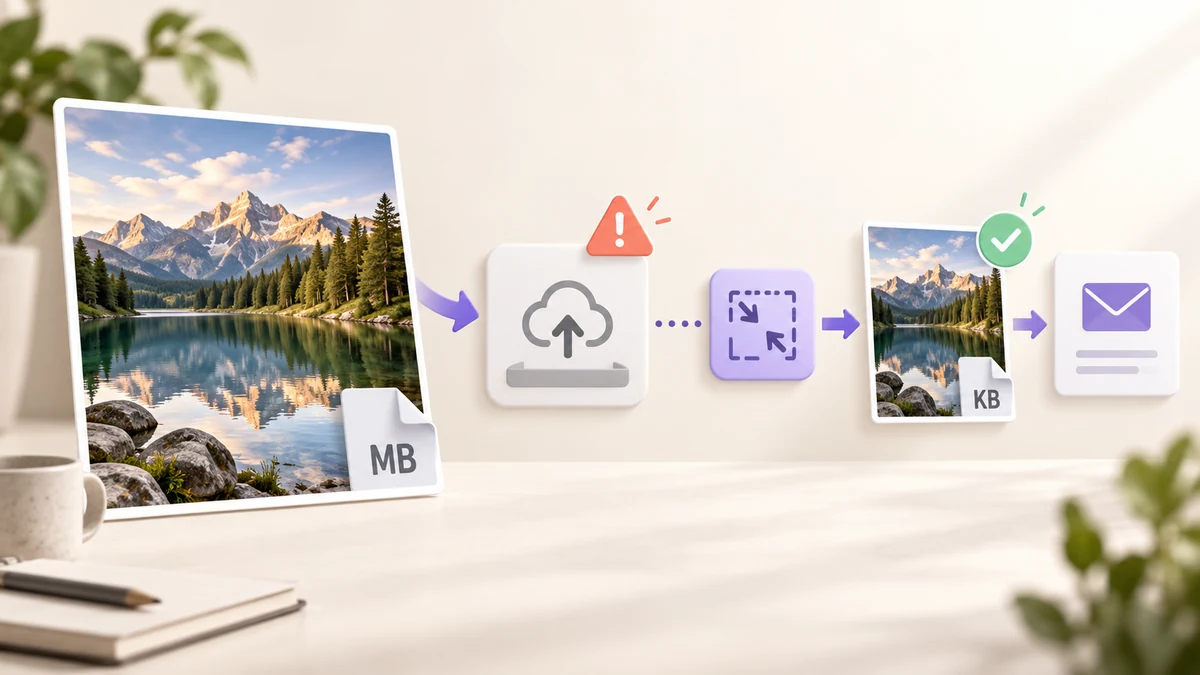
Image Too Large to Send? Size Limits for WhatsApp, Email, Web Forms and Portals, and One Fix for All
WhatsApp and WeChat originals around 16–25MB, Gmail attachments 25MB, company mail often 10MB, exam and government portals as low as 200KB. What each channel actually allows, and how to shrink a whole batch to sendable size in the browser with nothing installed or uploaded.
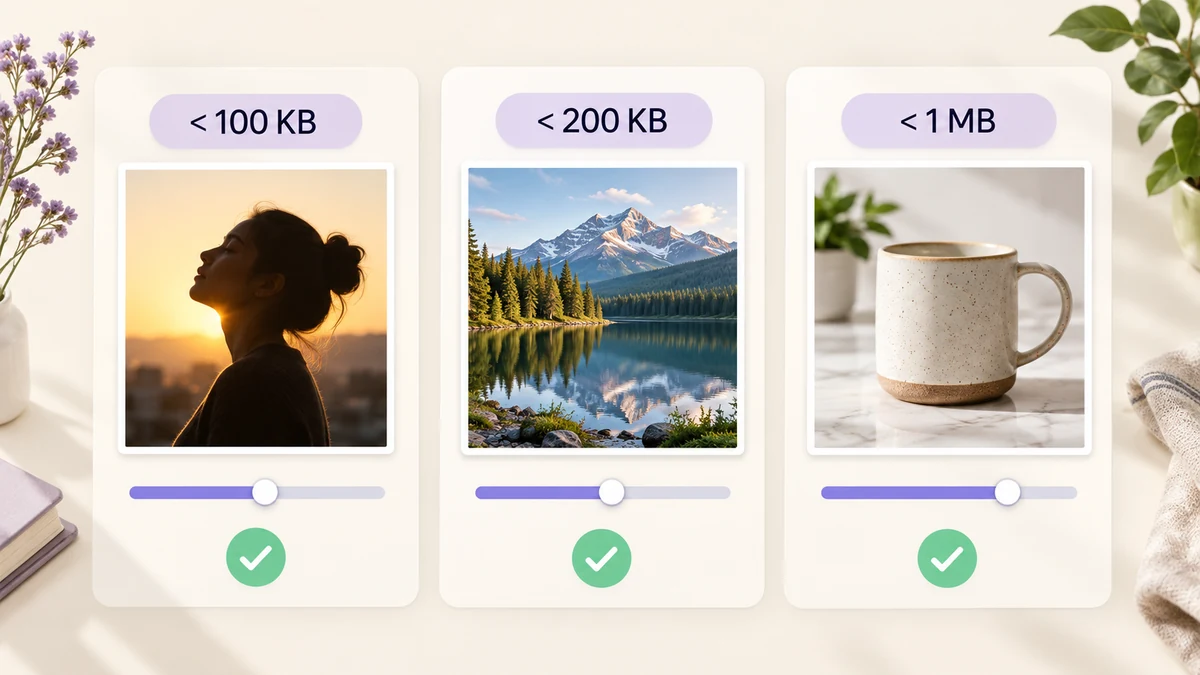
Compress Images to Under 200KB, 100KB or 1MB: A Limits Table, Settings and the Batch Way
Application portals want 200KB, résumé photos 100KB, marketplace images 1MB. How to land an image precisely under a limit without turning it to mush: a table of common limits, starting settings for each, and how to do hundreds in one pass.
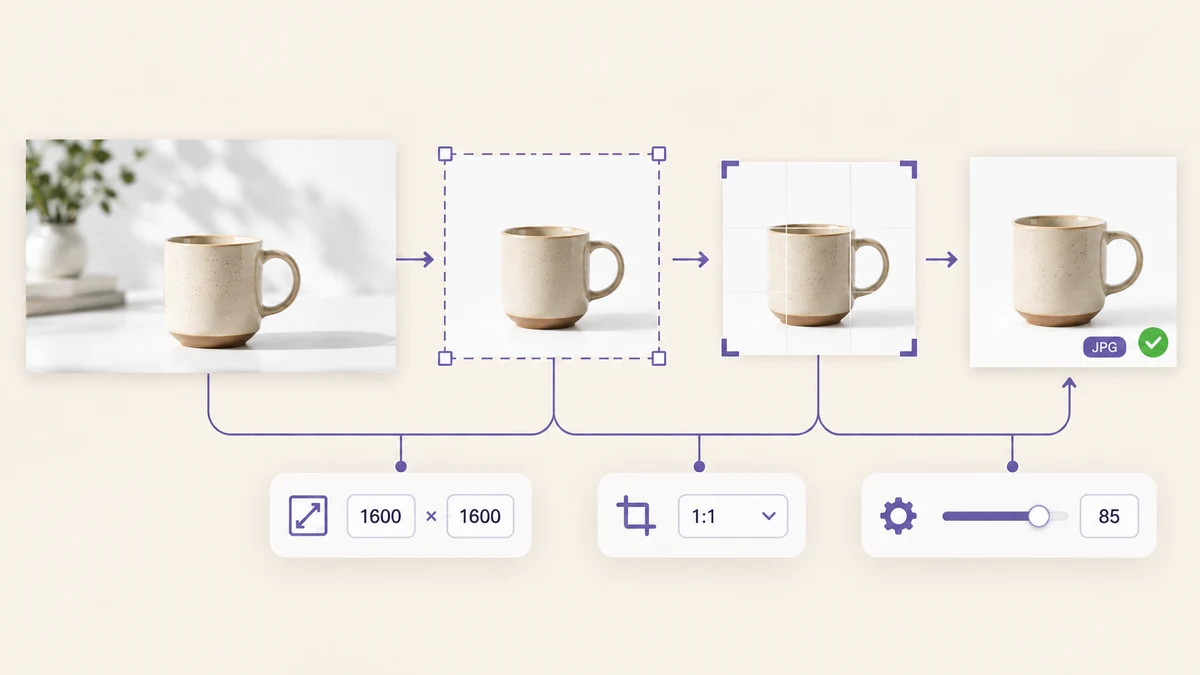
Batch Resize and Convert Images in One Pass: A Pipeline for Listings and Site Galleries
Three hundred product shots that must become 1600 × 1600 JPGs; two hundred blog images that should be width-capped WebP. Running separate tools re-compresses the image every time. Two real scenarios walked through a decode-once, encode-once batch pipeline.
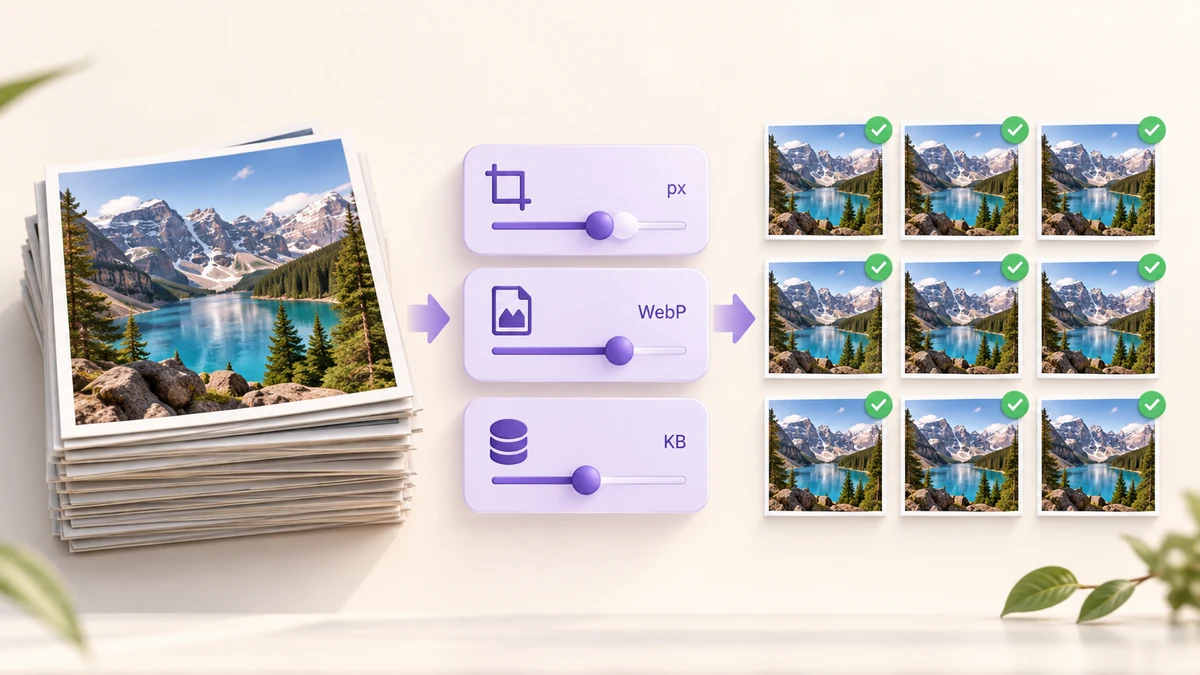
Batch Compress Images to a Target Size: Hundreds in One Pass, No Upload, No Queue
Application photos under 200KB, listing images under 1MB, email attachments under 10MB — when a whole batch has to land below a limit, a one-pass pipeline beats trying file by file. Concrete values for the three dials: quality, pixels and format, in the right order.
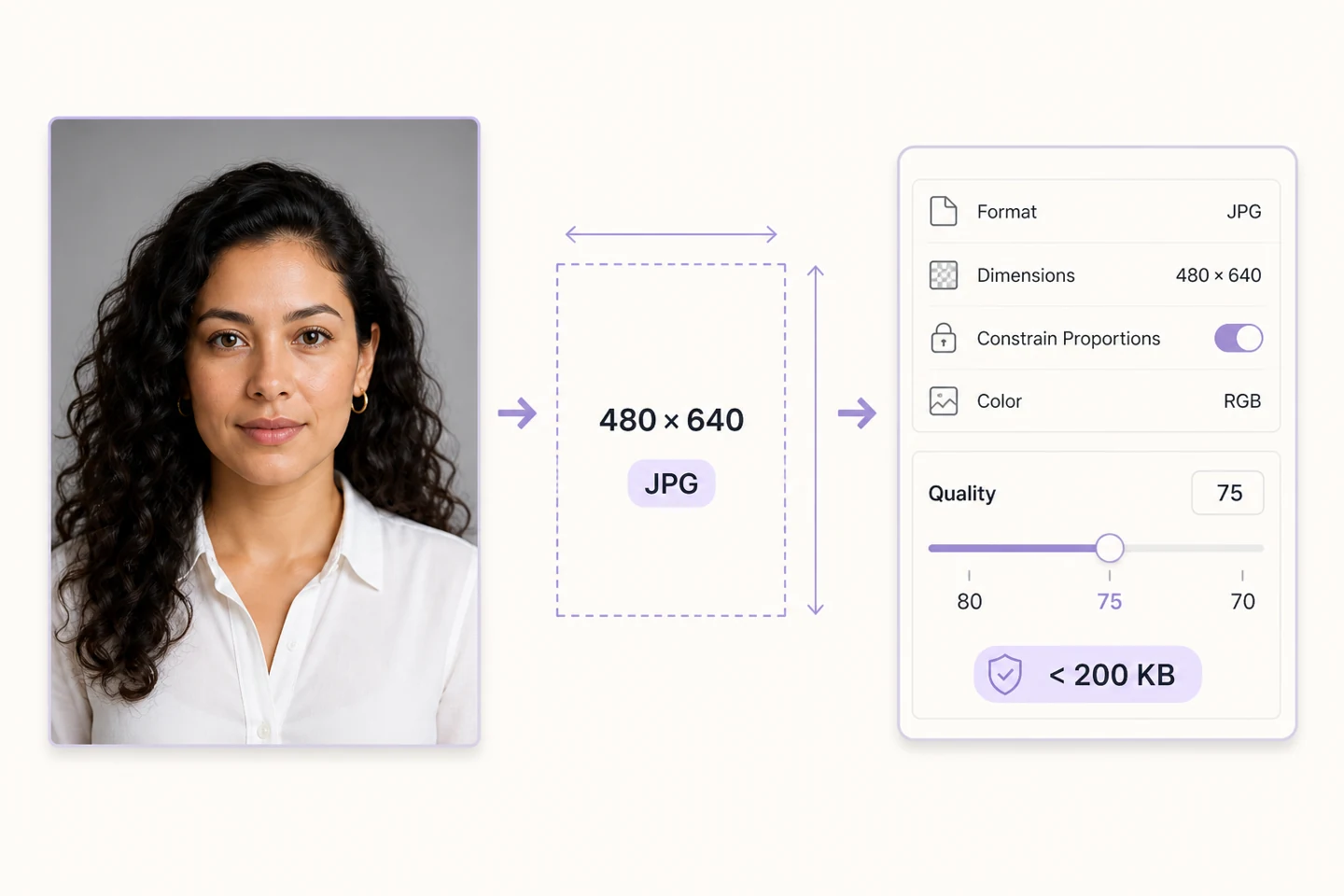
Get a photo under 200KB without changing its dimensions
Check format, pixels and file size separately. A practical sequence for an application photo that must stay readable.

How to Open iPhone HEIC Photos on Windows
Windows won't open your iPhone's HEIC photos? Here's why it happens and the simplest way to view or convert them — including a method that keeps the photos on your own PC.
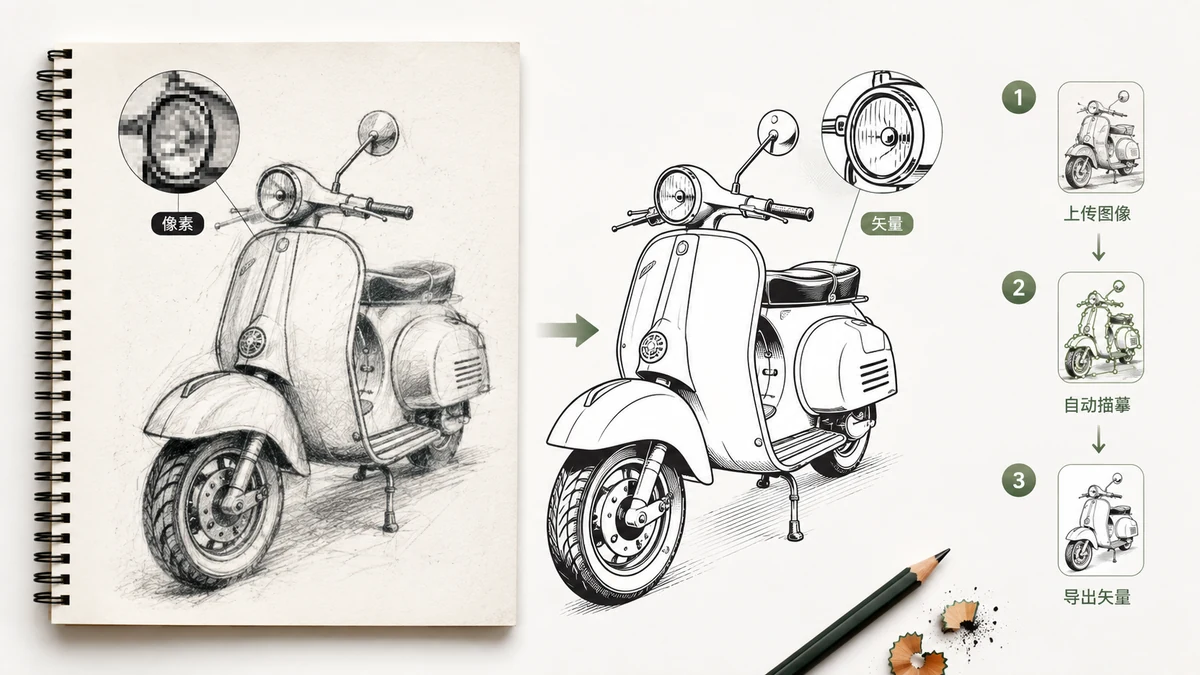
Raster to Vector, Done in the Browser (2026)
What raster-to-vector tracing actually does, why it's perfect for logos and line art and wrong for photos, and how to run the whole conversion locally without uploading anything.
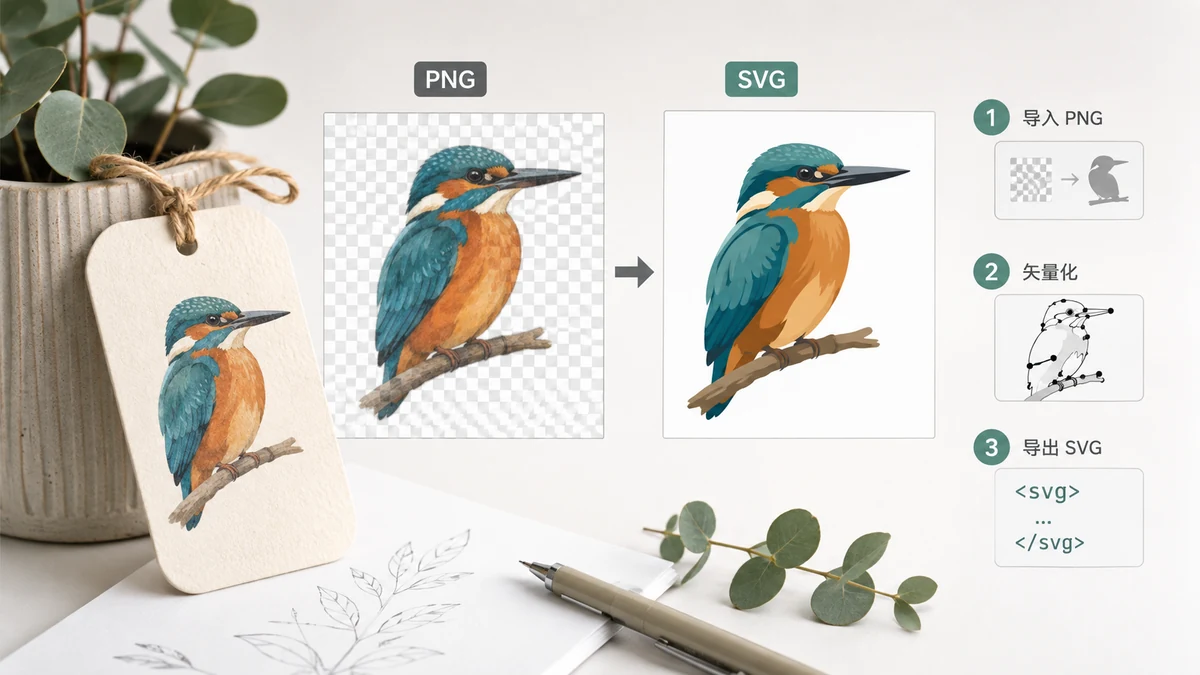
How to Convert a PNG Logo to SVG (2026)
A PNG logo blurs when you scale it up; an SVG stays sharp at any size. Here's how to trace a flat PNG logo into a clean vector SVG in your browser — and when it won't work.
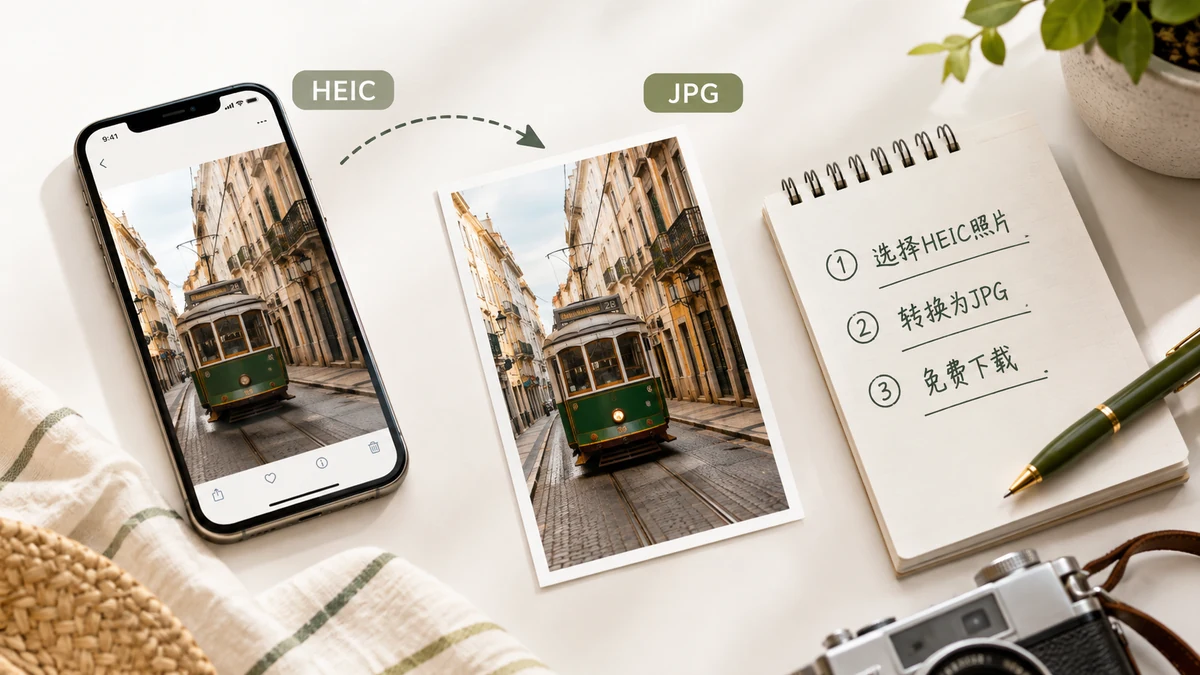
How to Convert HEIC to JPG Free in 2026 (No Upload)
A free way to turn iPhone HEIC and HEIF photos into JPG in 2026 — in batch, with a quality slider, and without uploading your photos to anyone's server.
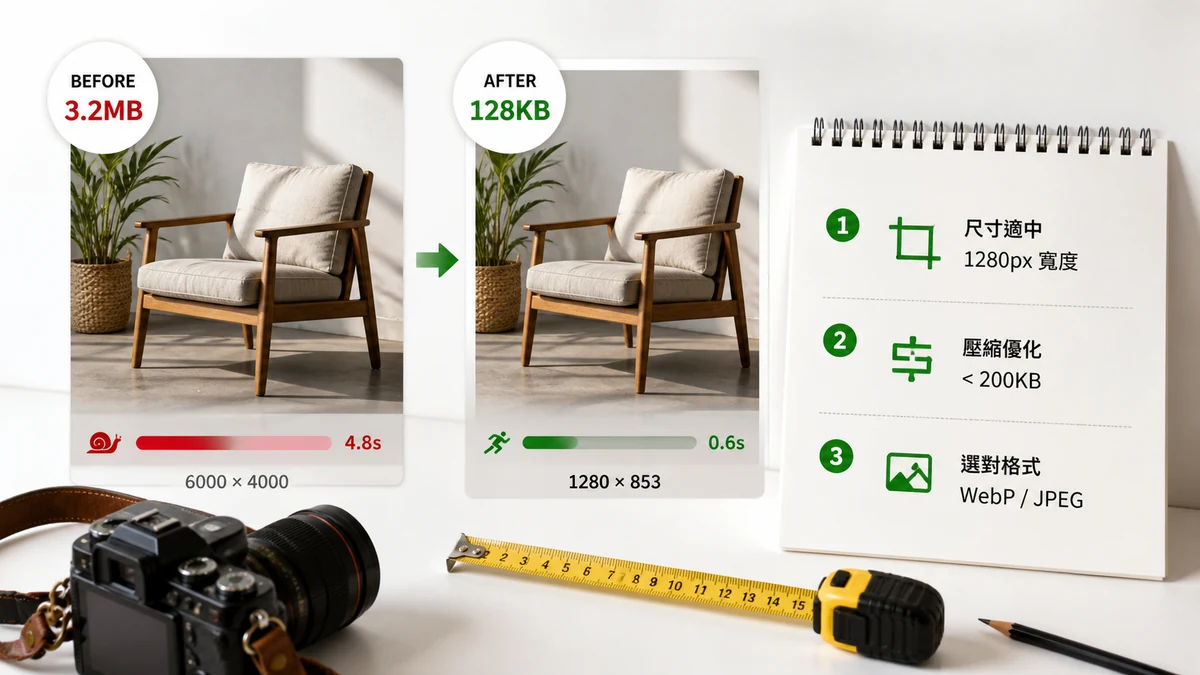
The Best Image Size for Website Speed
Exact dimension and weight targets for fast websites, how images affect Core Web Vitals (LCP), and a simple resize-then-compress workflow to hit them. Free, in-browser.
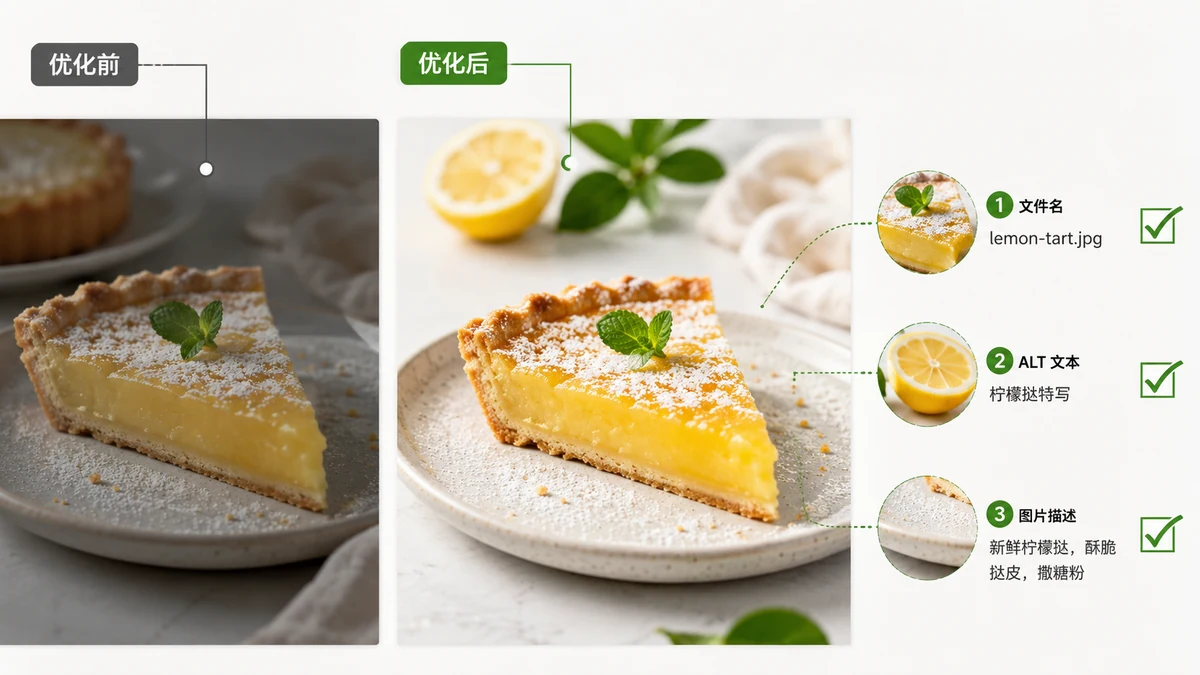
Image SEO Guide 2026: Filenames, Alt Text, Size and Format
A practical image SEO checklist for 2026: descriptive filenames, useful alt text, right-sized and modern formats, and lazy loading that helps rankings and speed.
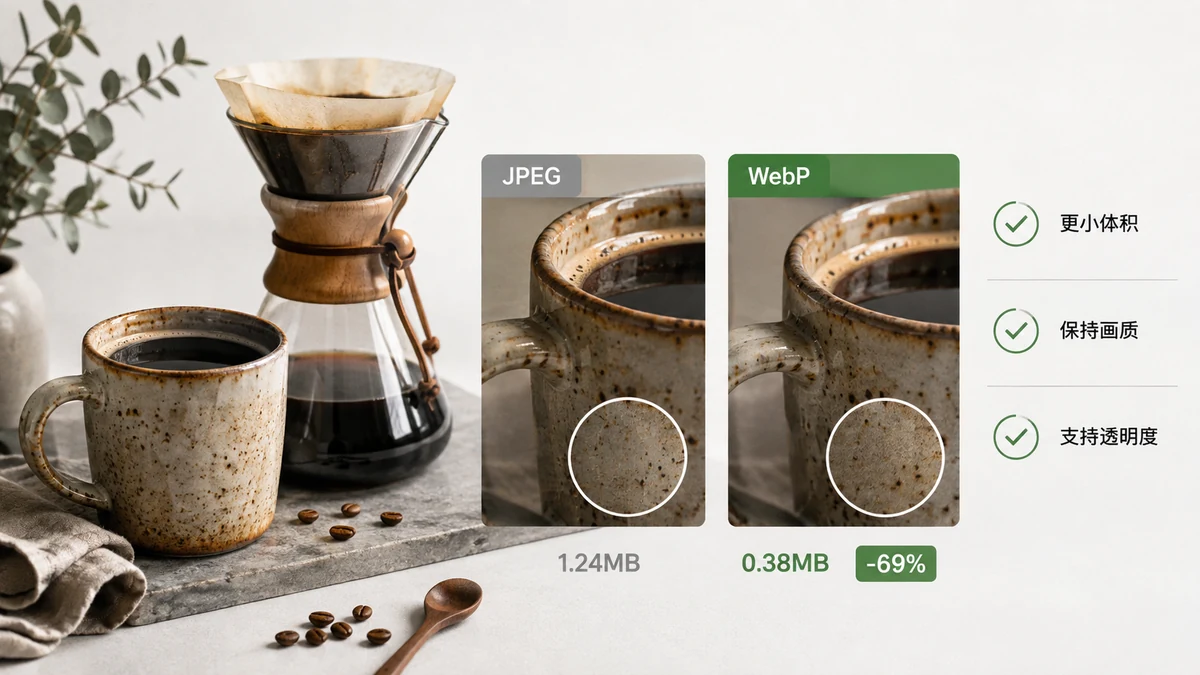
What Is WebP, and Should You Actually Use It?
WebP explained in plain terms — how much it saves, what it supports, where browser compatibility stands in 2026, and when to convert versus stick with JPG or PNG.
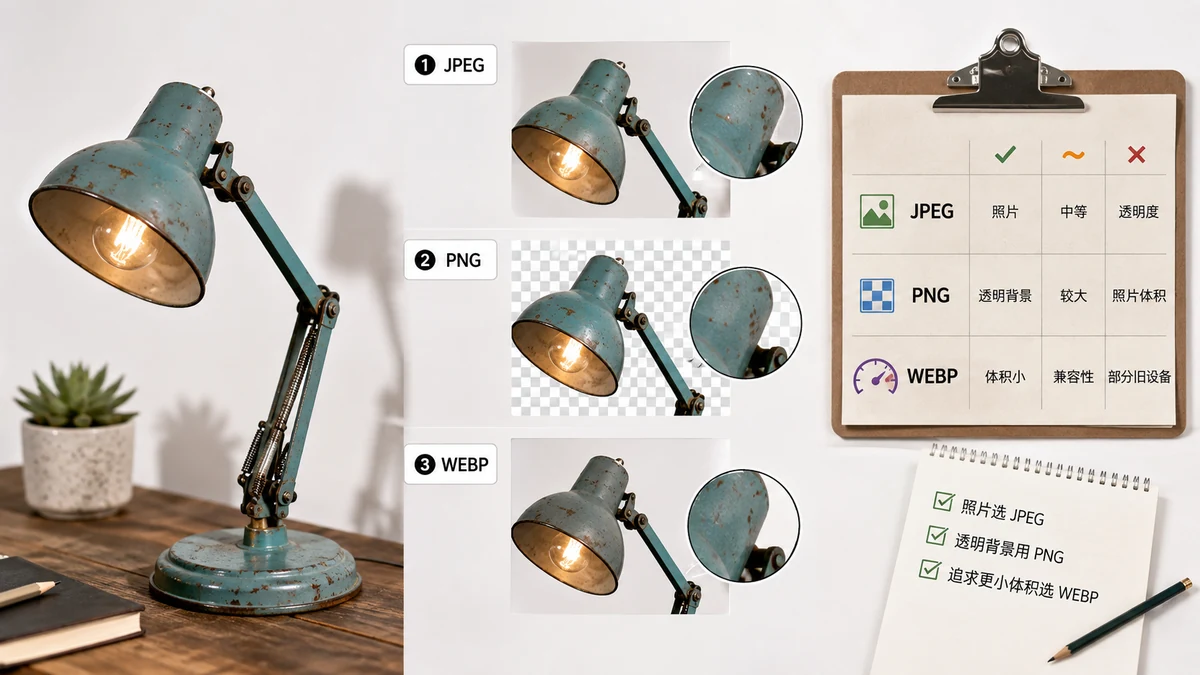
Image File Formats Explained — PNG, JPG, WebP, AVIF, GIF, SVG
A plain-English guide to the common image file types, what each one is good and bad at, and a comparison table to help you pick the right format every time.
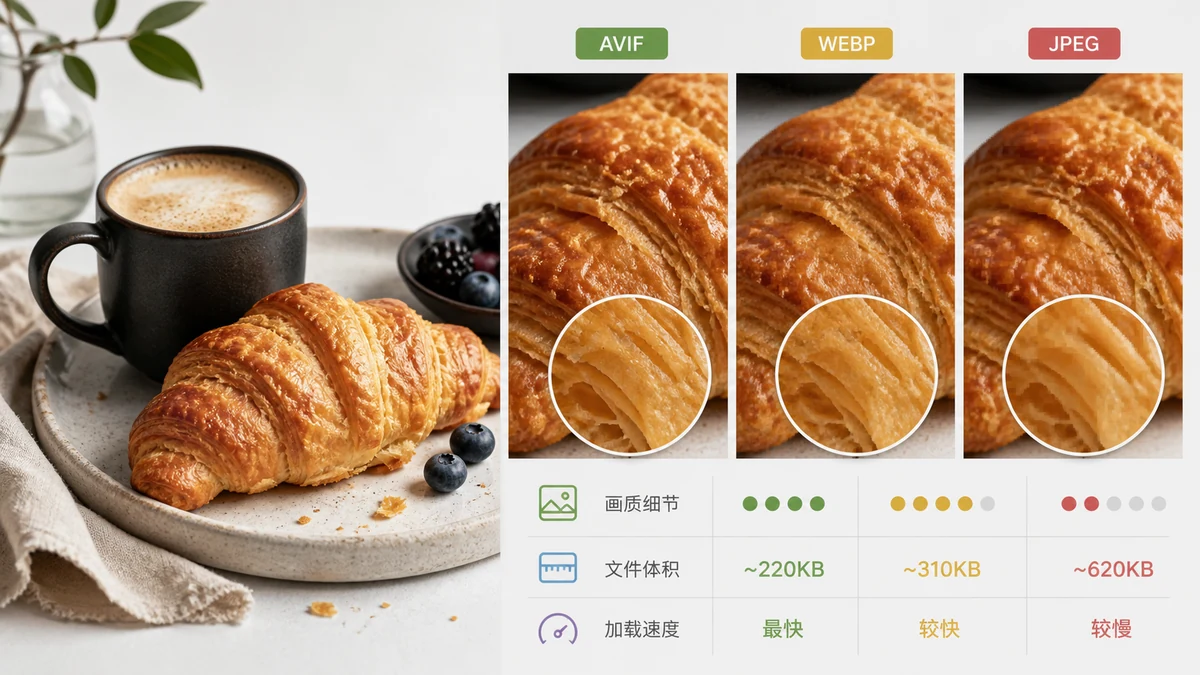
AVIF vs WebP vs JPEG — Which Should You Use?
A clear comparison of AVIF, WebP, and JPEG — compression, quality, transparency, and browser support — plus the honest truth about encoding AVIF in a browser.
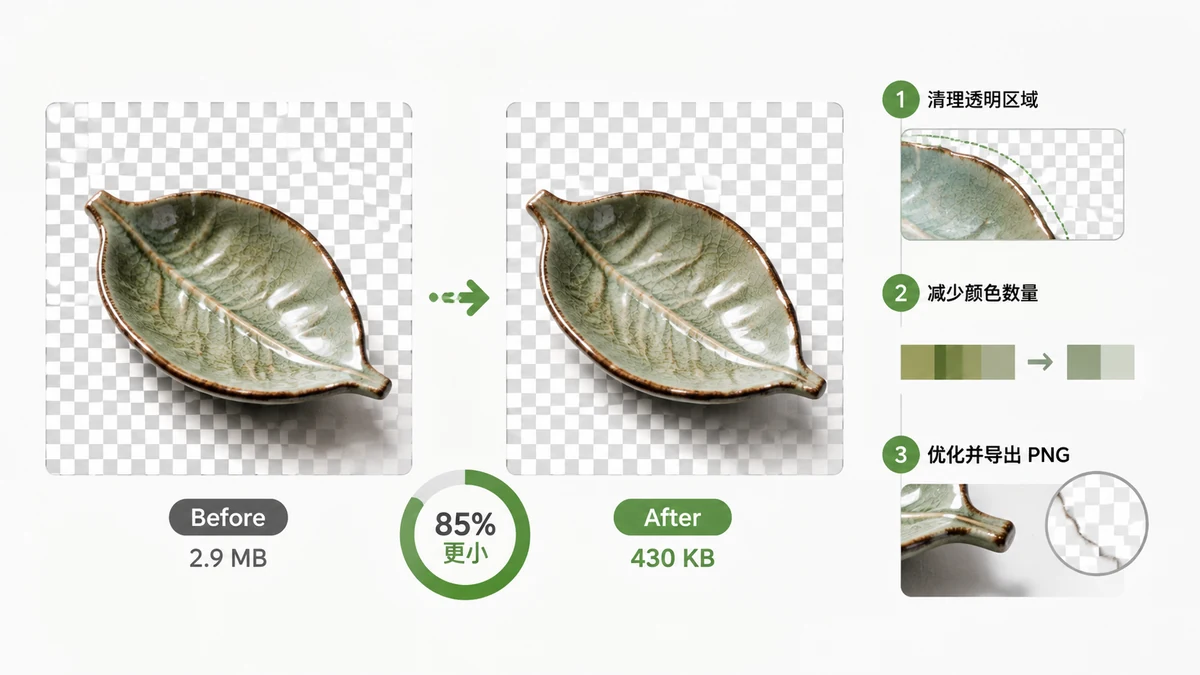
How to Compress a PNG With Transparency (and Keep It)
Why PNGs get so huge, and how 256-color quantization shrinks them 60–80% while keeping transparency fully intact. Compress transparent PNGs in your browser, free.
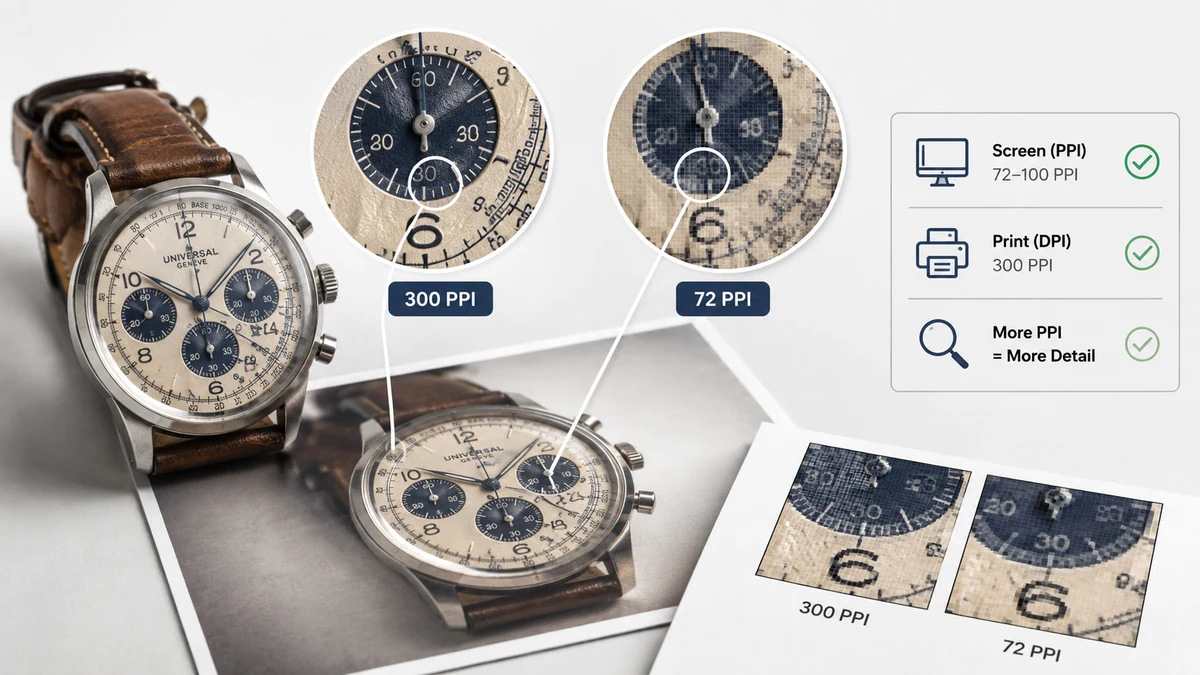
Image Resolution Explained: Pixels, DPI, and PPI (and When Each Matters)
Confused by pixels vs DPI vs PPI? Here's what each one actually means, why DPI is irrelevant on screens, and how to size an image correctly for print or web.
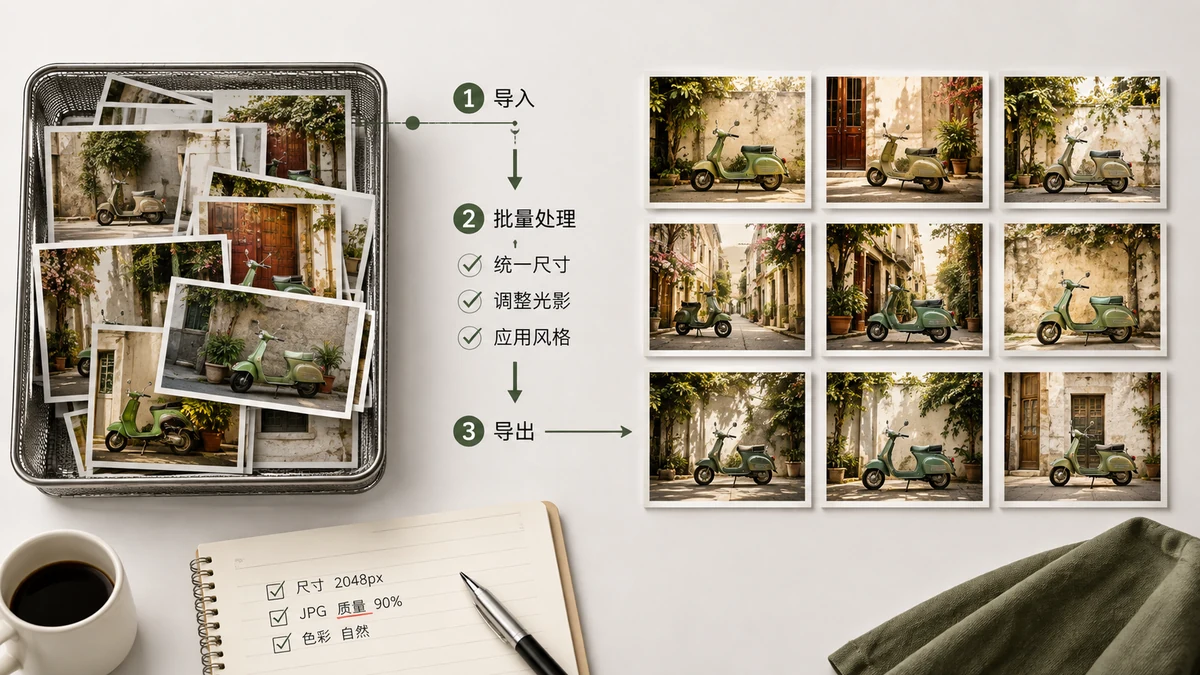
How to Batch Process Images: Compress, Convert and Resize in Bulk
Editing images one at a time is a waste of an afternoon. Here is how to batch compress, convert, resize, and watermark whole folders of images in your browser.
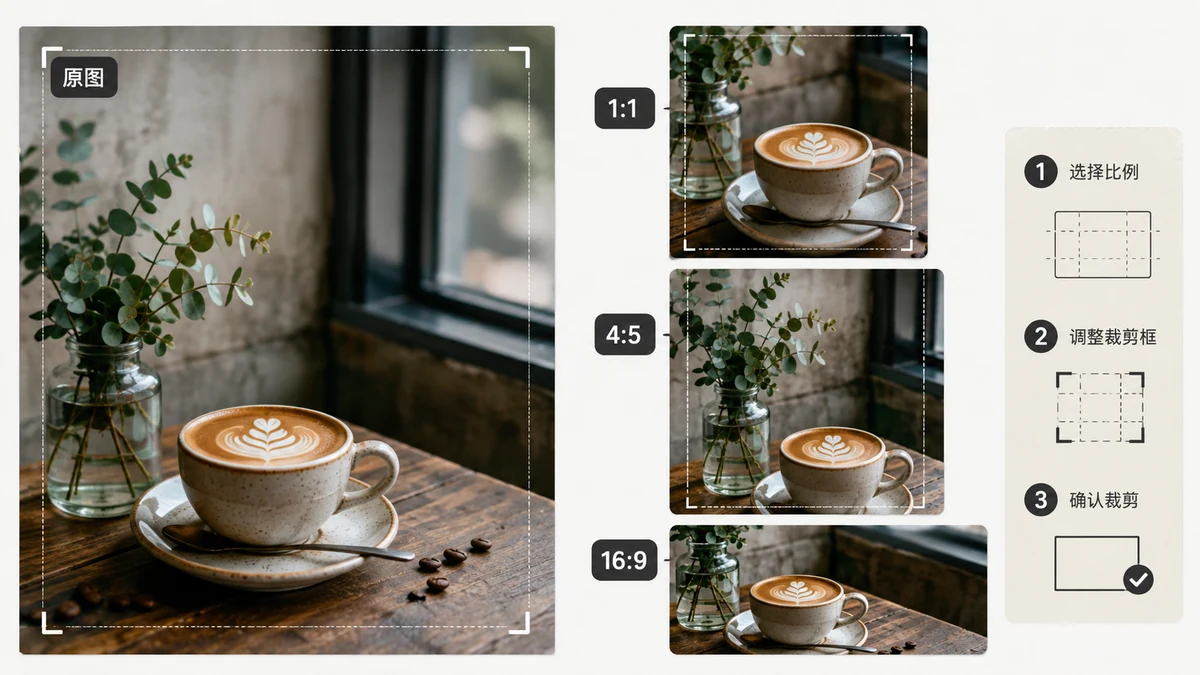
Crop to Aspect Ratio: When to Use 1:1, 4:3, 16:9 and 9:16
A plain guide to cropping images to aspect ratio. Learn when 1:1, 4:3, 16:9, and 9:16 each fit, and crop any photo to the exact shape you need for free.
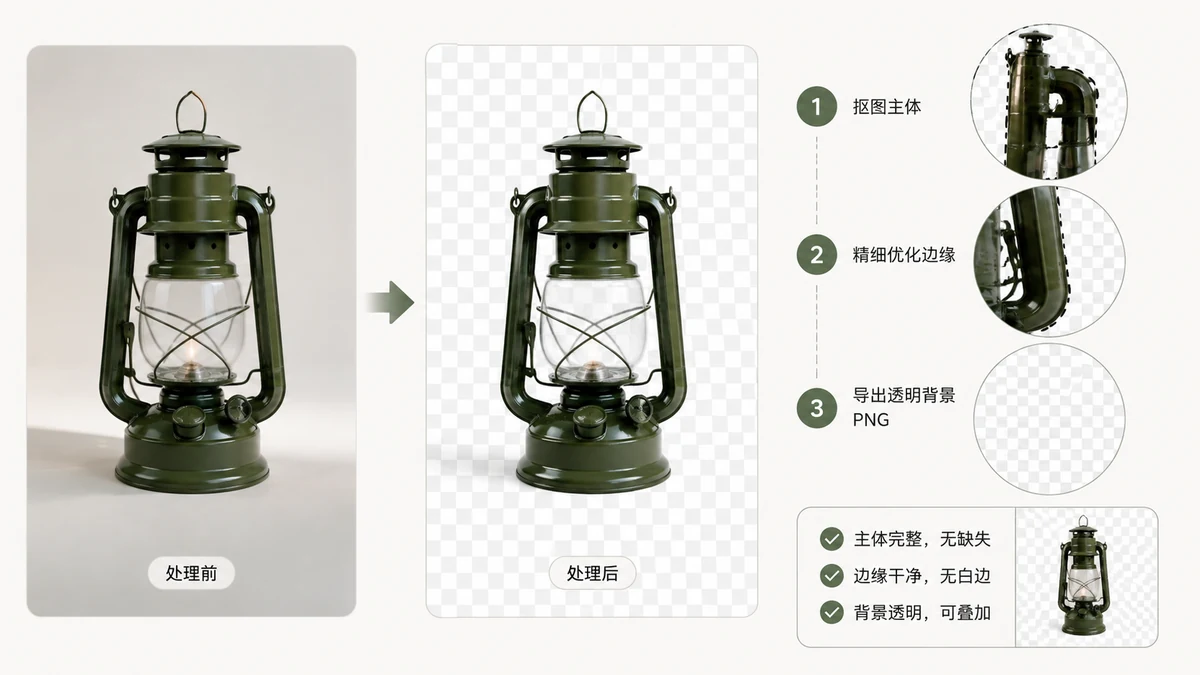
Transparent Background PNG: A Practical Guide to Alpha Transparency
What a transparent PNG actually is, how the alpha channel works, and how to keep transparency intact through edits, conversions, and exports without accidentally filling it with white.
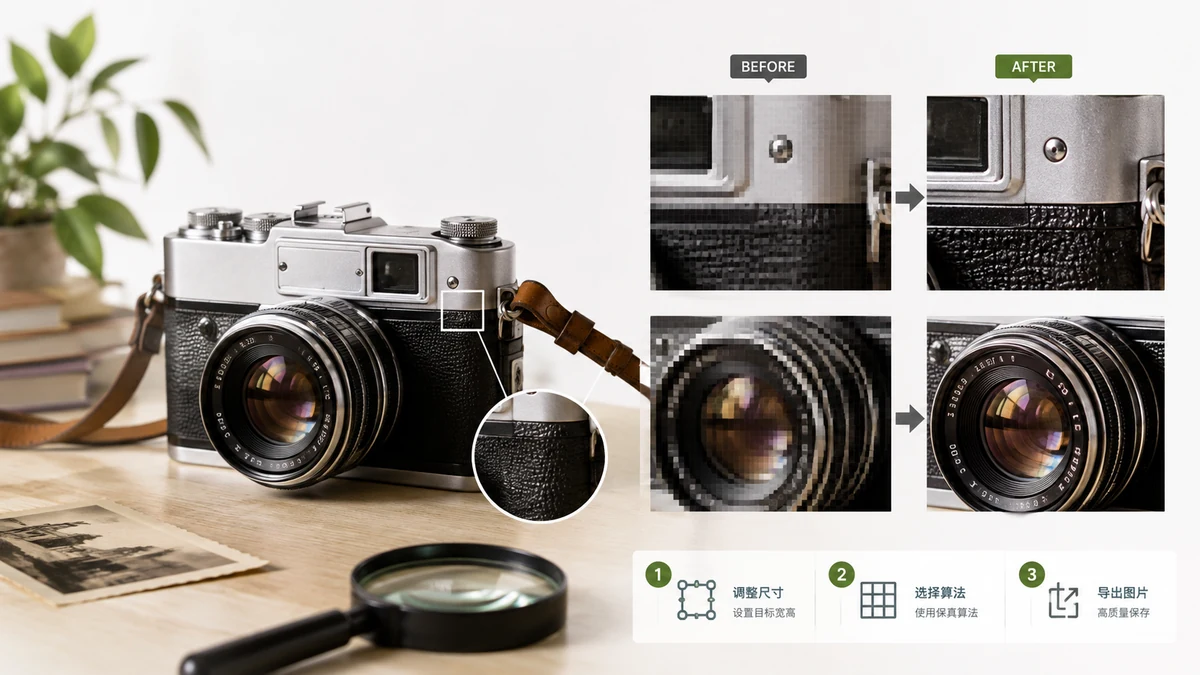
How to Resize an Image Without Losing Quality
Resize images without losing quality. Understand why downscaling stays sharp, why upscaling can't add detail, and resize any photo cleanly in your browser.
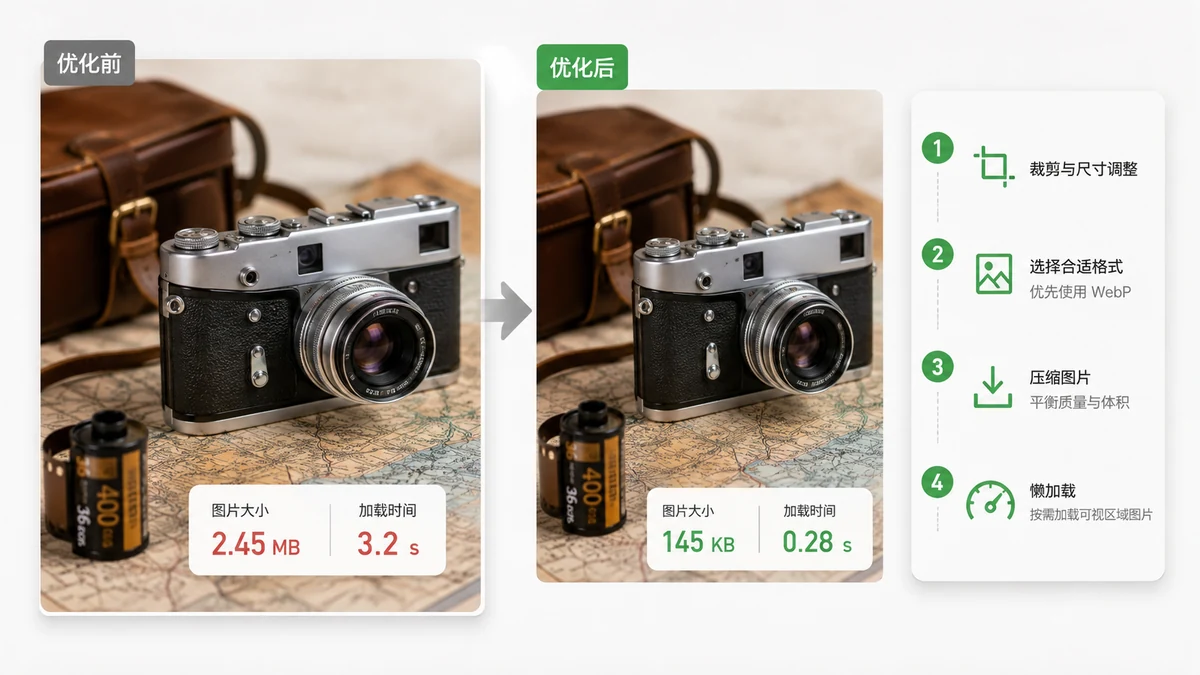
How to Make Images Load Faster on Your Website
Slow images are usually the reason a page feels sluggish. Learn how resizing, compression, and modern formats cut image weight and speed up load times.
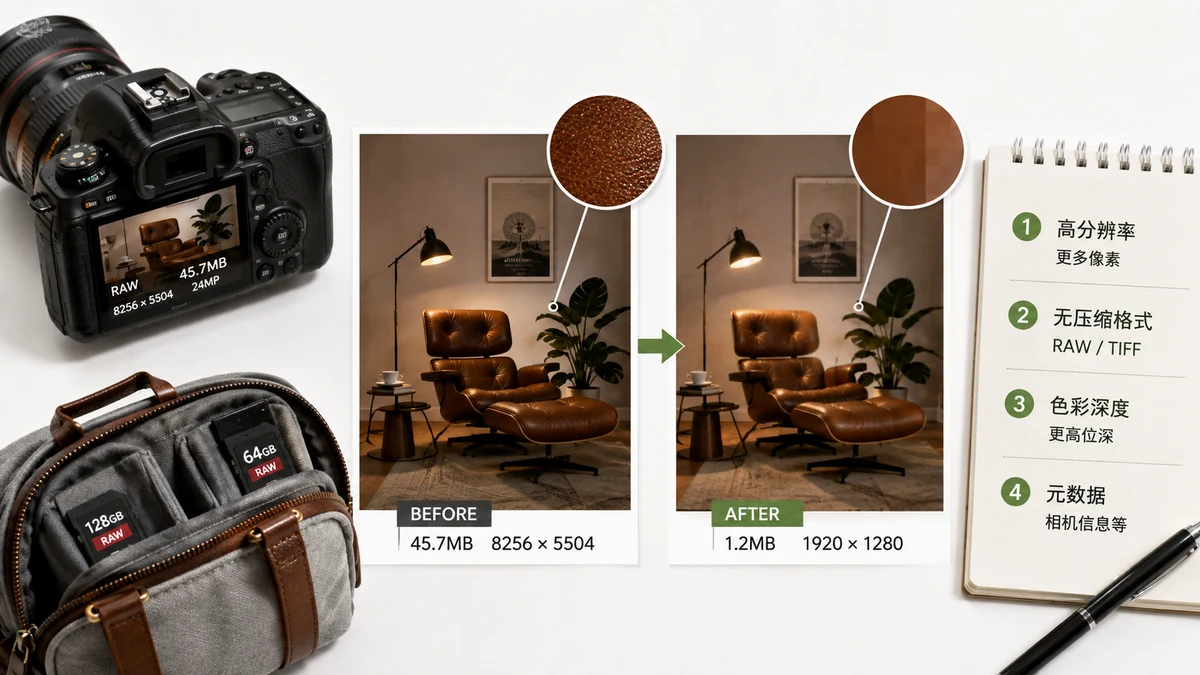
Why Are My Photos So Large? How to Shrink Phone Photos
Modern phones save huge photo files thanks to high-megapixel sensors and HDR. Here is why it happens and how to shrink a photo without wrecking its quality.
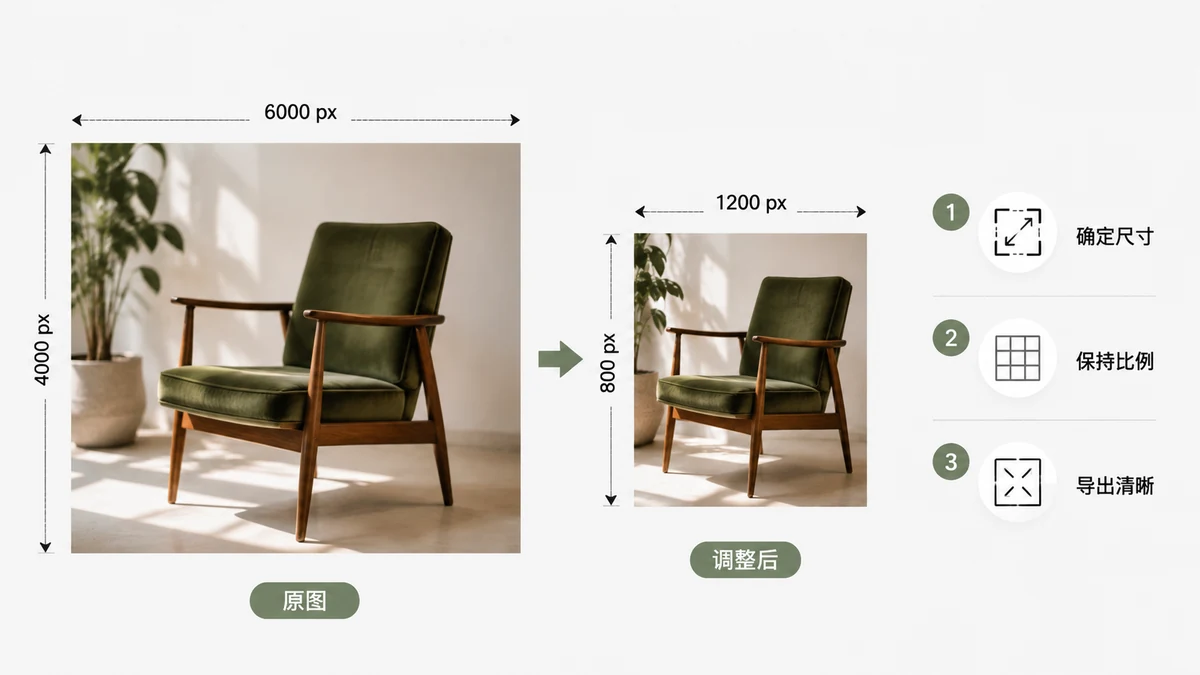
How to Resize an Image Correctly (Without Making It Blurry)
A clear guide to resizing images the right way — pixels vs percent, keeping aspect ratio, and why downscaling looks great but upscaling rarely does. Do it free in your browser.
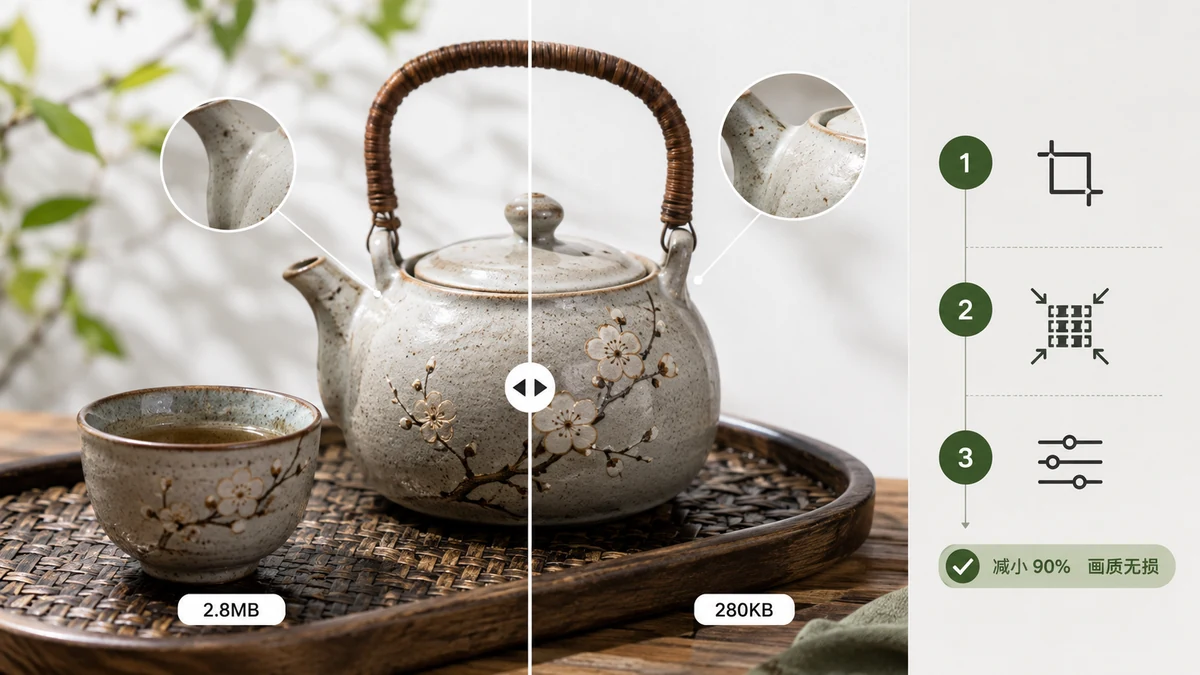
How to Compress Images Without Losing Quality
Compress images without visible quality loss using smart PNG quantization and quality-tuned JPG/WebP. A practical, in-browser method that keeps files sharp and small.
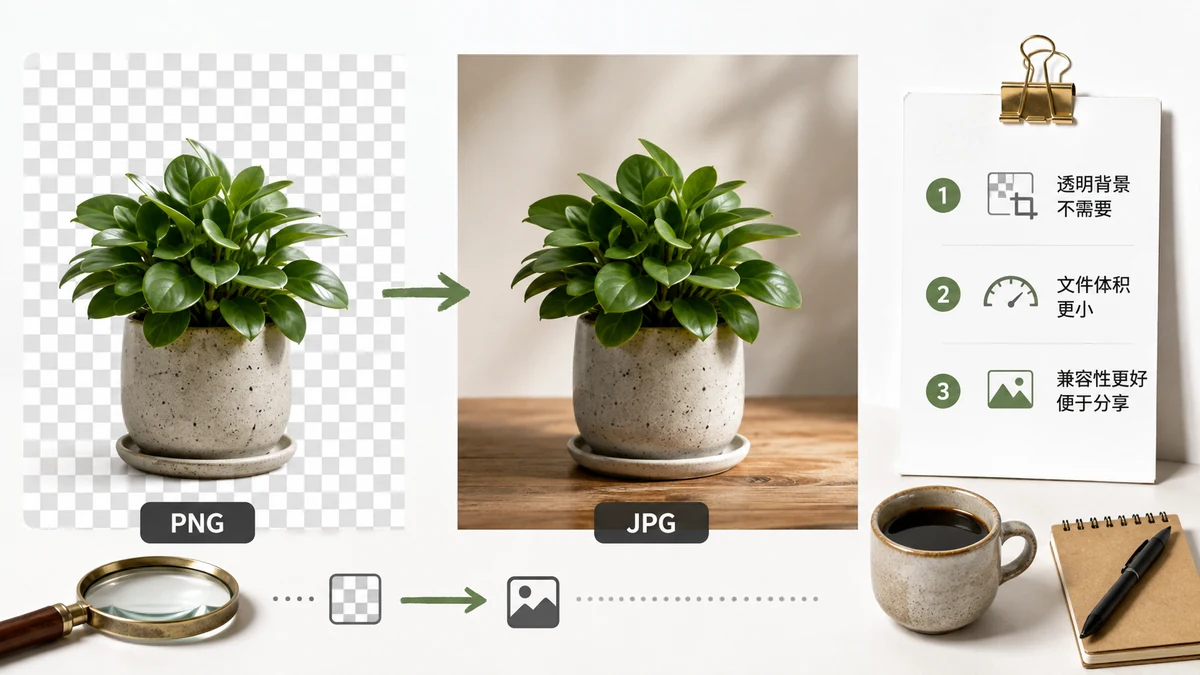
PNG to JPG — When It Helps and When It Hurts
A practical guide to converting PNG to JPG in your browser. When JPG saves real bandwidth, when PNG is worth keeping, and how to convert without any upload.
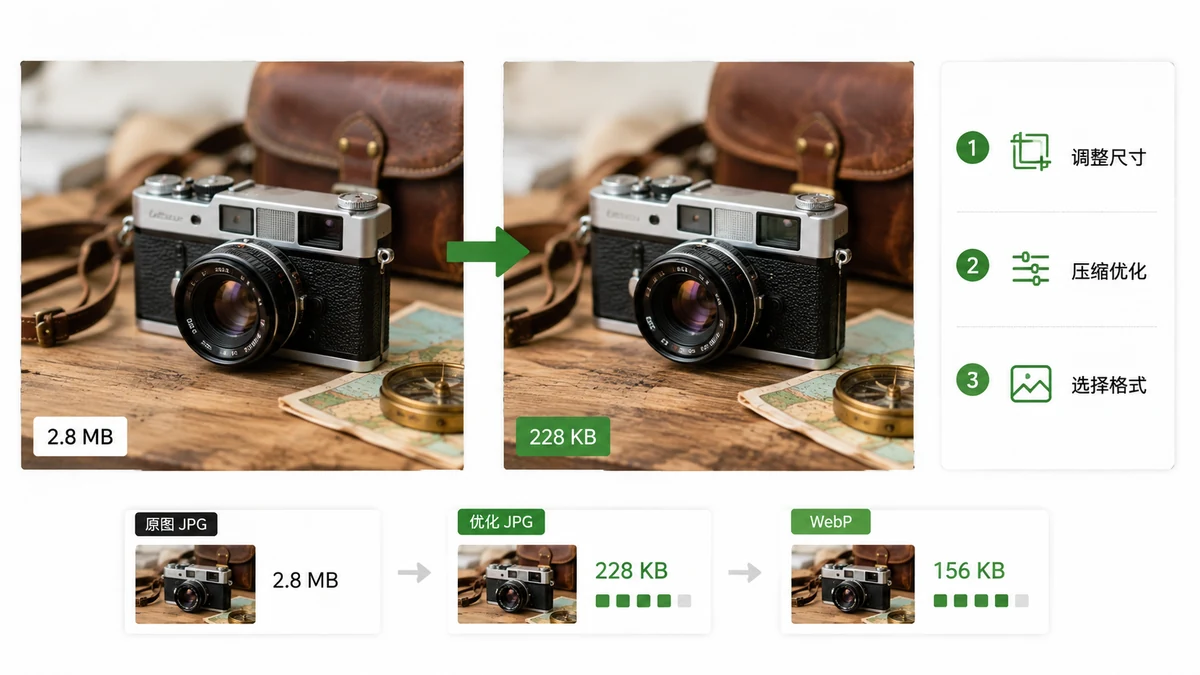
How to Reduce Image File Size for the Web
Concrete target sizes for web images plus a two-step method — resize to real display width, then compress — to shrink files for faster pages without visible quality loss.
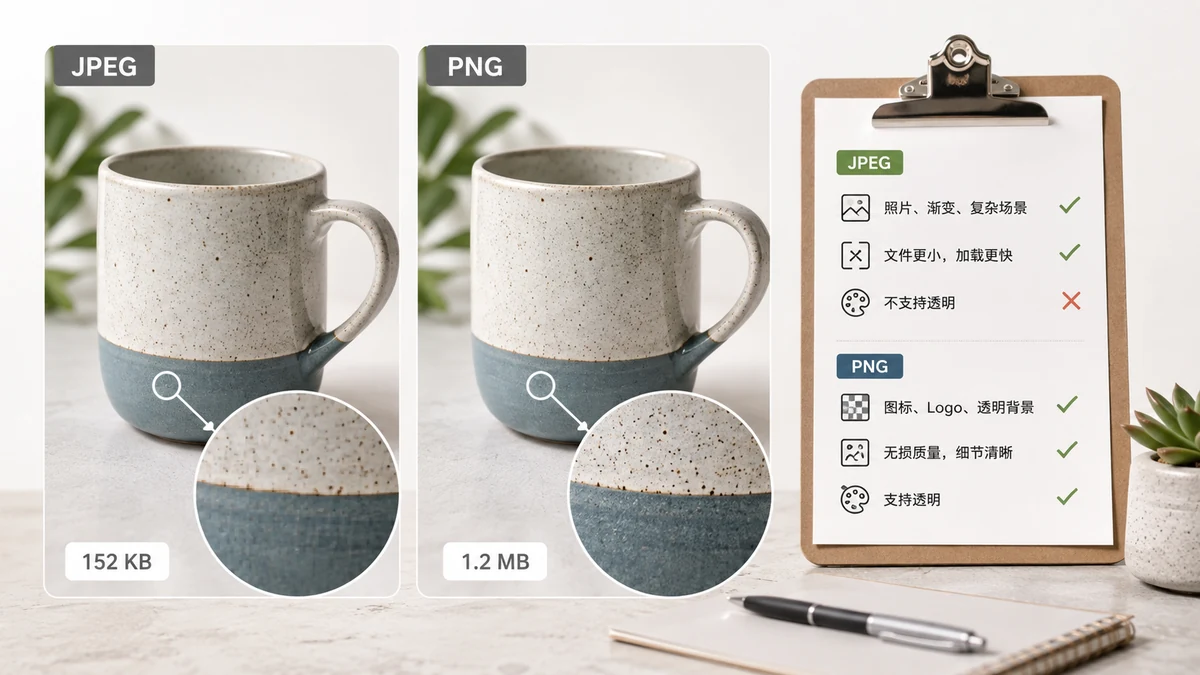
JPEG vs PNG: Which One Should You Use?
JPEG or PNG? A clear rule for choosing between them by image type, plus how to compress each without wrecking quality. Photos vs logos, transparency, and file size.
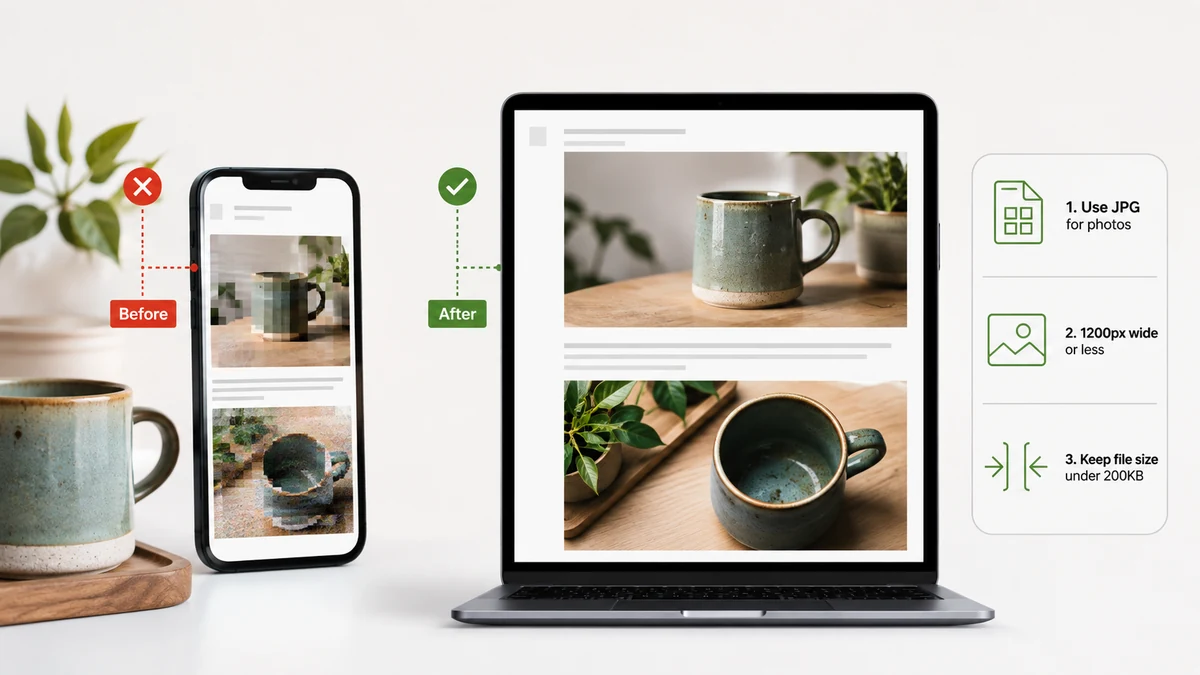
The Best Image Format for Email (and How to Shrink It)
Which image format to use for email attachments and inline images, how to stay under size limits, and how to compress and convert in your browser without uploading.
Editing, cutouts & touch-ups
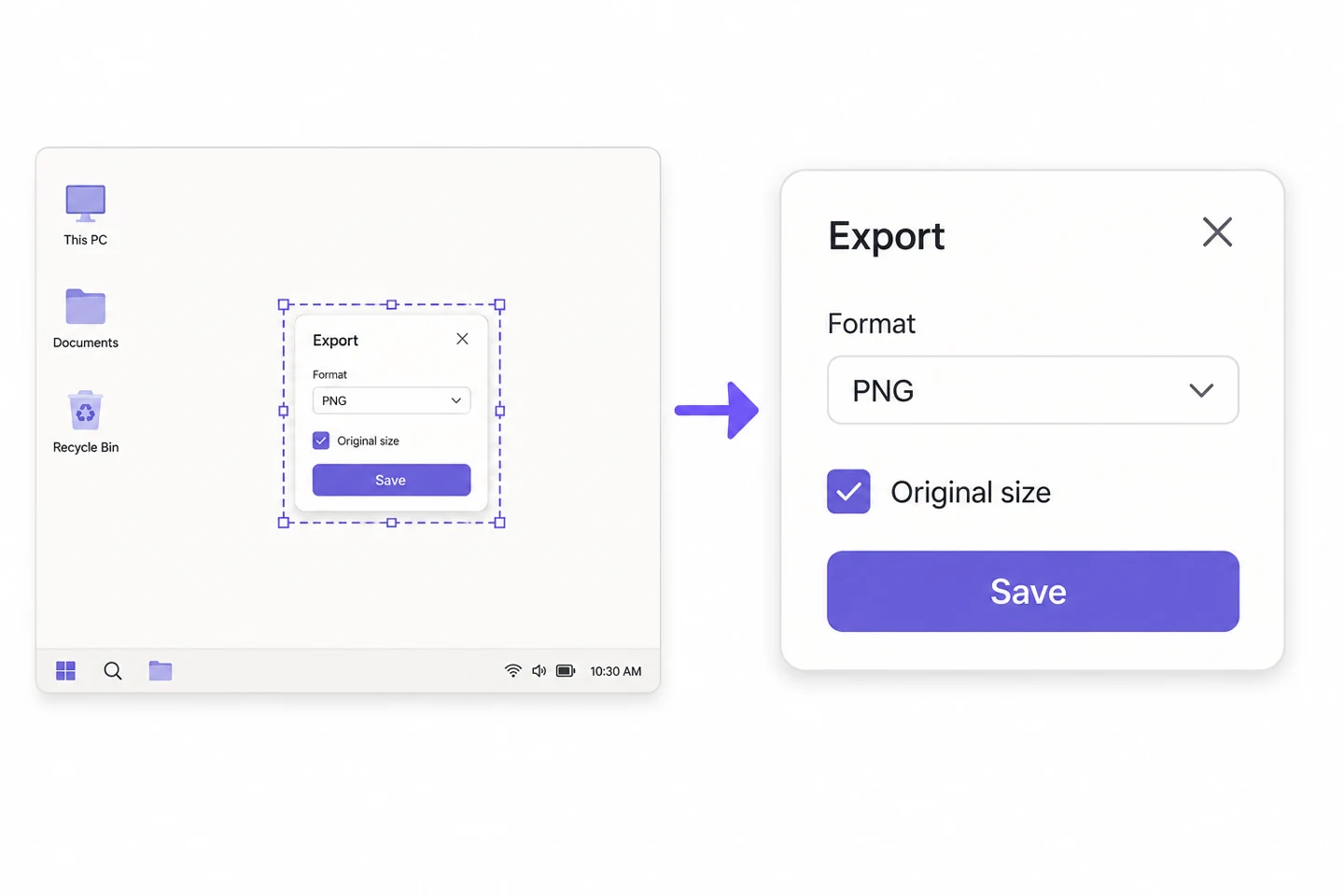
Keep screenshot text sharp when you share it
Find out where small text gets lost: resizing, JPEG saving and excessive decorative padding.
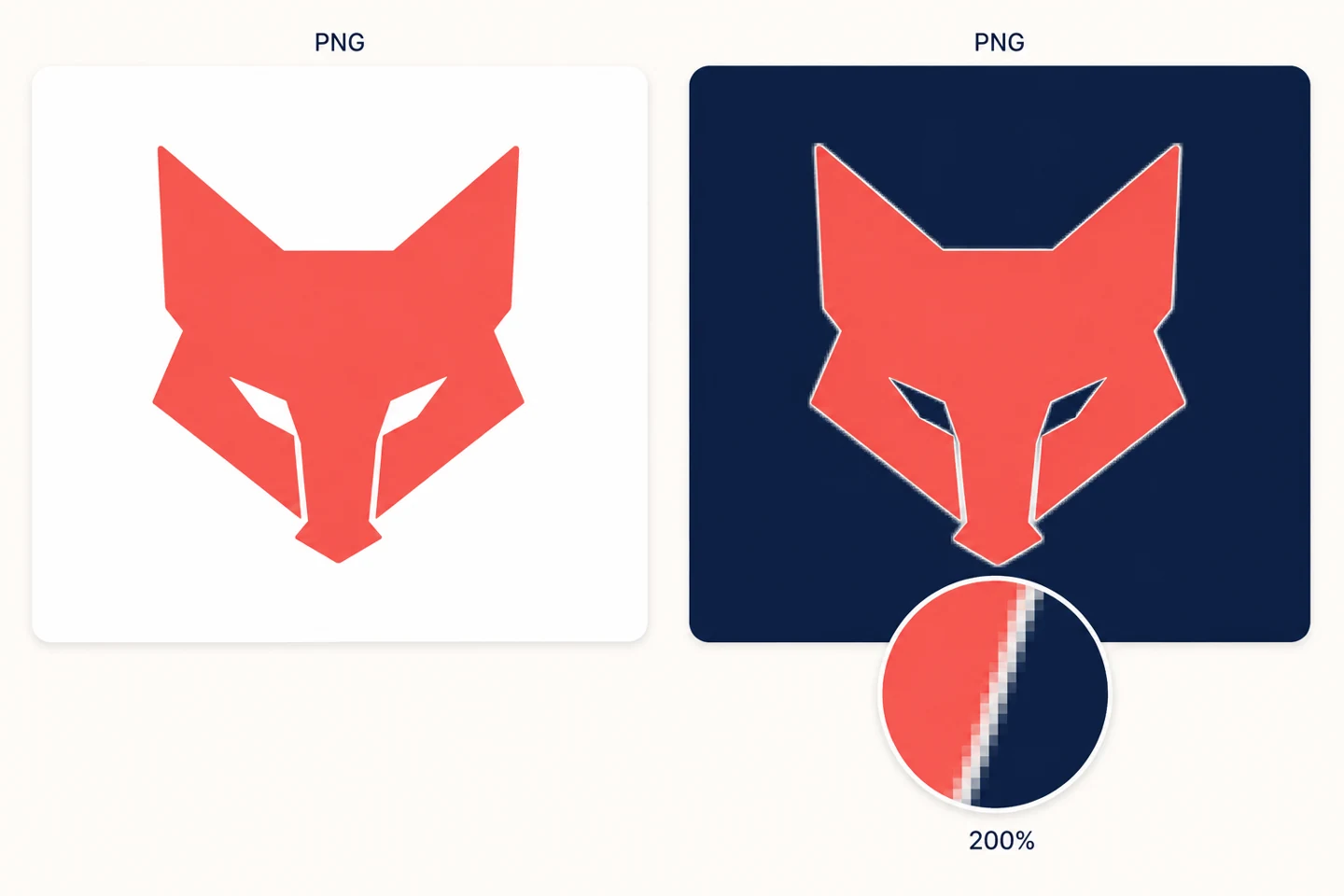
Fix white fringes around a transparent logo
Separate a solid background, pale edge pixels and the viewer's background before changing the source file.
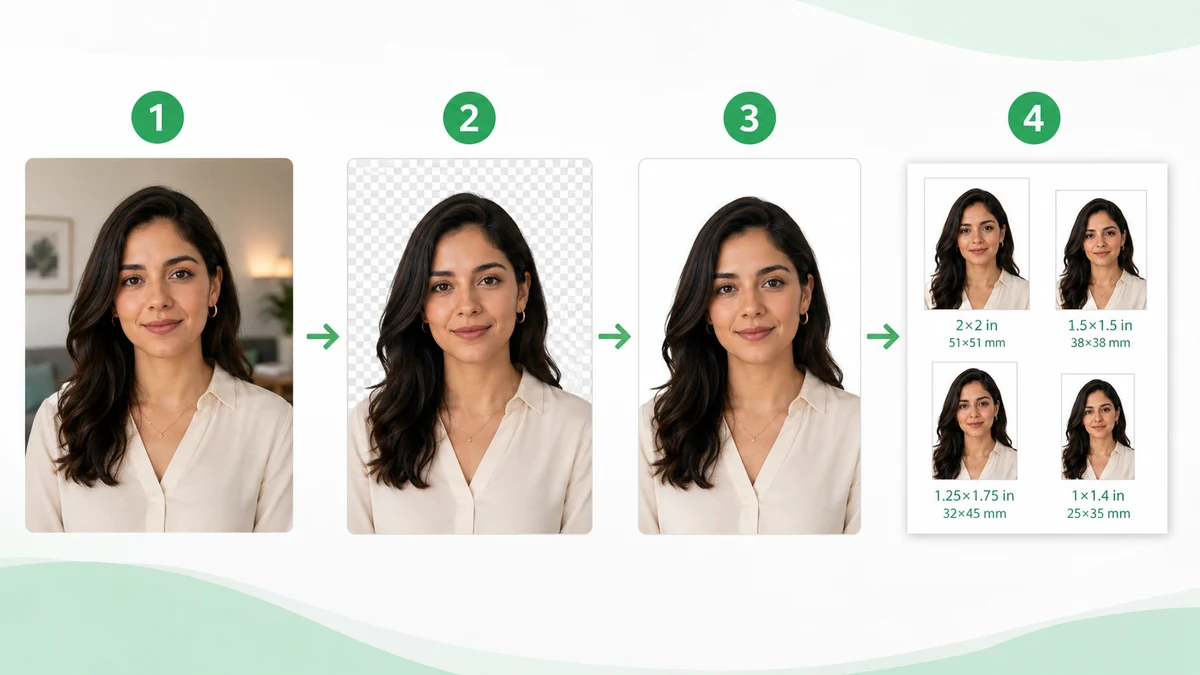
Make Your Own ID & Passport Photos at Home (2026): Sizes, Backgrounds, Printing
Skip the photo studio: exact ID photo sizes (1-inch, 2-inch, passport, visa), phone shooting tips, AI background replacement in the browser, and the 4×6" print-sheet trick that cuts the cost to a tenth. No upload.
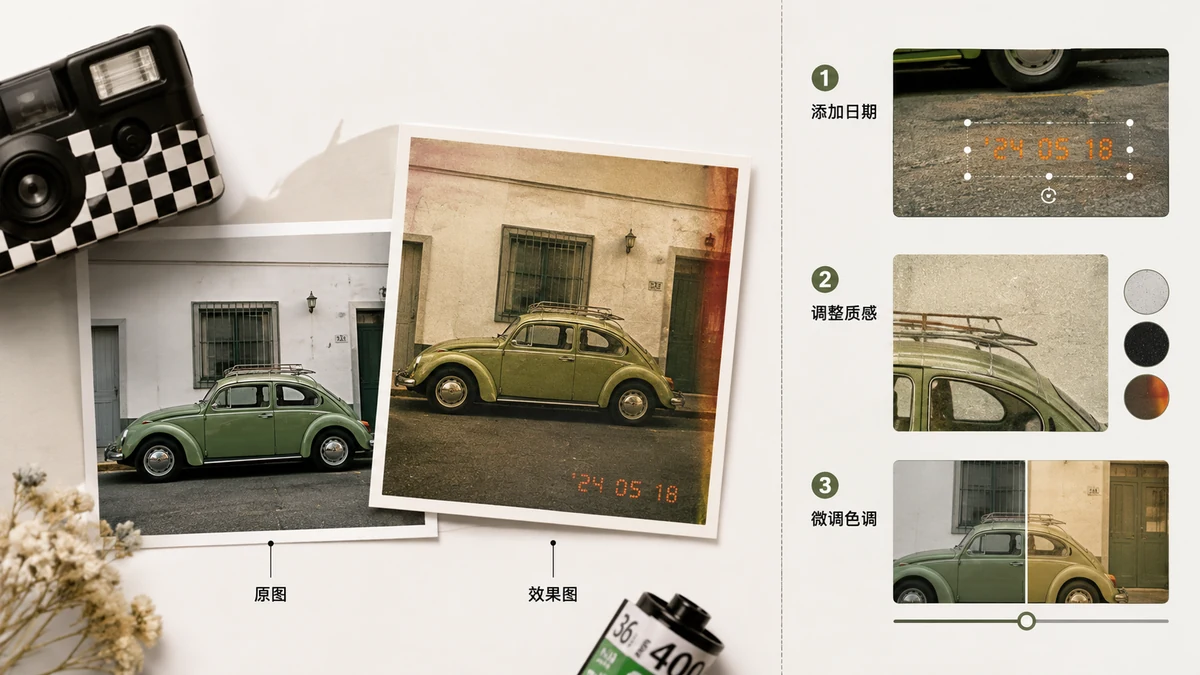
The Retro Date Stamp: Film-Camera Aesthetics, Done Right
Why the orange date in 90s photos is so charming — where it came from, how to read the real EXIF capture date, four classic formats, and the practical cases (printed albums, site records) where an in-frame date earns its keep.
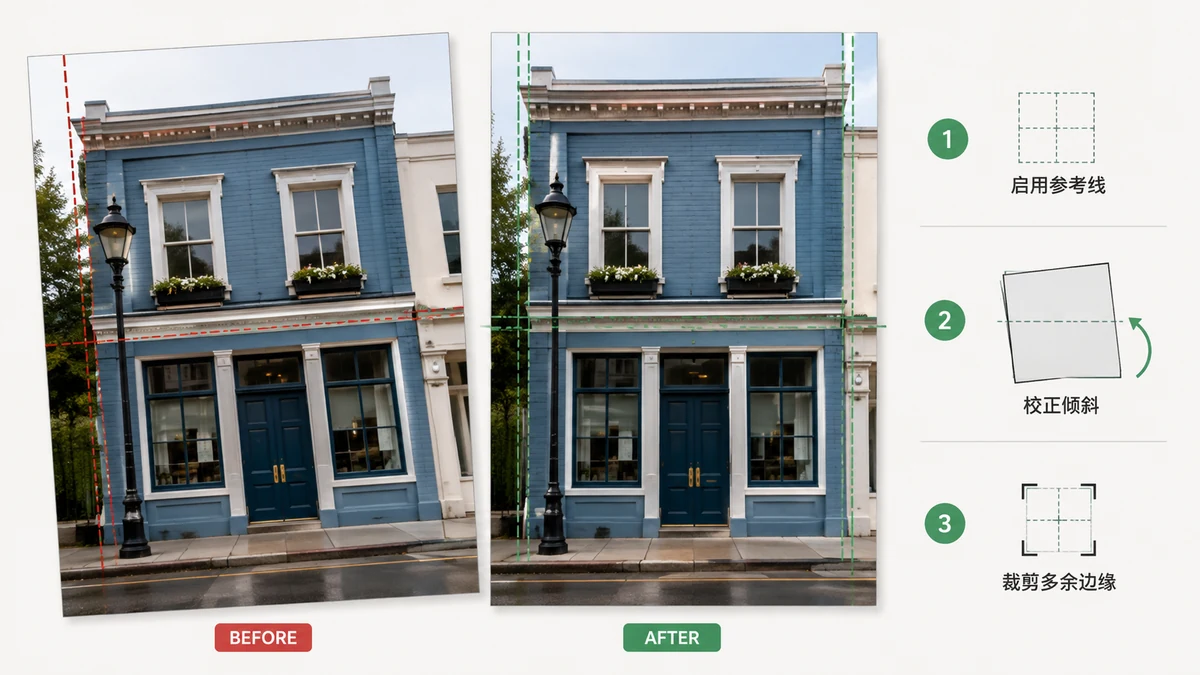
How to Straighten a Crooked Photo — Without White Edges
A tilted horizon ruins an otherwise good shot. How straightening really works: fine angles, grid alignment, why rotation exposes white corners, the largest-inner-rectangle crop, and how to handle scans and sideways shots.
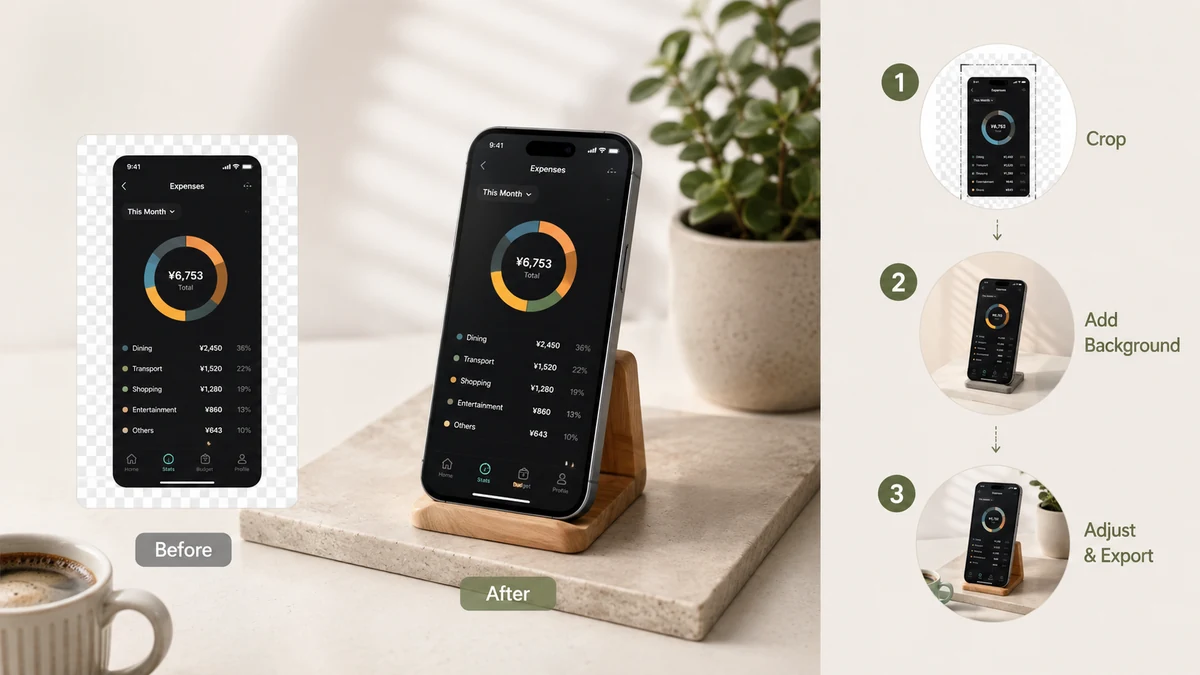
How to Add a Background to a Screenshot (2026)
Put your screenshot on a gradient, a solid colour, or a transparent backdrop — with padding, rounded corners, and a soft shadow — right in the browser, without uploading anything.
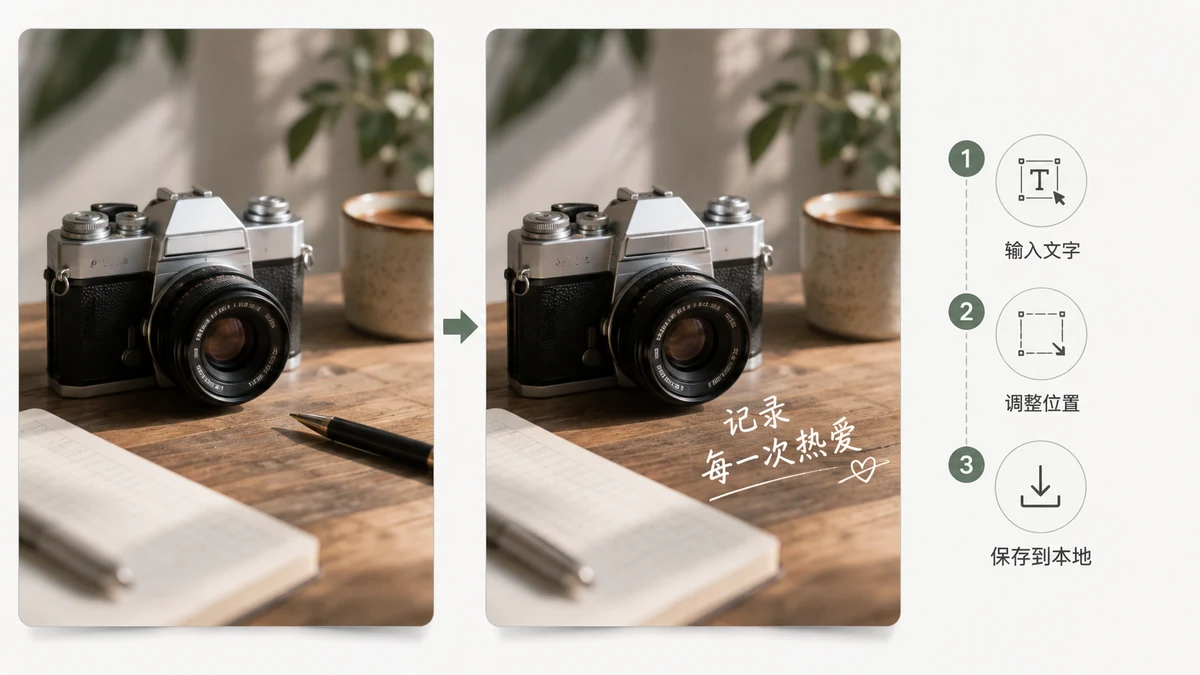
How to Add Text to a Photo Privately — Without Uploading It Anywhere
Some captions are for a group chat, not the whole internet. Here's how to add text to a personal photo or screenshot entirely on your own device, with nothing uploaded.
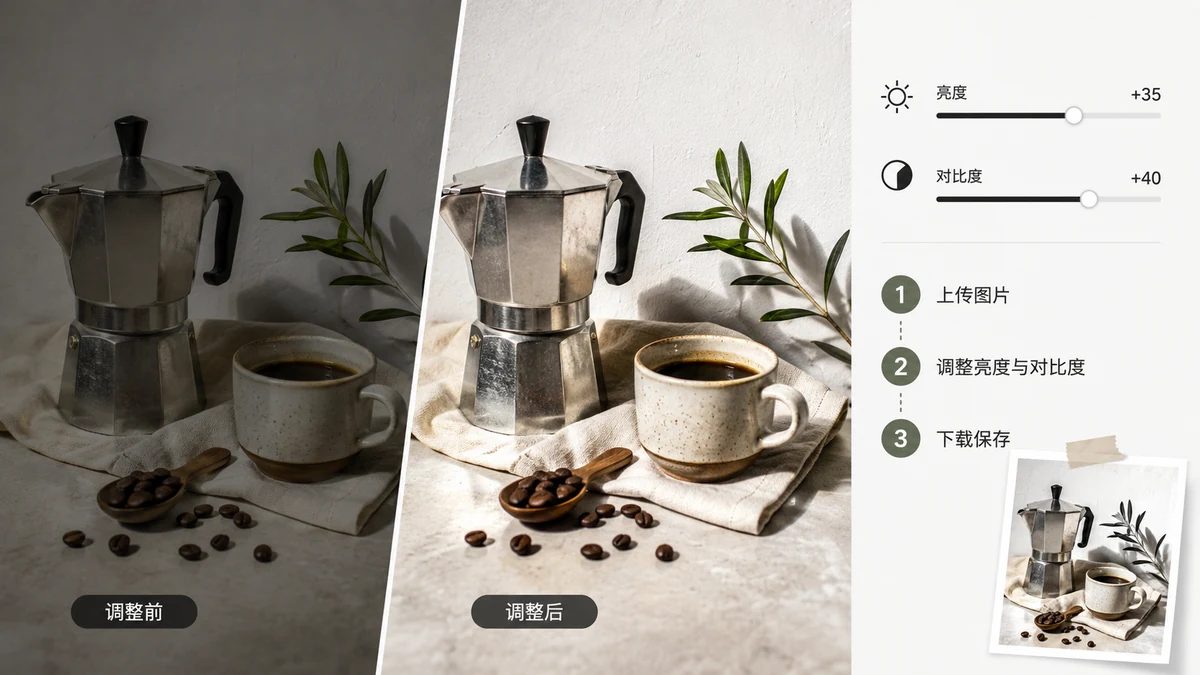
Adjust Brightness and Contrast Online (2026)
Fix a dark, flat, or washed-out photo with brightness, contrast, and saturation sliders in your browser. Live preview, full-resolution export, no upload. 2026.
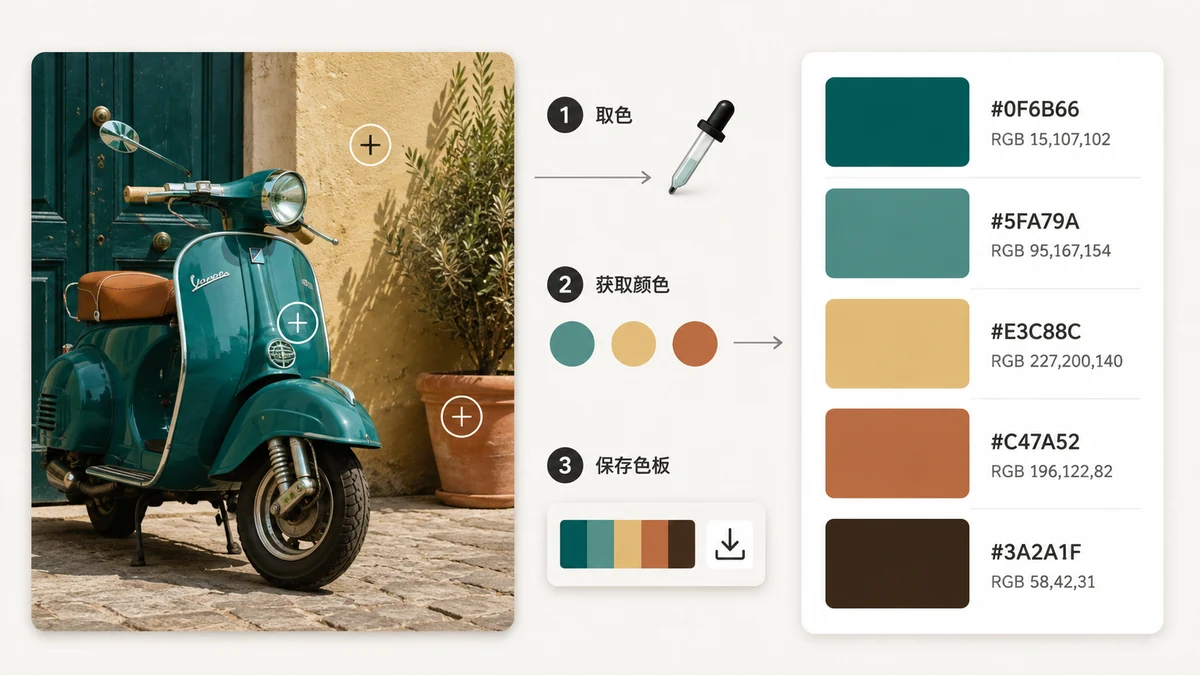
How to Pick Colors From a Screenshot (2026)
Grab exact colors out of any screenshot — a website, an app, a design you can't inspect. Hover to zoom, click to save HEX, RGB and HSL. In your browser, nothing uploaded.
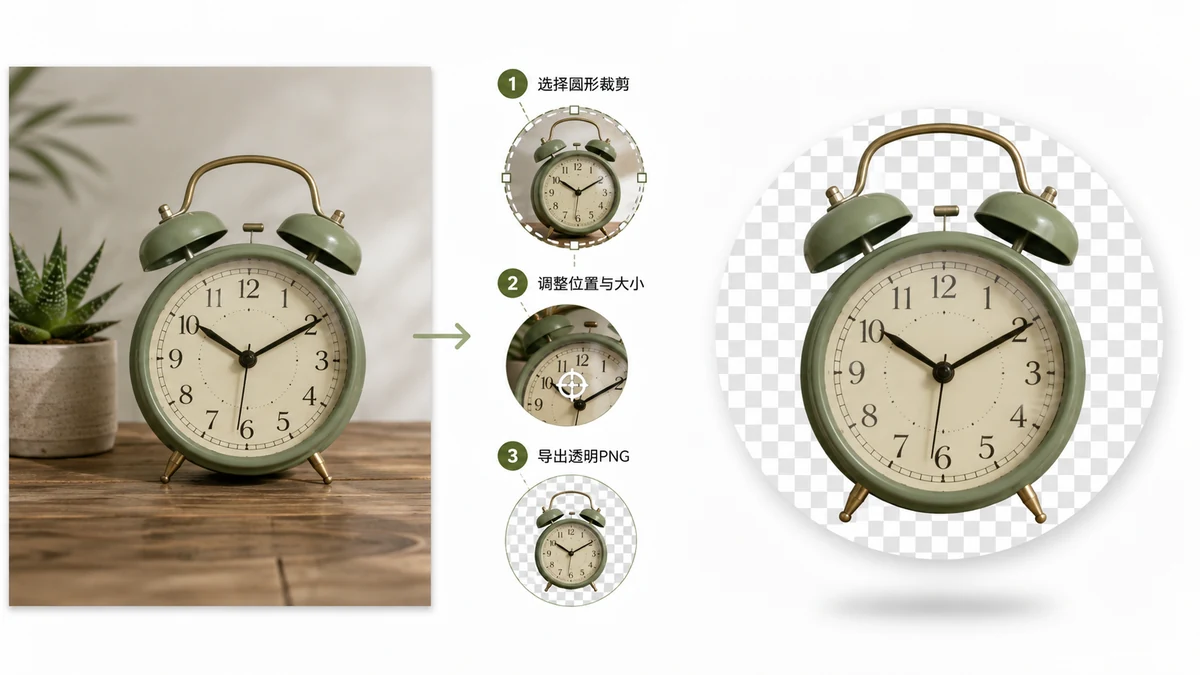
Crop an Image to a Circle with a Transparent Background (PNG)
Why a circular crop needs to be a PNG, not a JPEG, and how to export one with real transparency in the corners — all in the browser, nothing uploaded.
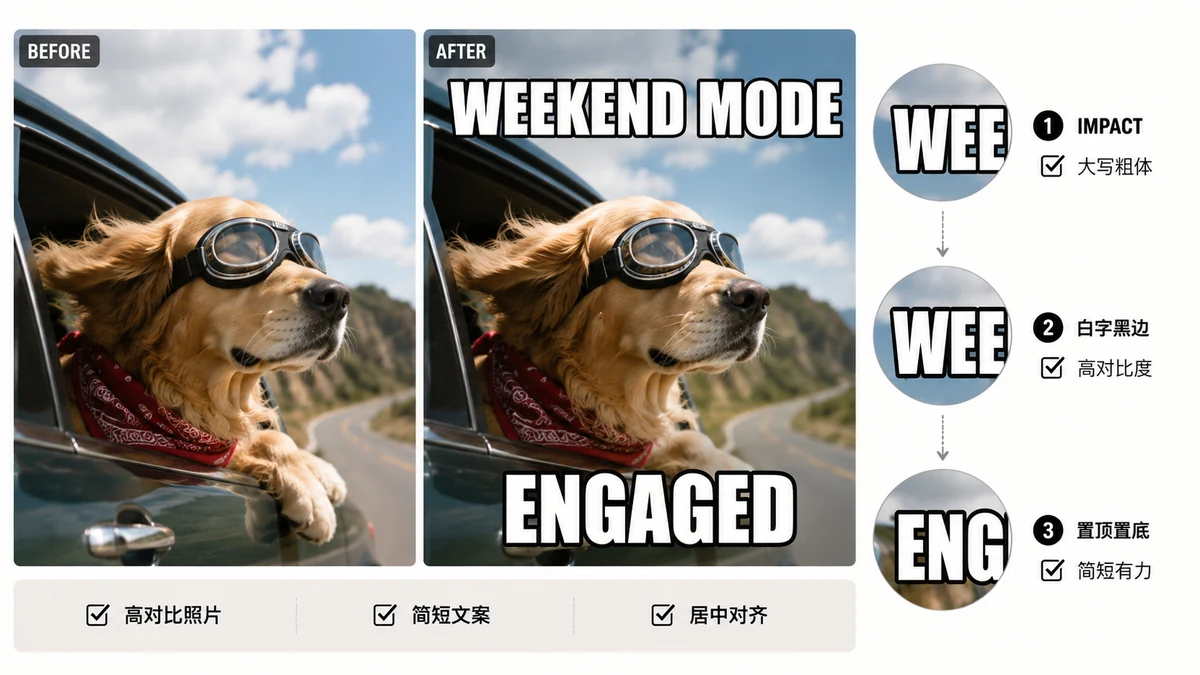
The Impact Meme Font, Explained: Why White Text With a Black Outline Just Works
The bold top-and-bottom caption look isn't random. Here's why Impact, white fill, black outline, and all-caps became the meme standard — and how to caption an image so it stays readable.
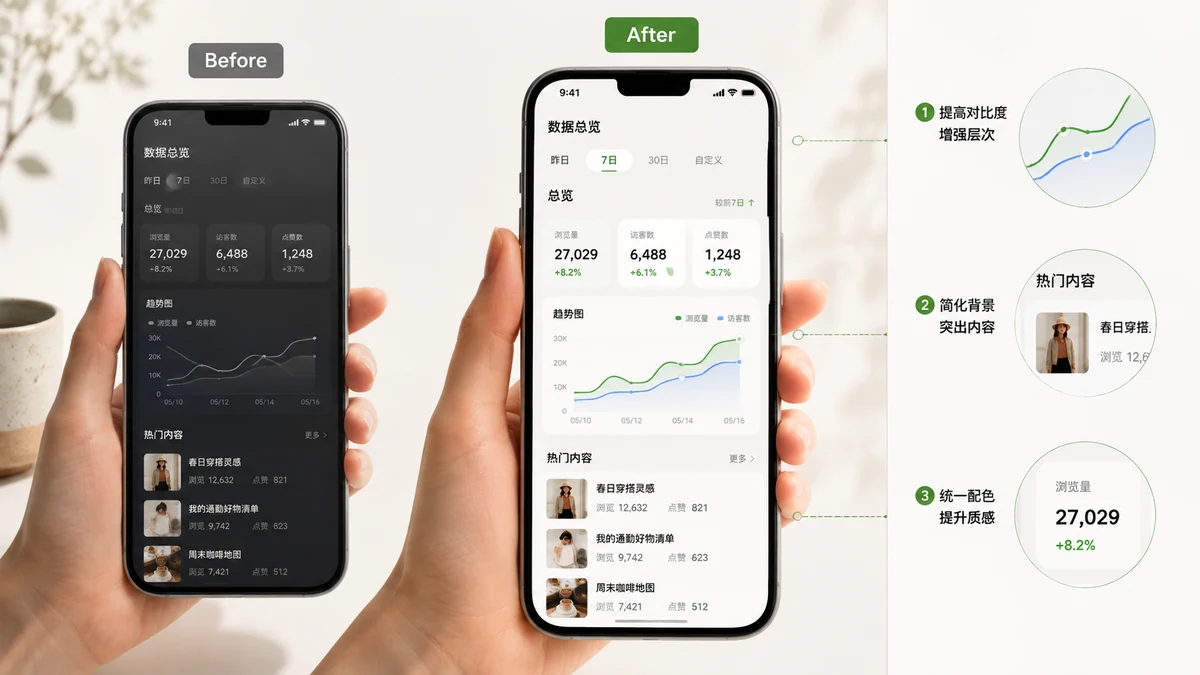
How to Beautify Screenshots for Social Media (2026 Guide)
Raw screenshots look flat in a tweet or a slide. Here's the padding-rounding-shadow-gradient recipe that gives them the polished "product screenshot" look — and the right aspect ratio for each platform.
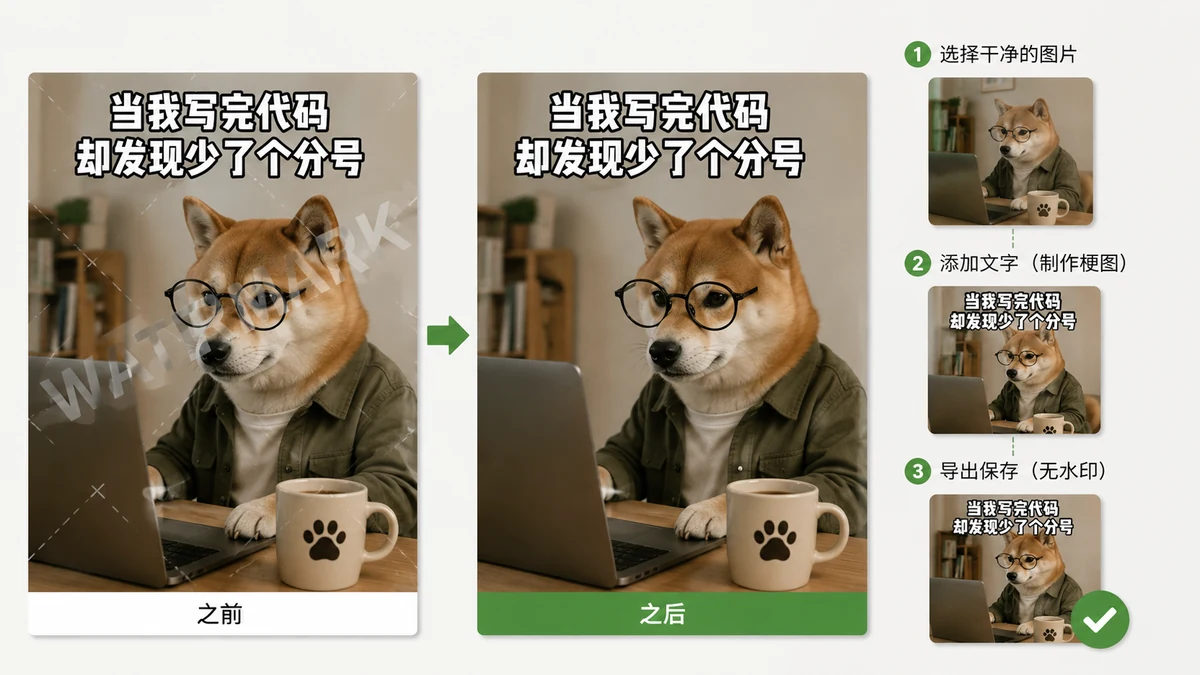
How to Make a Meme With No Watermark and No Sign-Up (2026)
A watermark in the corner tells everyone which site made your meme — and downscales it too. Here's how to caption an image at full resolution with no logo, no account, and nothing uploaded.
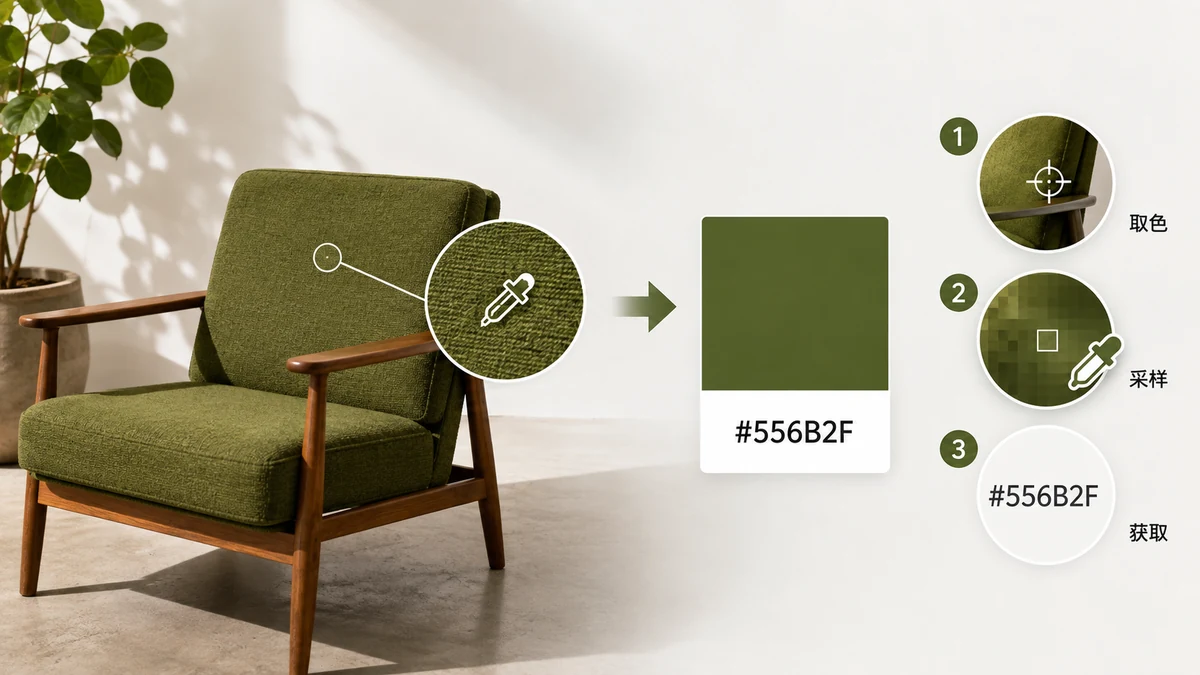
How to Get the Hex Color Code From an Image (2026)
Pull the exact hex code out of a logo, photo, or design reference — hover to zoom in, click the pixel, copy the code. Free, in your browser, nothing uploaded.
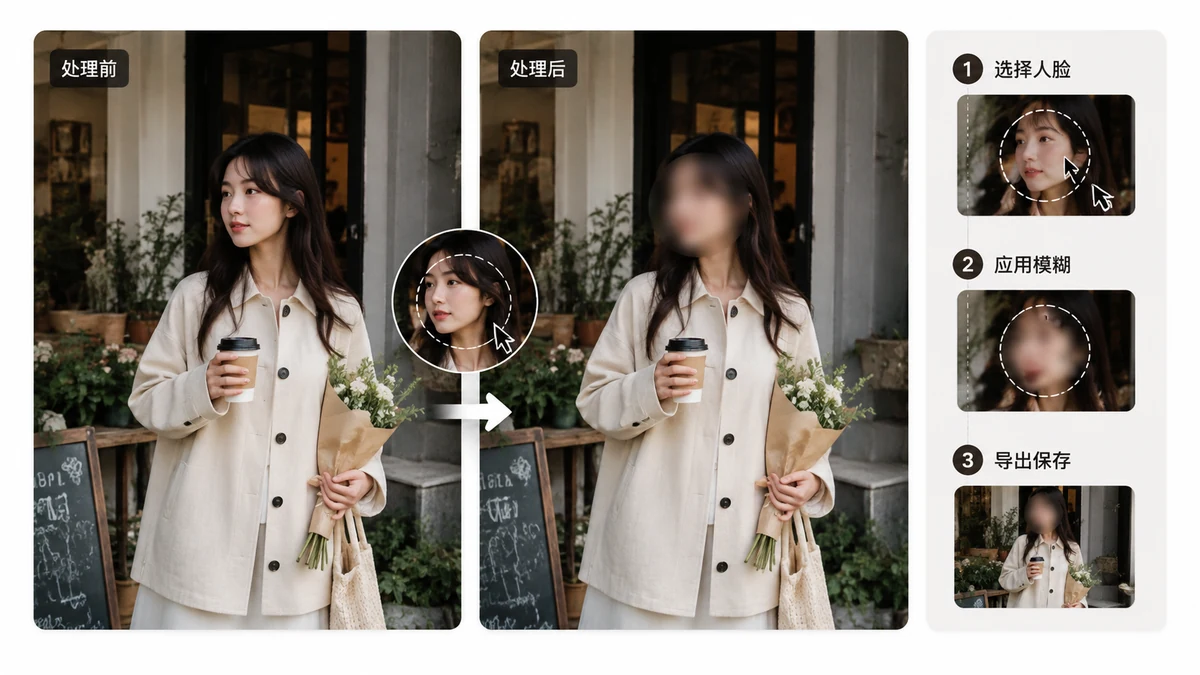
How to Blur a Face in a Photo (and When Blur Isn't Enough)
Blurring a face before you share a photo takes seconds and stays on your device. But blur can be partly reversed — here's when to use it and when a black box is the safer call.
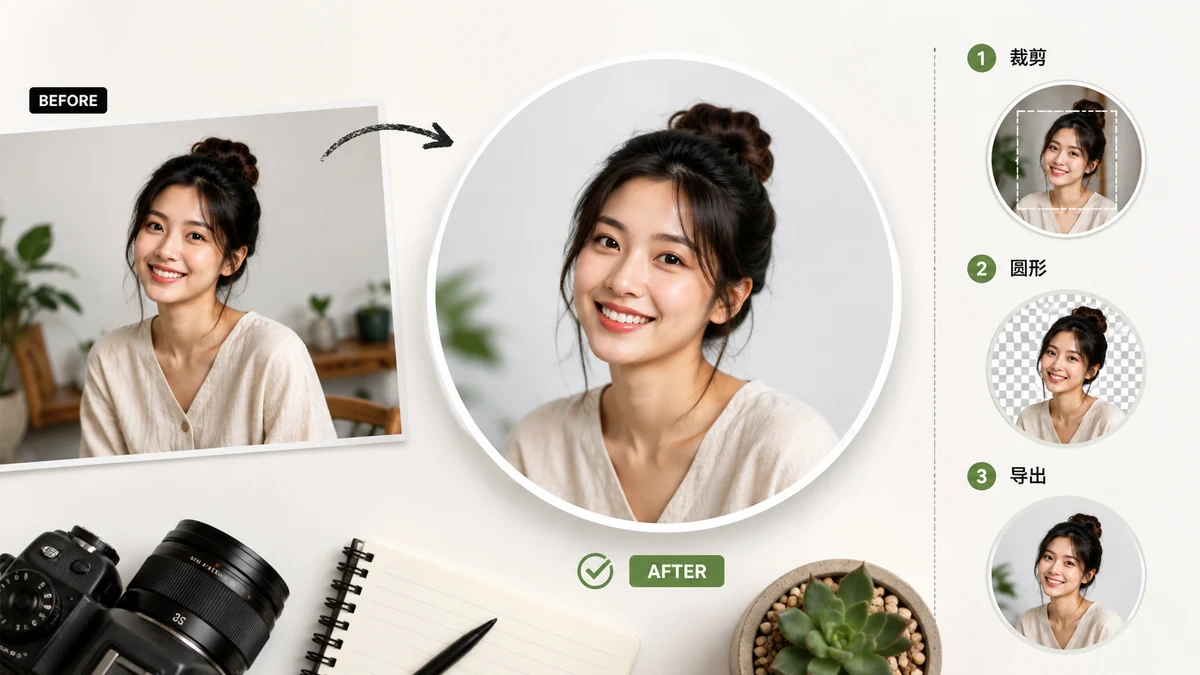
A Circle Profile Picture Maker That Doesn't Upload Your Face (2026)
Make a round profile picture the right way — crop to a true circle, export a transparent PNG, and keep the photo on your own device. No upload, no account.
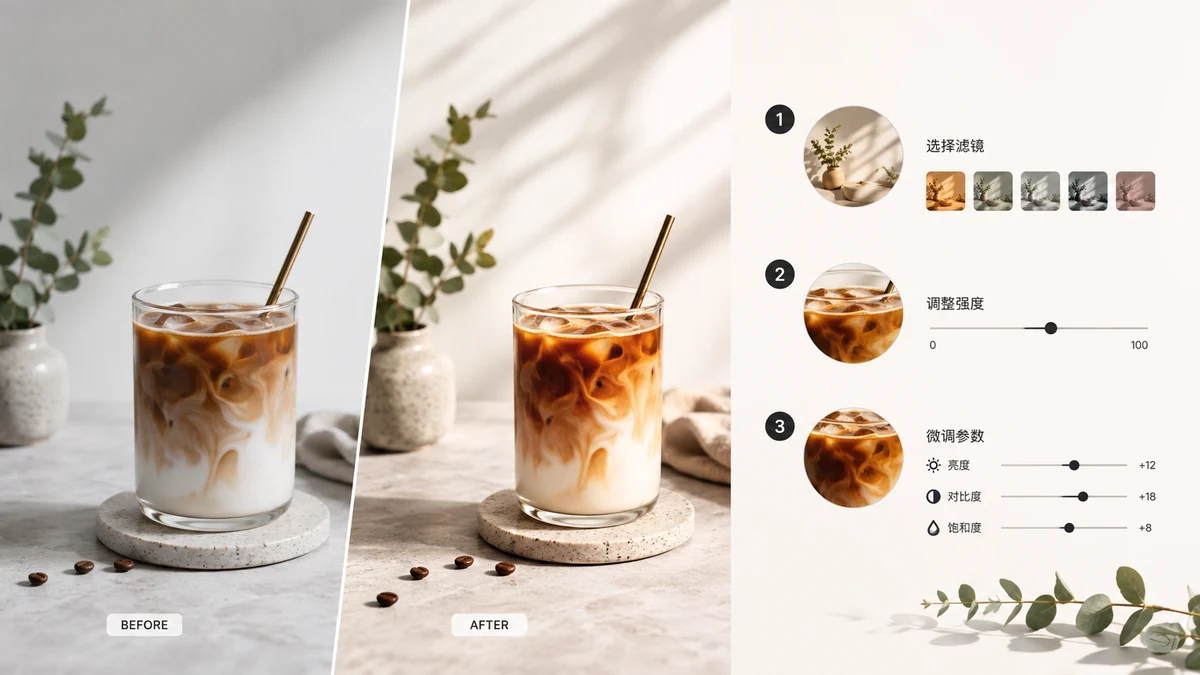
Instagram-Style Filters Online, No App (2026)
Get that Instagram look on any photo in your browser — warm, fade, mono, vintage presets plus fine sliders. Full-resolution export, no watermark, no upload. 2026.
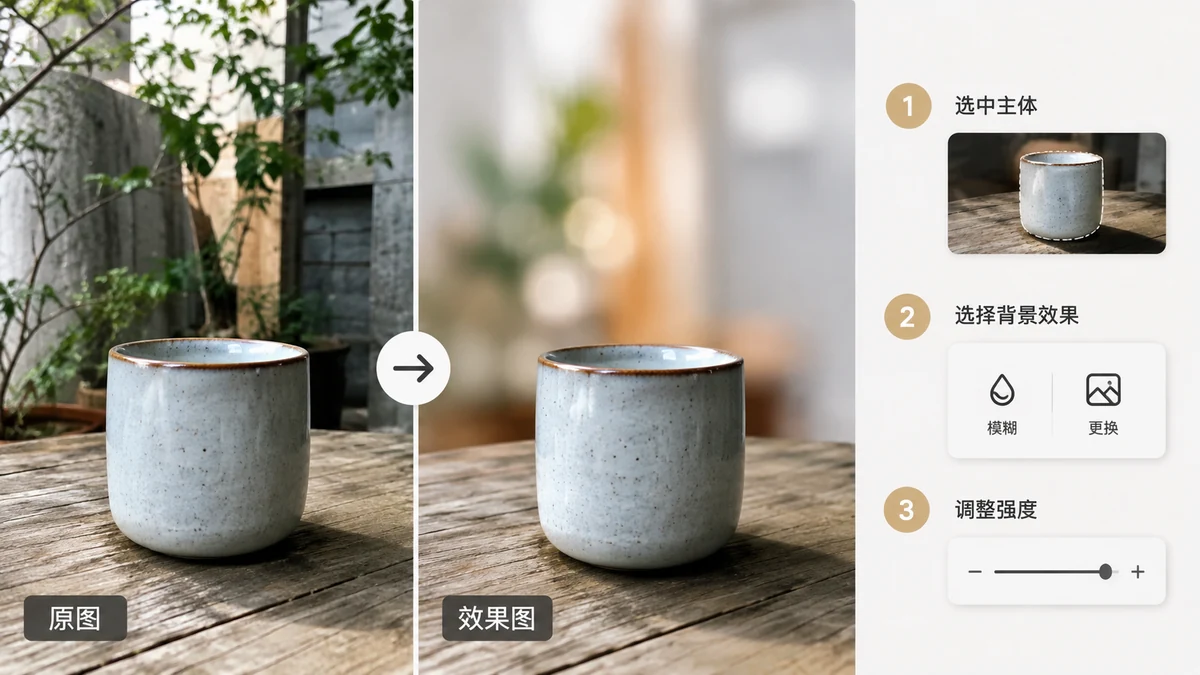
How to Blur or Change a Photo's Background
Cut the subject out of a photo, then swap the background to white, a custom color, or a blurred version. All in your browser, no upload, no watermark, free.
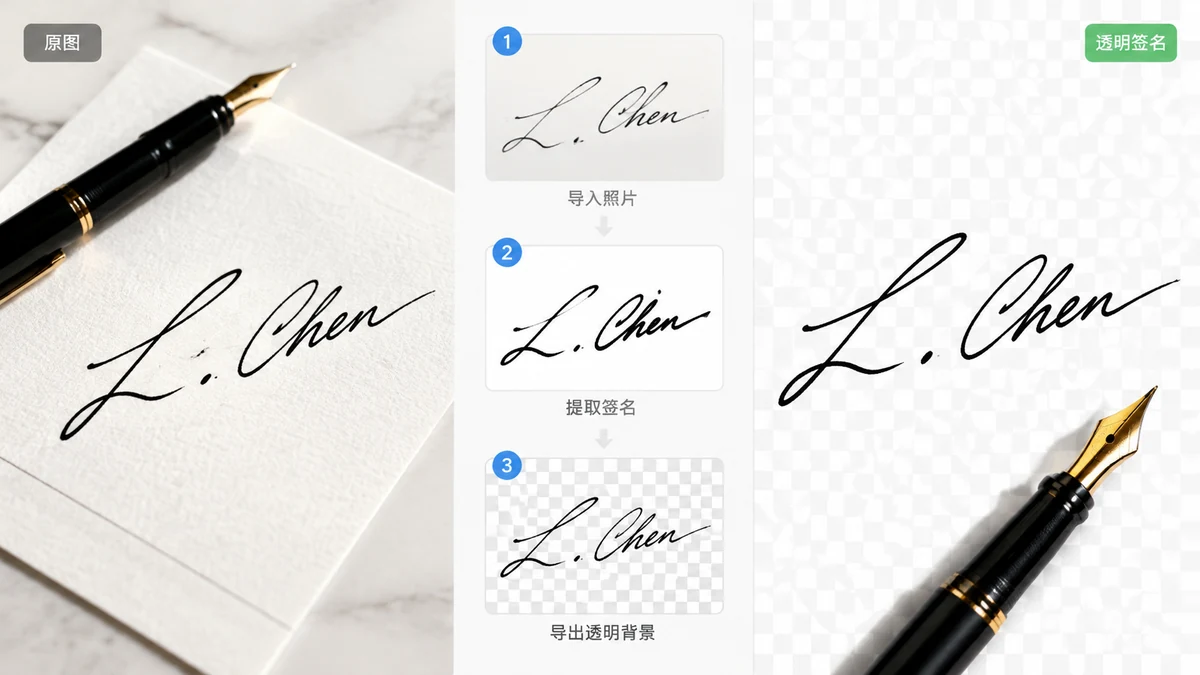
Turn a Photo of Your Signature Into a Transparent PNG
Photograph your handwritten signature and cut it out into a clean transparent PNG in your browser. No scanner, no upload, no sign-up. Works offline.
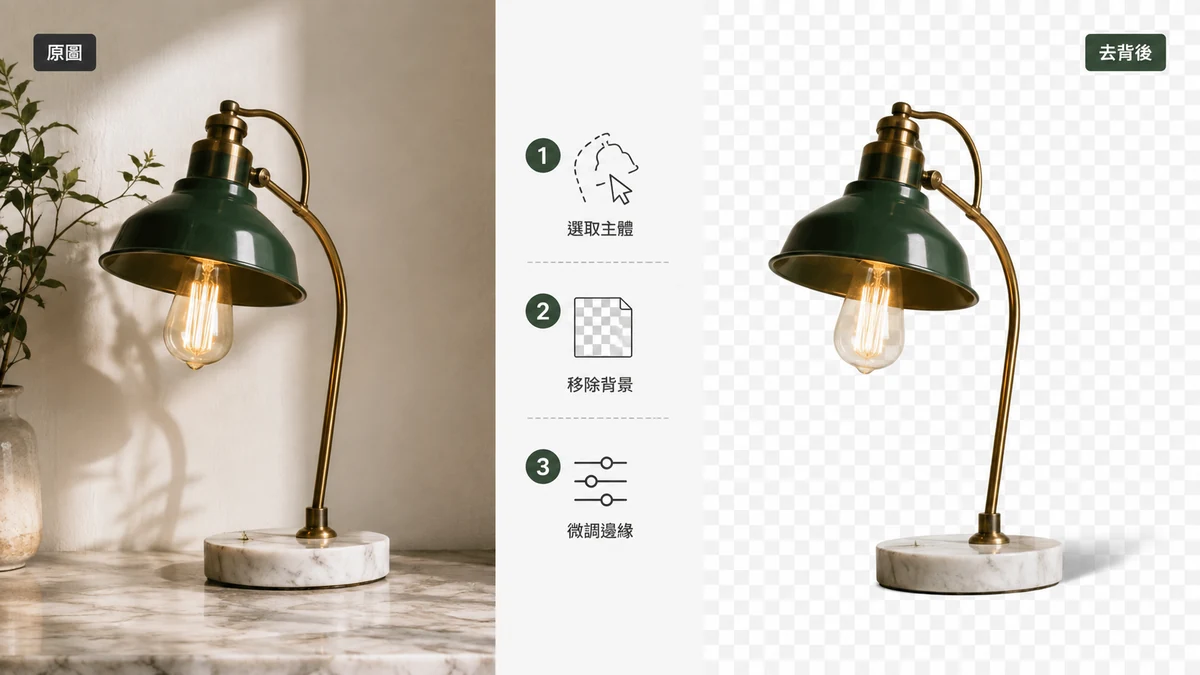
Free Background Remover vs Photoshop: An Honest Comparison
When does a free browser tool beat Photoshop for removing backgrounds, and when does Photoshop still win? A fair, practical breakdown of speed, control, cost, and privacy.

How to Extract a Color Palette From Any Image
Pull the exact hex codes out of a photo, screenshot, or logo — brand colors, a palette for a design, colors to match. Free, in your browser, click any swatch to copy.
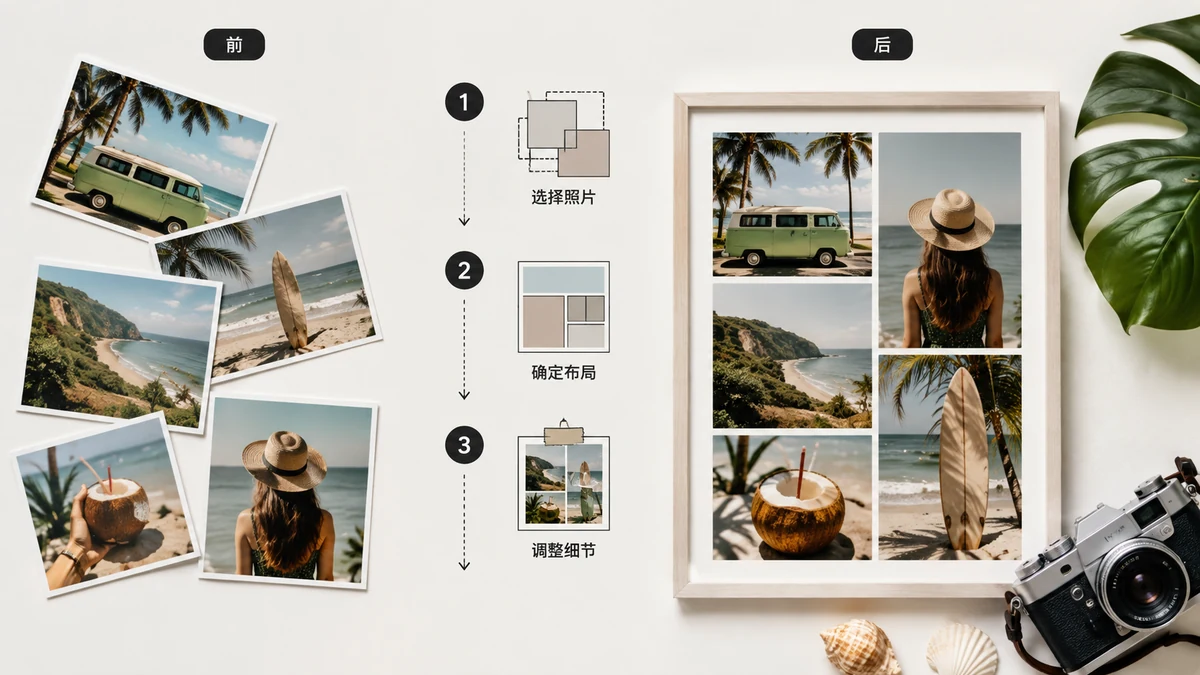
How to Make a Photo Collage (Grid, Vertical, or Horizontal)
Turn a handful of photos into one clean image — grid, side-by-side, or stacked. A simple, free browser collage maker with no upload and no watermark. Here's how to pick a layout.
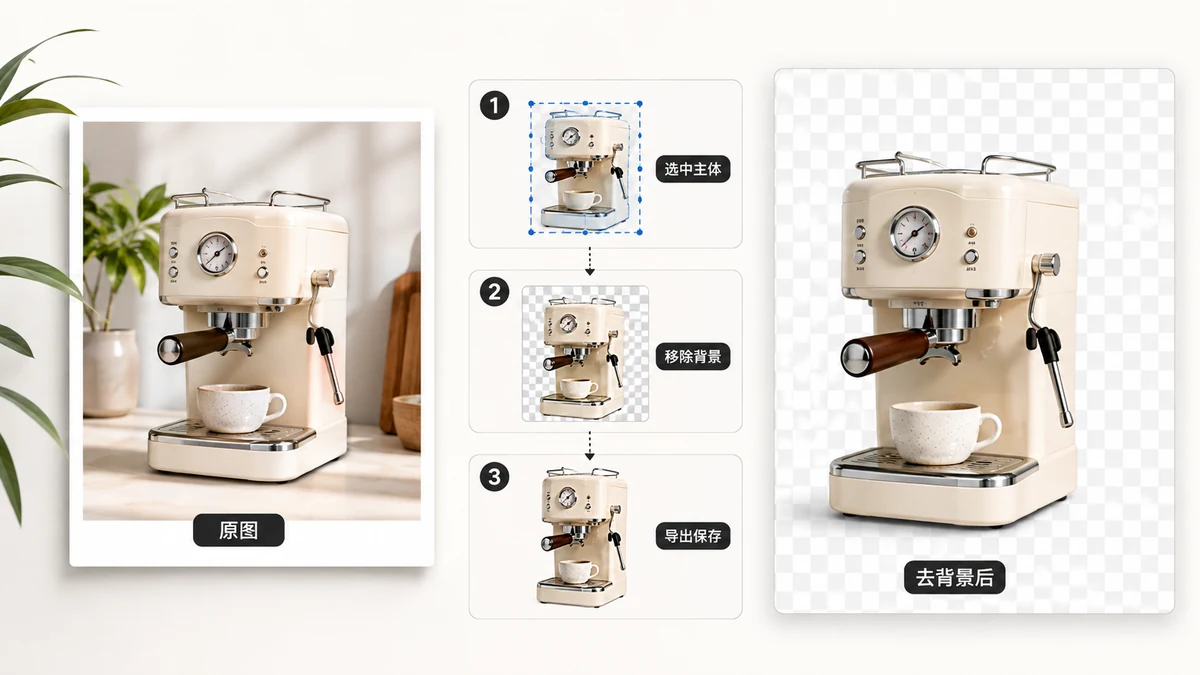
How to Remove an Image Background for Free (No Sign-Up)
Cut out a background in seconds, free and in your browser. AI does the tracing, nothing gets uploaded, and it even works offline after the first run. Here's the full walkthrough.
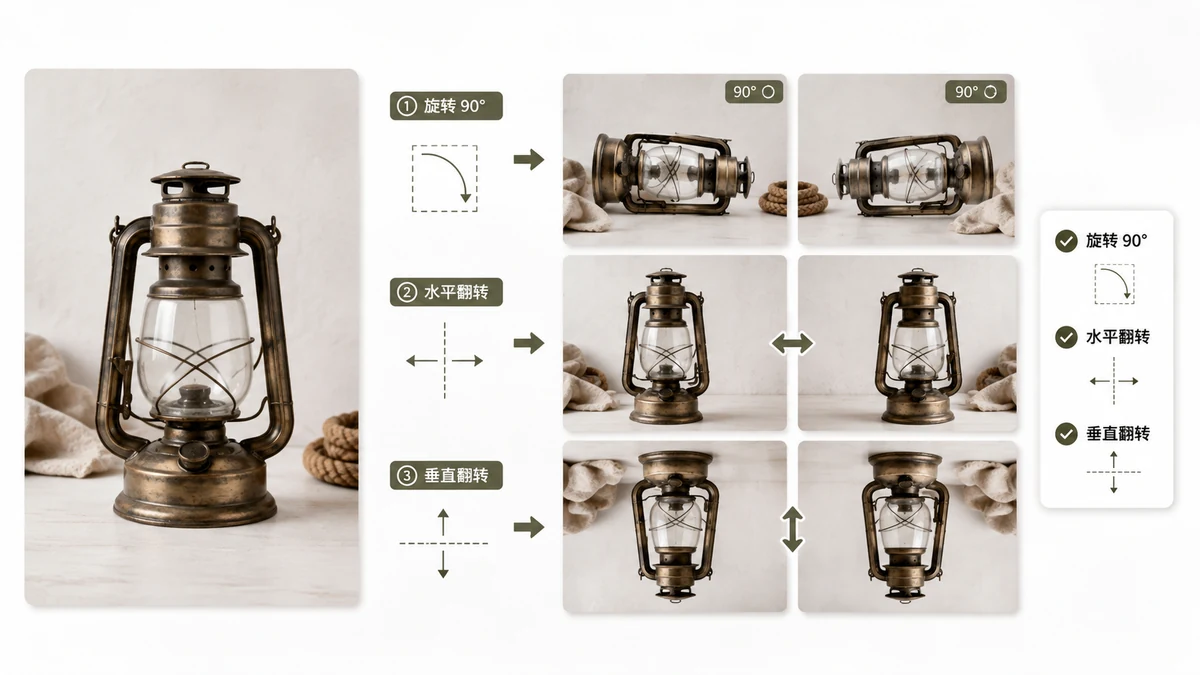
How to Rotate and Flip Images (and Fix Sideways Photos)
Rotate a photo 90°, mirror it horizontally or vertically, and understand why some images look sideways until you open them — the EXIF orientation quirk explained and fixed.
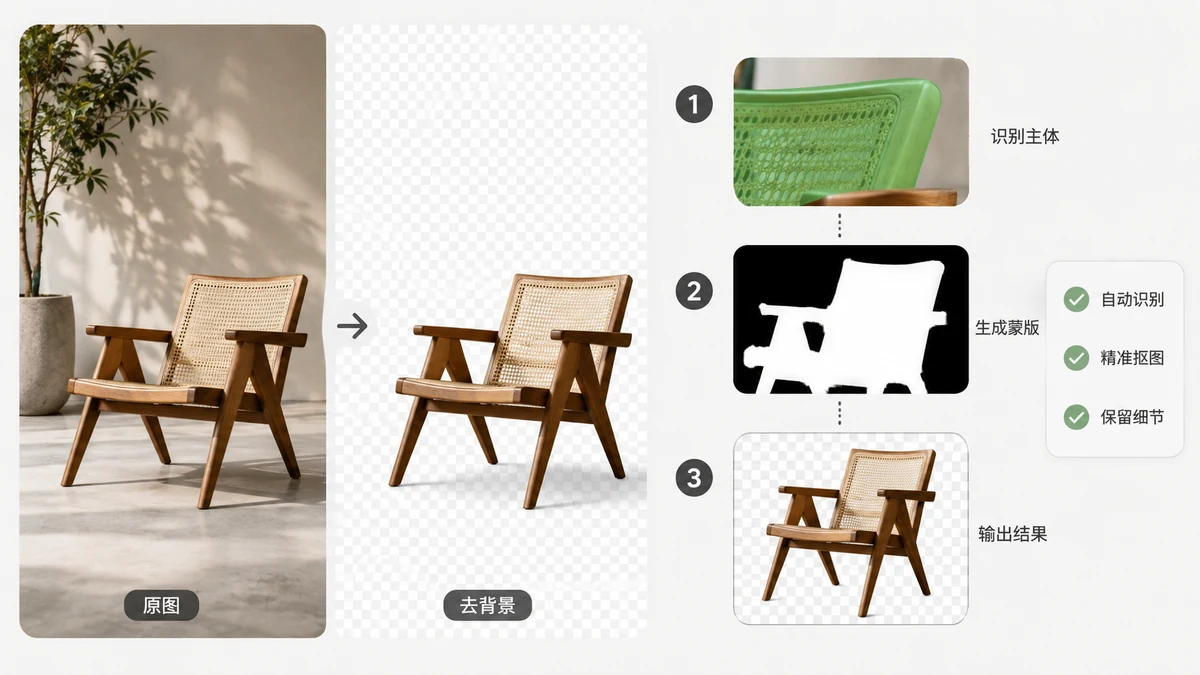
How Does AI Background Removal Actually Work?
A plain-English look at the segmentation models that cut backgrounds out of photos, why they run right in your browser, and what that means for your privacy.
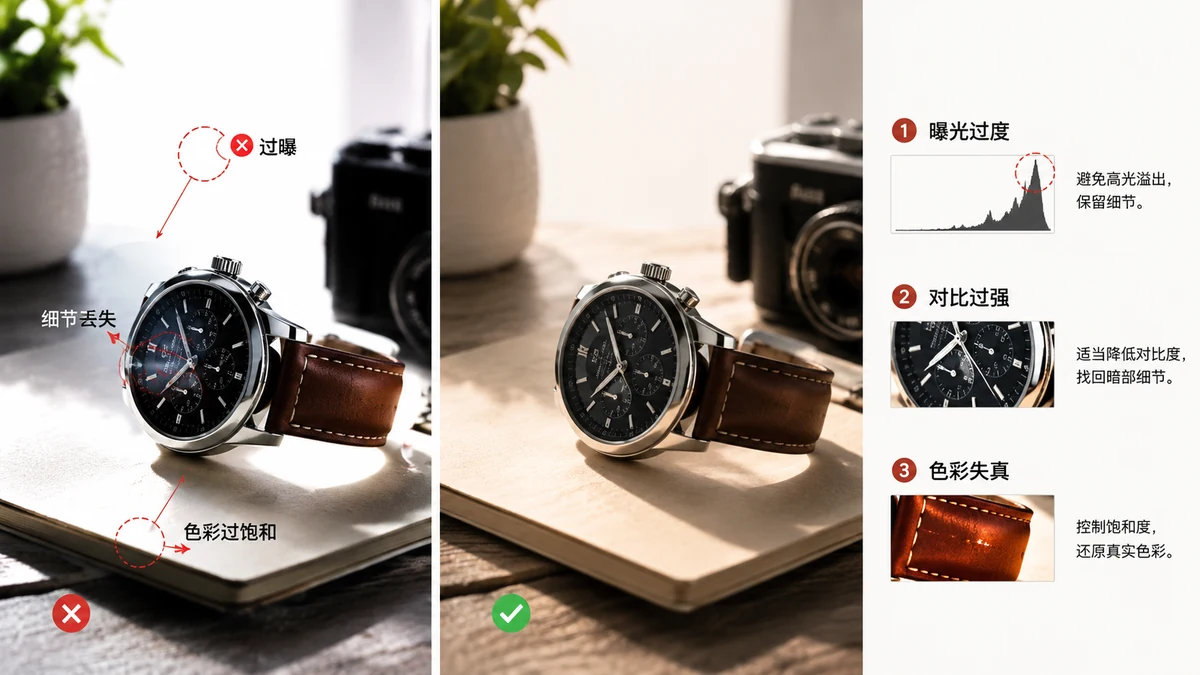
Common Image Editing Mistakes (and How to Avoid Them)
Over-compression, the wrong format, upscaling small images, and uploading private photos. Here are the image editing mistakes that quietly ruin your files.
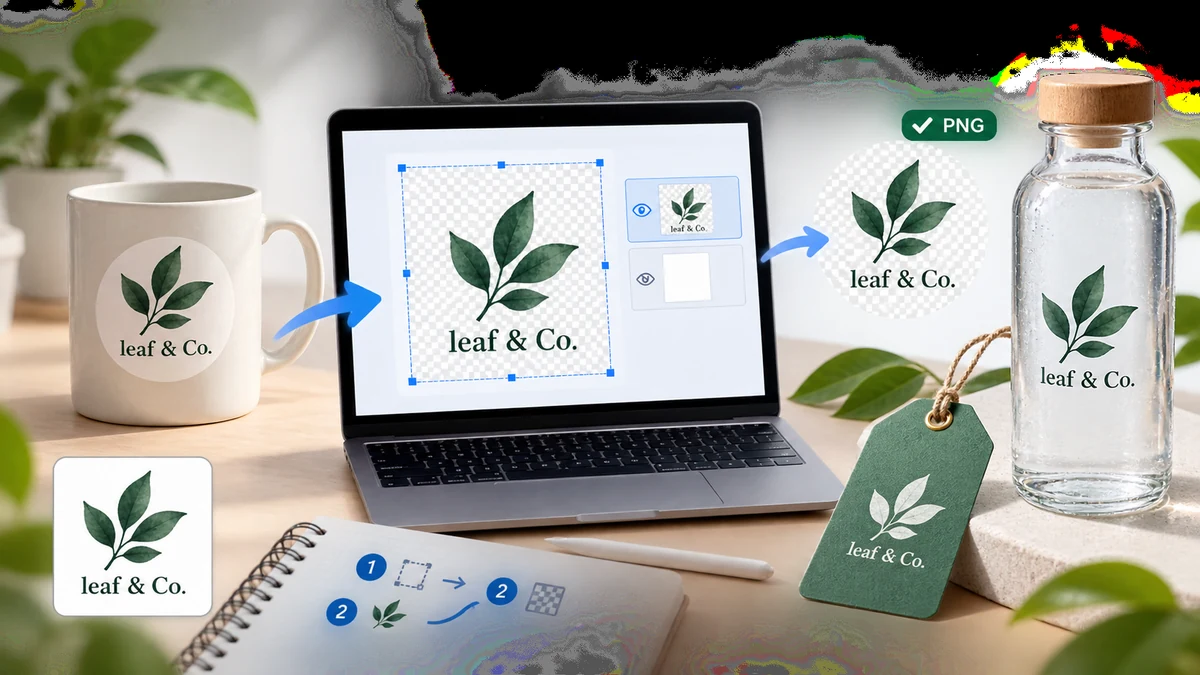
How to Make a Transparent Logo From an Image
Turn a logo with a solid or messy background into a clean transparent PNG in your browser. No Photoshop, no upload, no watermark. Works offline after first visit.
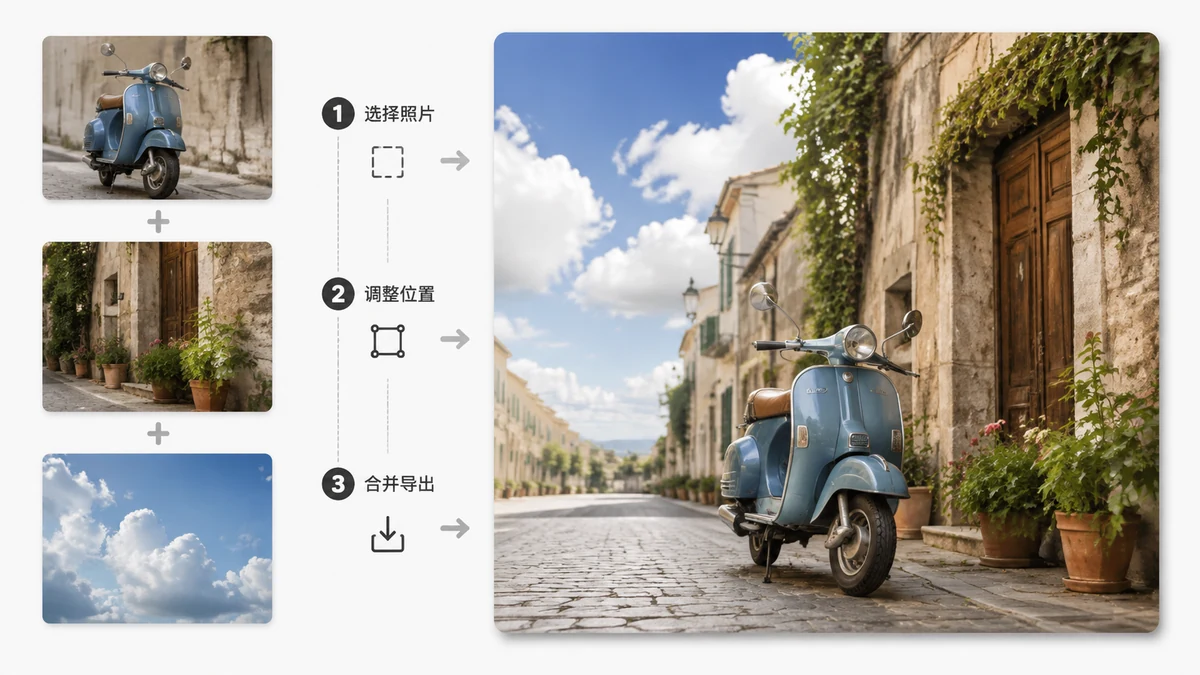
How to Combine Photos Into One Image (Merge Without Losing Quality)
Merge several photos into a single image — side by side, stacked, or in a grid. Pick the layout that fits, then export. A free browser tool with no upload and no watermark.
Social, web & wallpaper assets
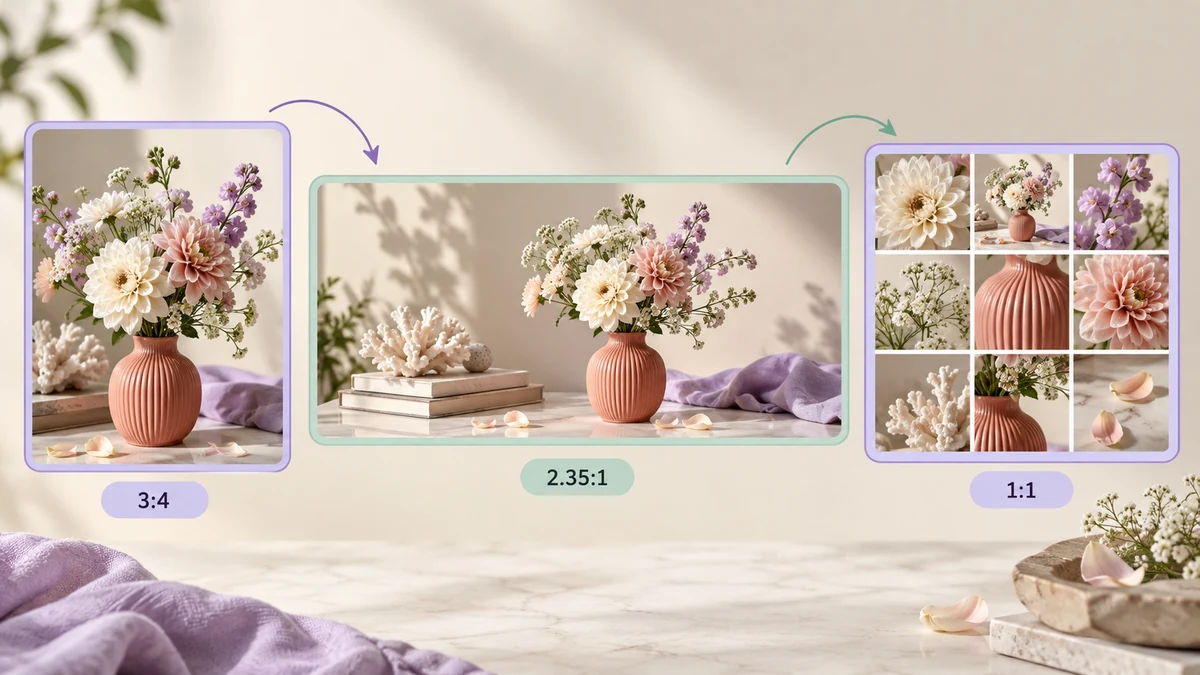
Xiaohongshu, WeChat Official Accounts and Moments Image Sizes 2026: Covers, Body Images and Grids
Xiaohongshu covers at 3:4, WeChat article covers at 2.35:1 with 1080-wide body images, Moments nine-grids at 1:1 — how each platform crops and compresses your images, which sizes stay sharp, and how to turn one set of photos into three platform-ready versions.

Keep Your WeChat Layout Assets in a Local Library You Actually Own
Scattered folders and cloud editors both fail your typography assets over time. Here's the case for a local module library — export/import as JSON, no account, nothing uploaded.

What "Inline HTML" Means, and How to Copy a Styled Block So It Pastes with Formatting
Why does a fancy block sometimes paste as plain text and sometimes keep its design? The answer is inline HTML. Here's what it is and how to copy a block so formatting survives.

How to Reuse the SVG Layout Blocks You See in WeChat Articles
Those pretty SVG title cards and section headers in WeChat articles are reusable — if you extract them cleanly. Here's how to pull them out intact and build your own module library.
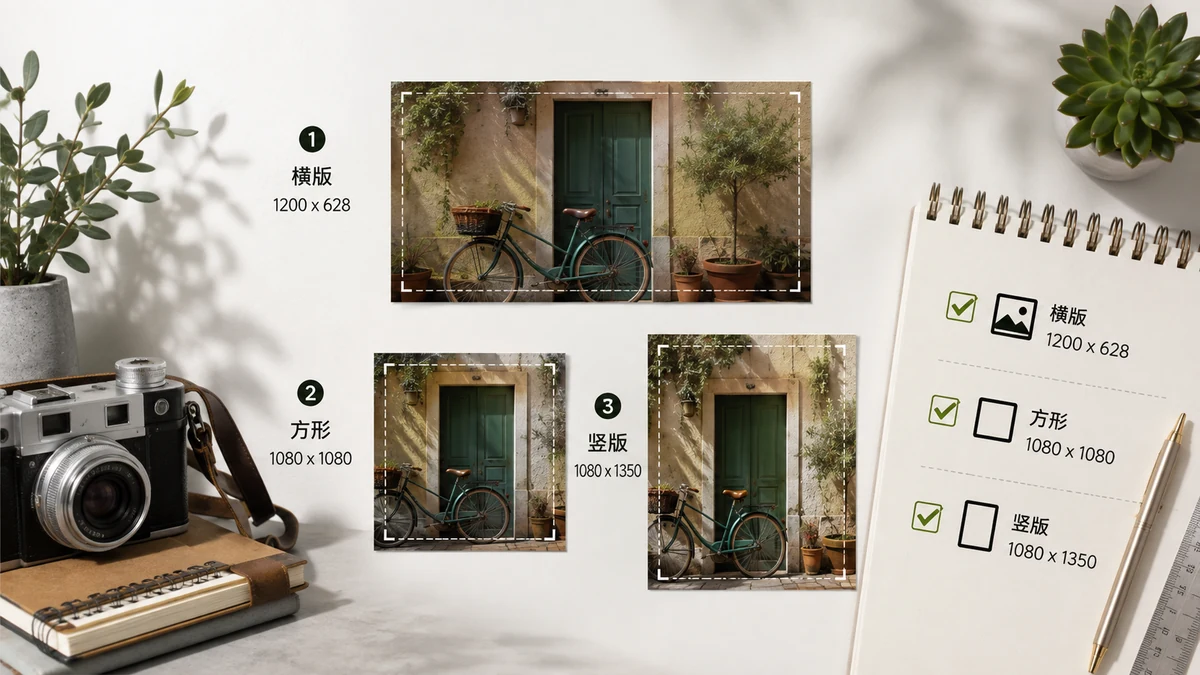
Social Media Image Size Guide 2026 (Every Platform, One Table)
The image dimensions that actually work in 2026 — Instagram, Facebook, X, YouTube, LinkedIn, Pinterest, TikTok. Plus how to hit any size free in your browser.
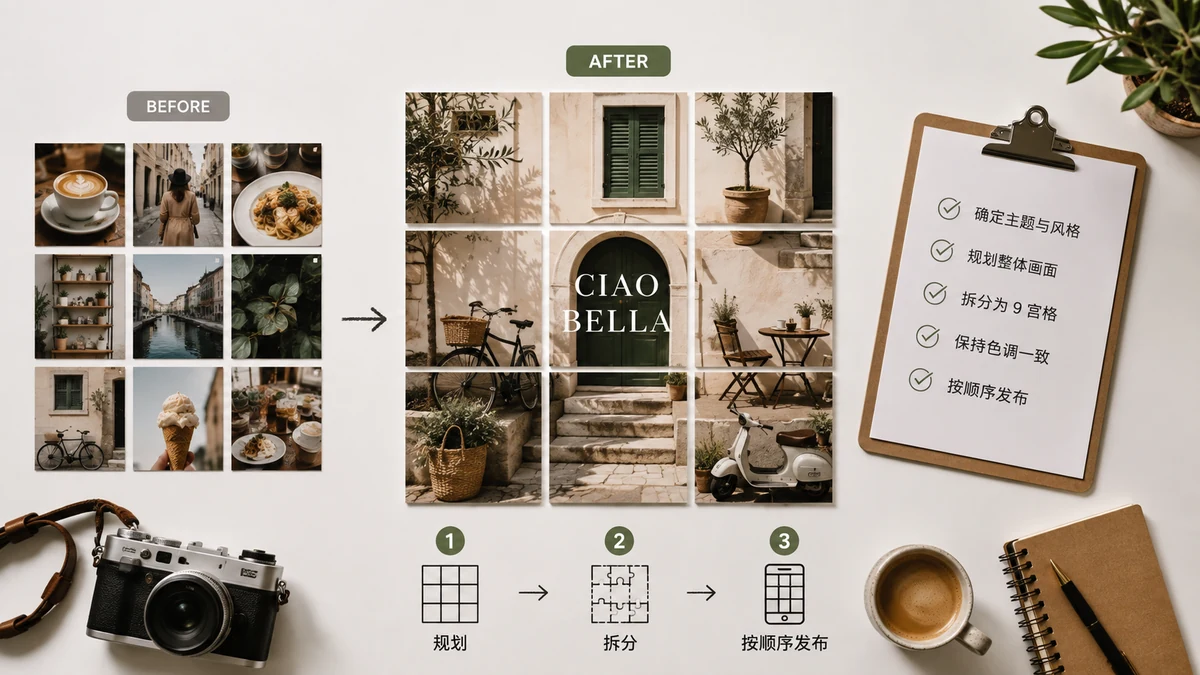
Instagram Grid Post: Split One Photo Into a 3×3 Profile Grid
Turn one image into nine tiles that line up into a giant picture on your Instagram profile. How the 3×3 grid works, the posting order that trips everyone up, and a free tool.
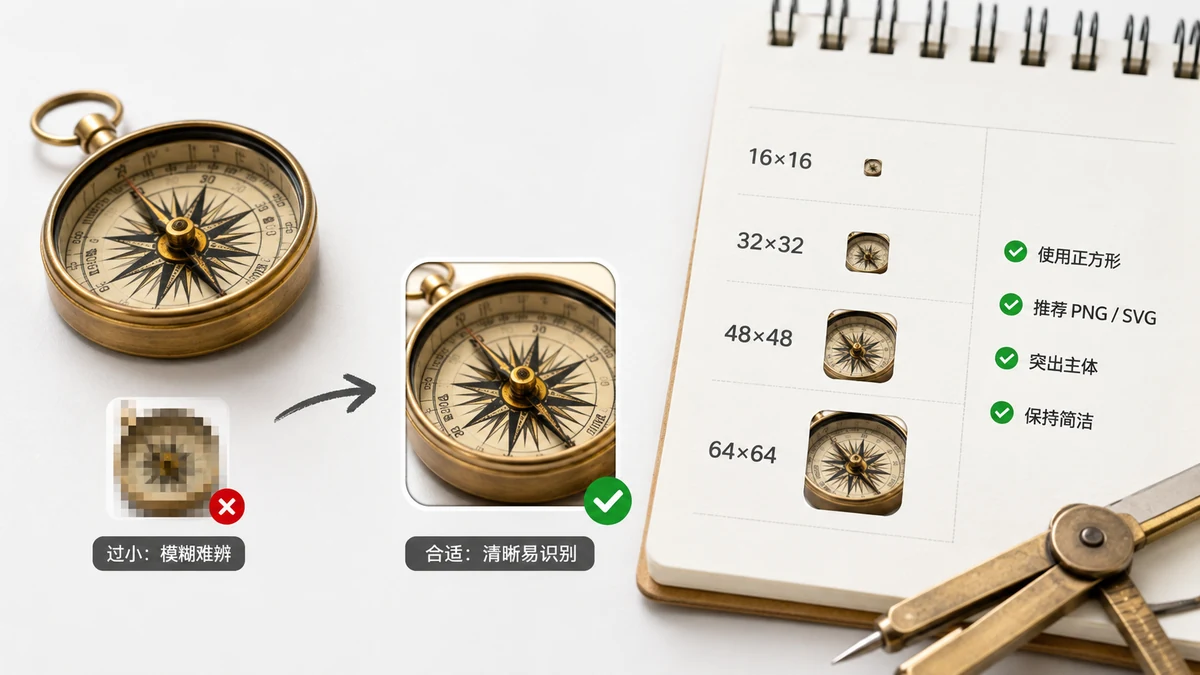
Favicon Size Guide: Every Size a Website Actually Needs
The favicon sizes a real website needs in 2026 — 16, 32, 48, 180, 192, 512 — what each one is for, plus the .ico and webmanifest, generated from one image for free.
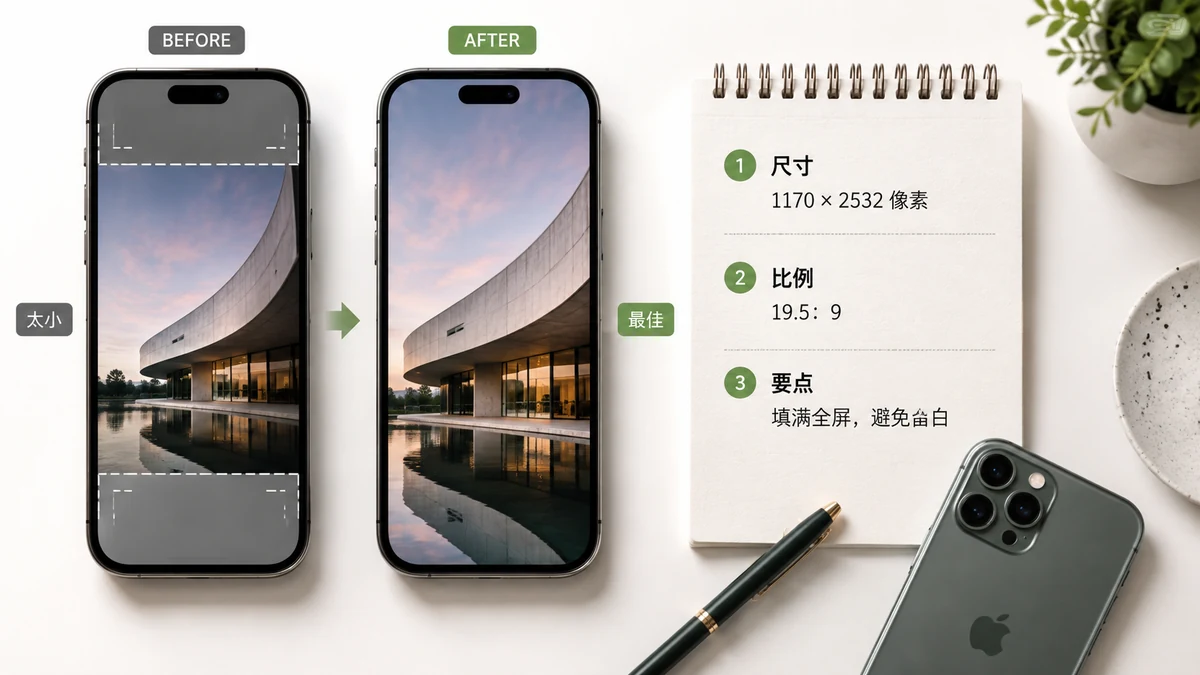
Best iPhone Wallpaper Size (2026 Guide) — Exact Resolution Per Model
The exact wallpaper resolution for every current iPhone in 2026, from the SE to the Pro Max. Plus why your photo looks cropped and how to fit it to your screen perfectly.
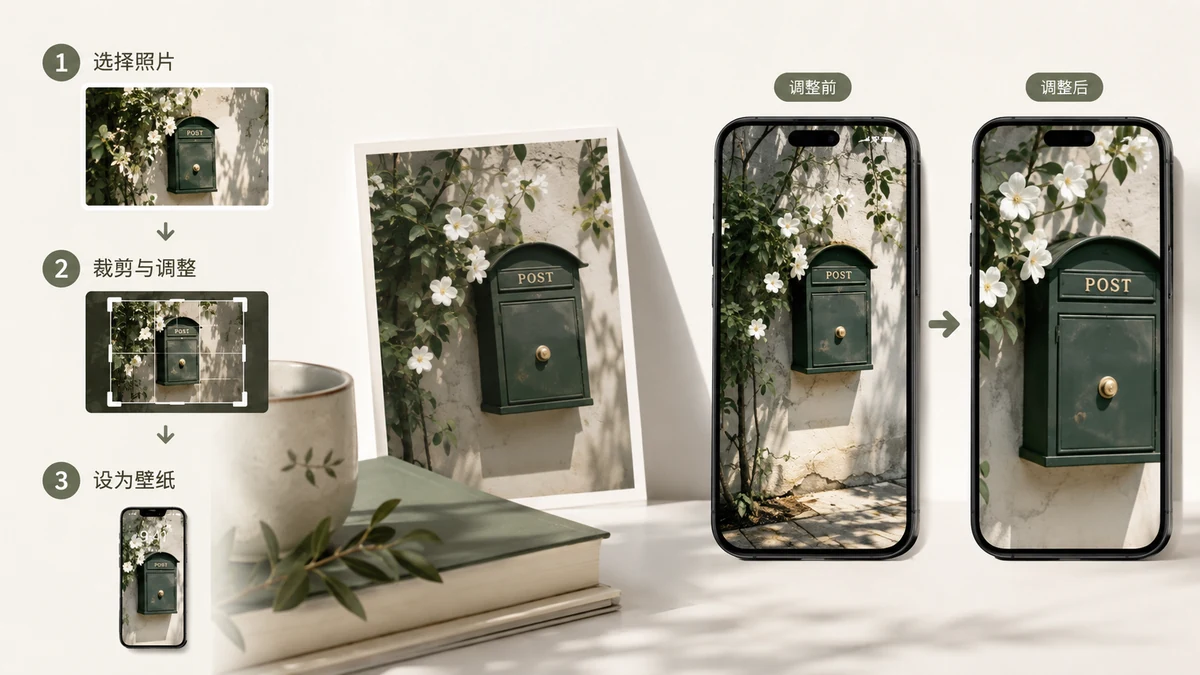
How to Make a Phone Wallpaper From a Photo (That Actually Fits)
Turn any photo into a phone wallpaper that fills the screen without awkward cropping or black bars. Cover vs blurred-edge fit, the portrait-crop caveat, and a free in-browser way to do it.
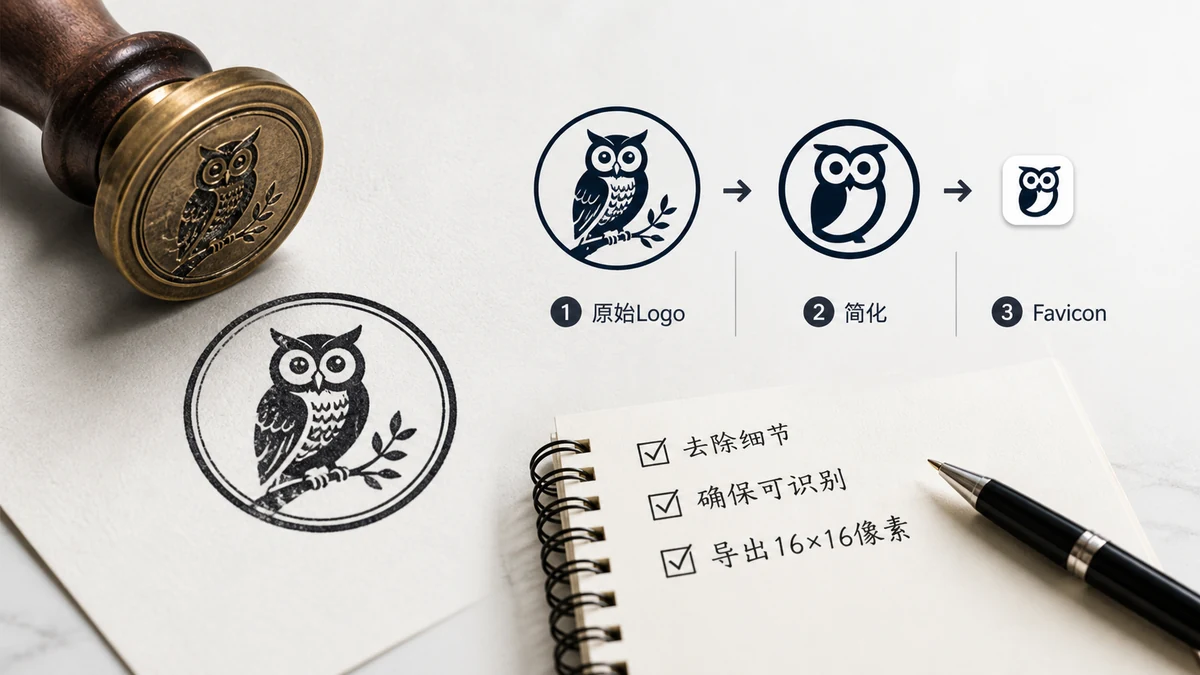
How to Make a Favicon From Your Logo (Full Set, Free)
Turn your existing logo into a complete favicon set — .ico, every PNG size, webmanifest, and the HTML snippet — in your browser. Plus how to fix a logo that won't shrink well.
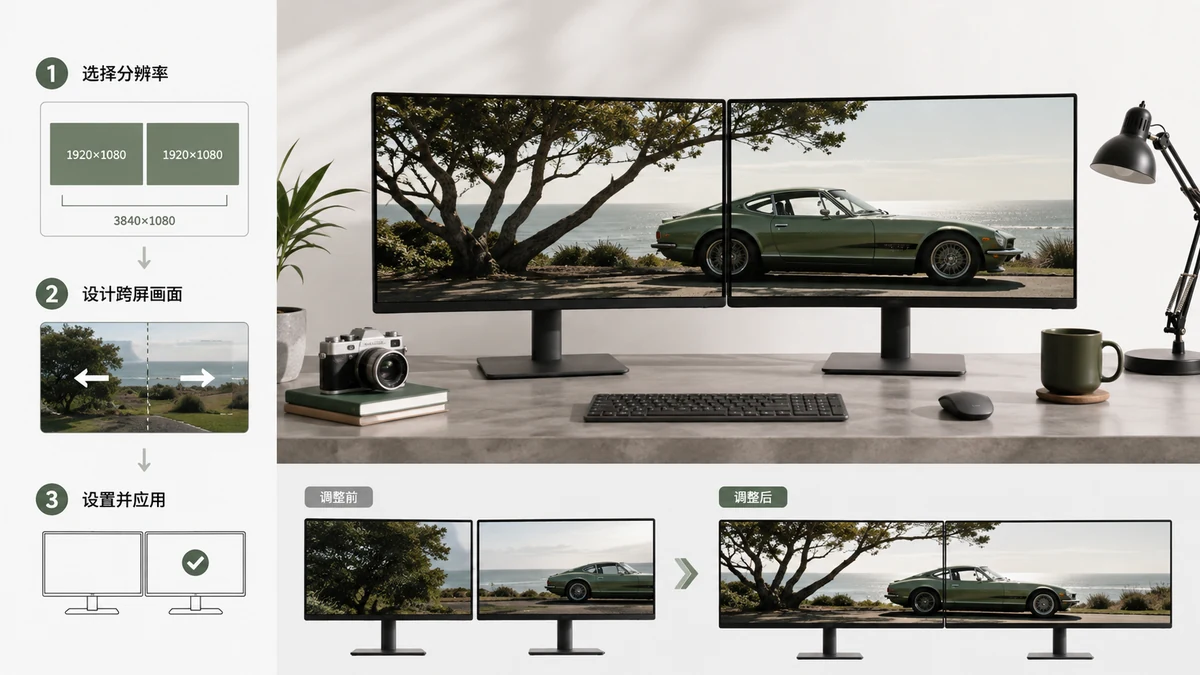
Dual Monitor Wallpaper Guide: Sizes for Spanning & Per-Screen Setups
How to make a dual monitor wallpaper. Get exact sizes like 3840×1080 and 5120×1440, learn spanning vs per-screen, and fit any photo without stretching.
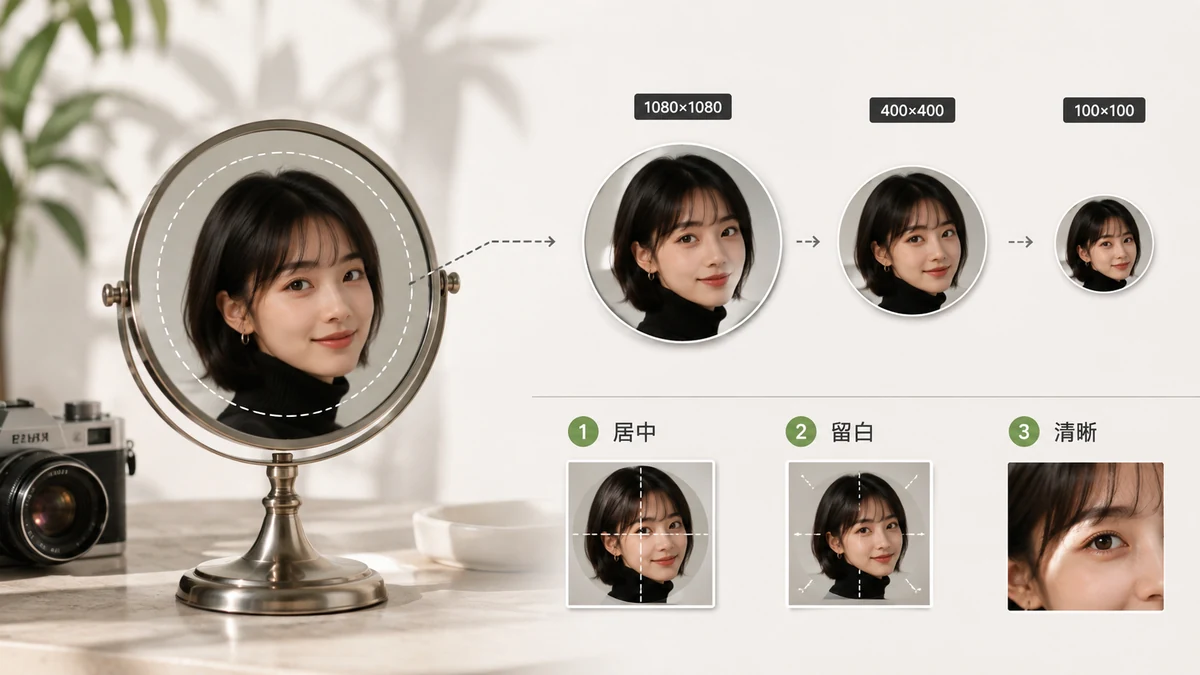
Profile Picture Size Guide: Every Platform's Avatar Dimensions
The exact profile picture size for Instagram, Facebook, X, LinkedIn, YouTube, TikTok, WhatsApp, Discord and more — plus how to crop and resize your avatar so it looks sharp everywhere.
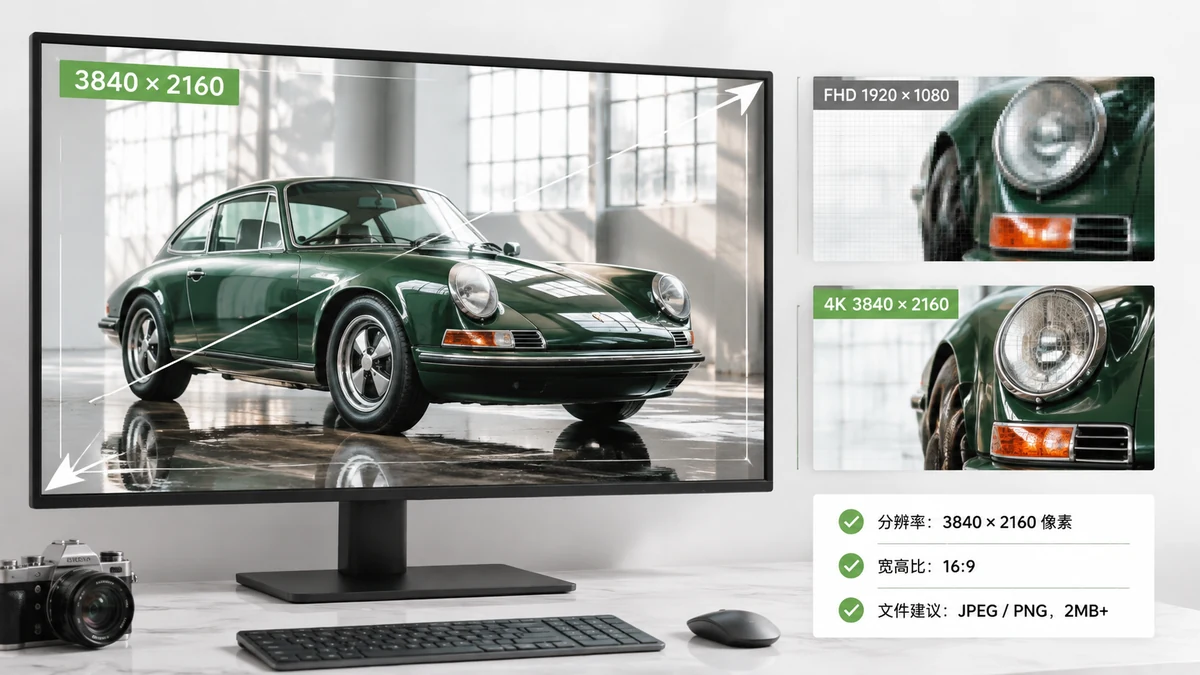
4K Wallpaper Resolution Guide for 2026: 4K, 5K & 8K Sizes Explained
What resolution is a 4K wallpaper? Get exact pixel sizes for 4K, 5K, and 8K displays, a full desktop resolution table, and a fast way to fit any photo perfectly.
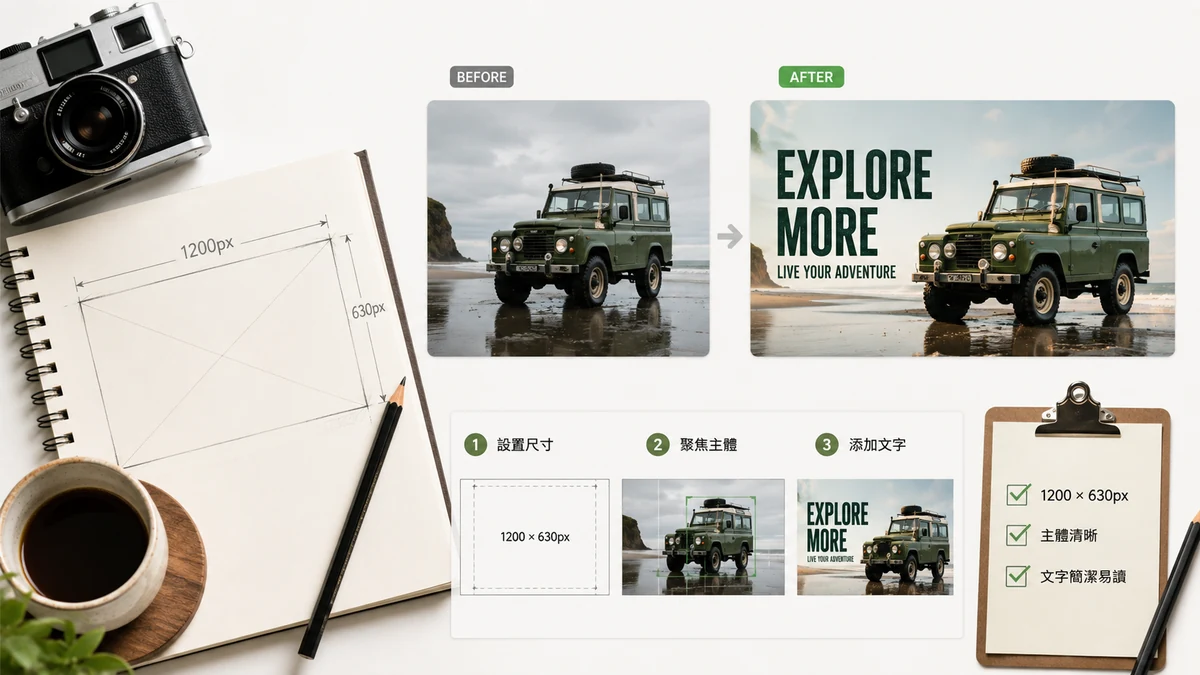
How to Make an OG Image That Doesn't Get Skipped
A good Open Graph image is the difference between a link that gets clicked and one that scrolls past. Sizes, text rules, and a free browser tool to make one in a minute.

How to Make a Quote Wallpaper: A Simple Text Wallpaper Guide
Make a clean quote wallpaper in minutes. Pick a short line, choose a device size, add a gradient background, and export a crisp text wallpaper for free.
E-commerce & product images
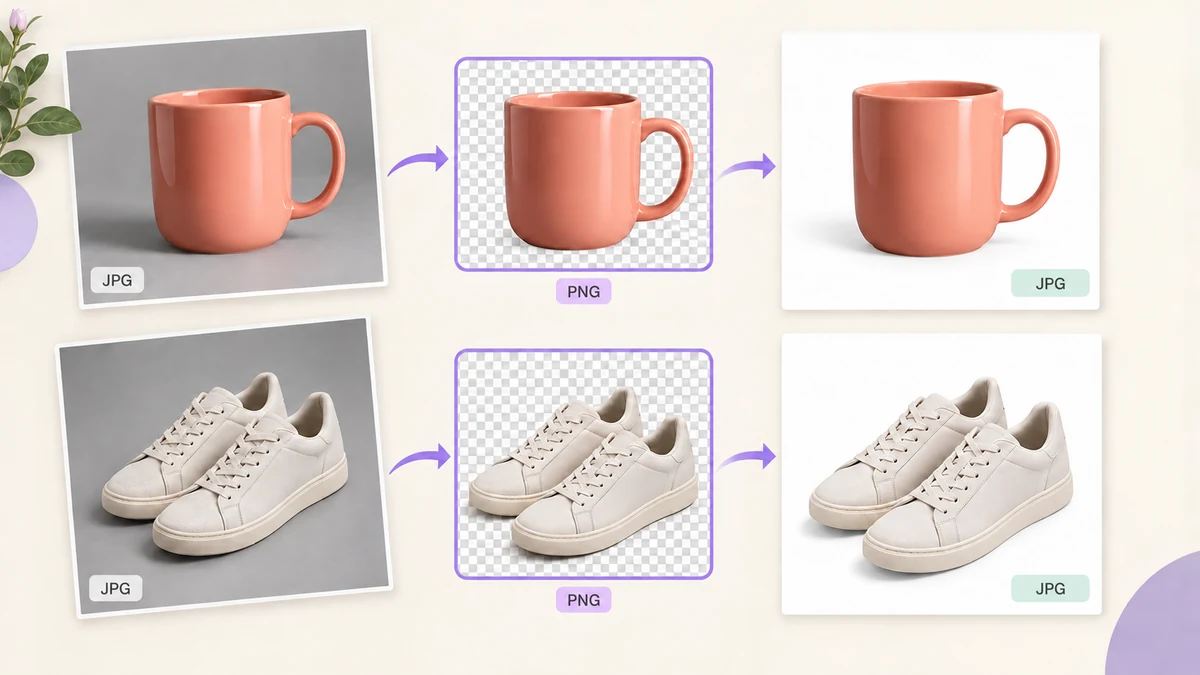
Batch Background Removal to Pure White: The Full Product Photo Workflow Before Listing (No Upload, No Fee)
Dozens of product photos need the background removed, a pure white fill and a uniform 1600 × 1600 before they go live. Outsourcing costs per image; Photoshop costs minutes per image. Here is a browser-only workflow: AI cutout, uniform size, compression, clean file names, with the images never leaving your computer.
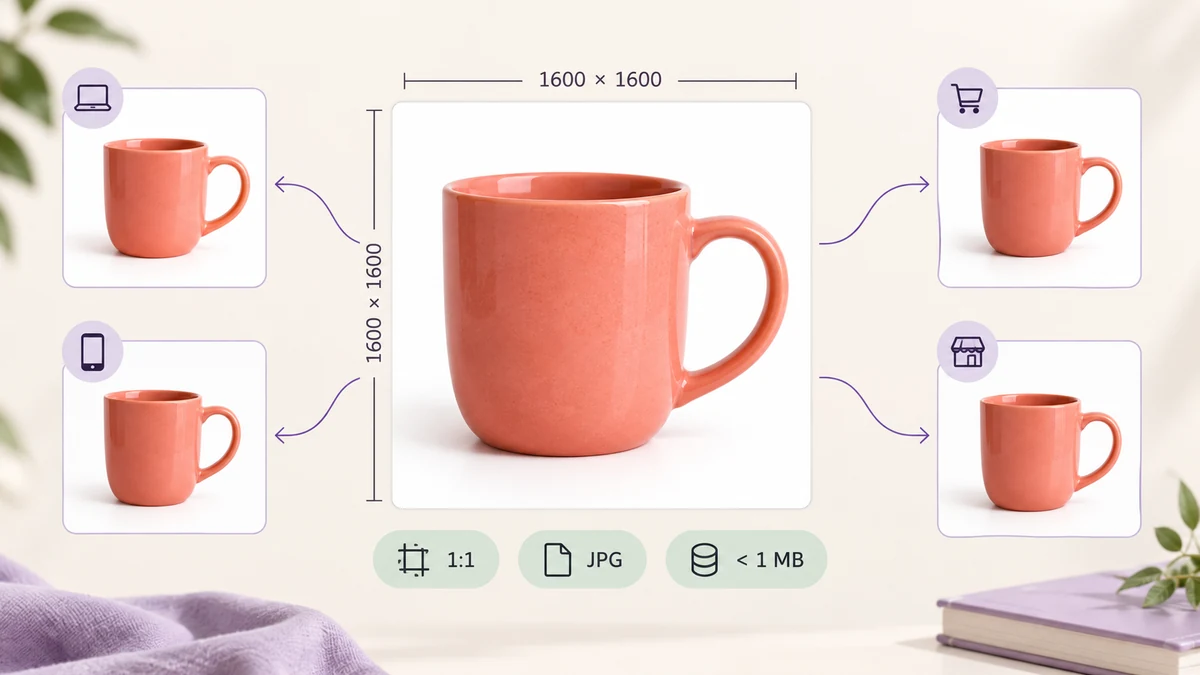
Taobao, Pinduoduo, JD and Douyin Product Image Sizes 2026: Main Image Rules and a Batch Workflow
Taobao/Tmall main images from 800 × 800, Pinduoduo 750 × 750 at 1:1, JD 800 × 800, Douyin Shop 800 × 800 under 3MB. Size, file-size and format rules for main, detail and transparent images on China's four big marketplaces, and how to get a whole batch to spec in one run.
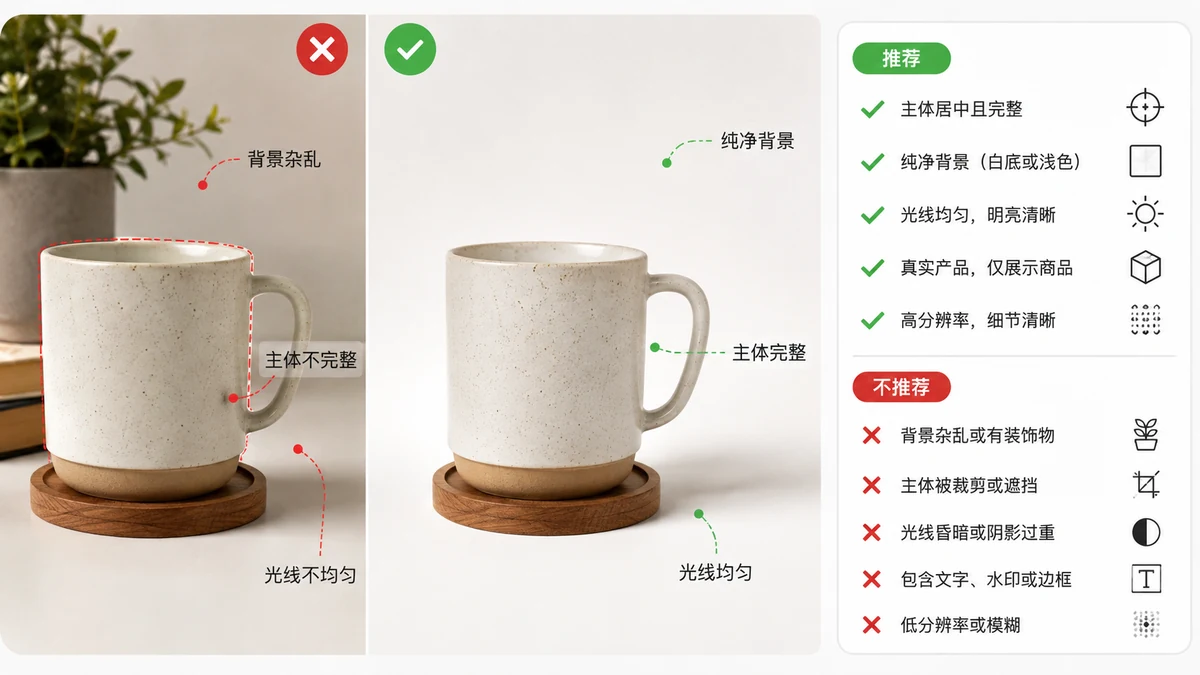
Amazon's AI Image Rules (2026): The contains-synthetic-performer Tag Explained
In 2026 Amazon requires sellers to tag listing images that contain AI-generated people with contains-synthetic-performer. This guide covers where the rule came from, who must comply, what's exempt, where the tag is written, and how to comply fast.
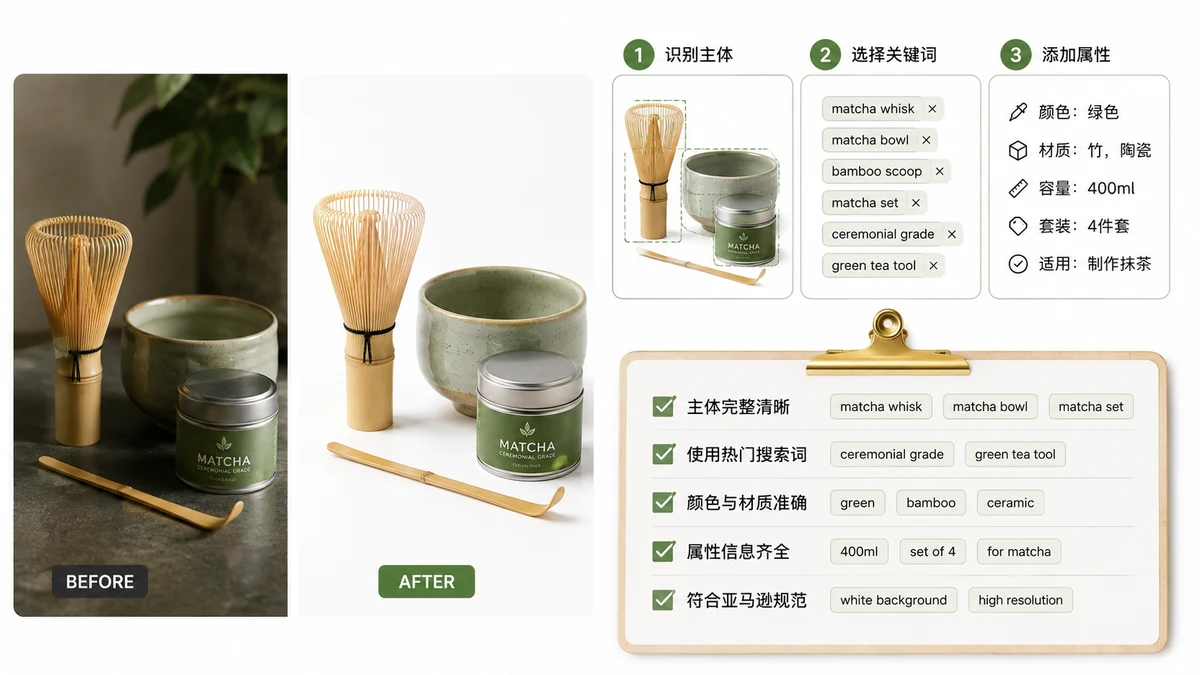
How to Batch-Tag AI Images for Amazon with contains-synthetic-performer (2026)
A step-by-step walkthrough for writing Amazon's required contains-synthetic-performer tag into a whole batch of AI product images in your browser: drop a folder, verify each file, download a ZIP — plus how to confirm the tag on Windows and Mac.

Which Images Need an AI Label? Amazon's Synthetic-Performer Rule Edges and Risks
Amazon's contains-synthetic-performer tag isn't needed on every image. A decision table for which AI images must be tagged and which are exempt, the tricky edge cases (AI backgrounds, AI-retouched real people, partial edits), and what non-compliance costs.
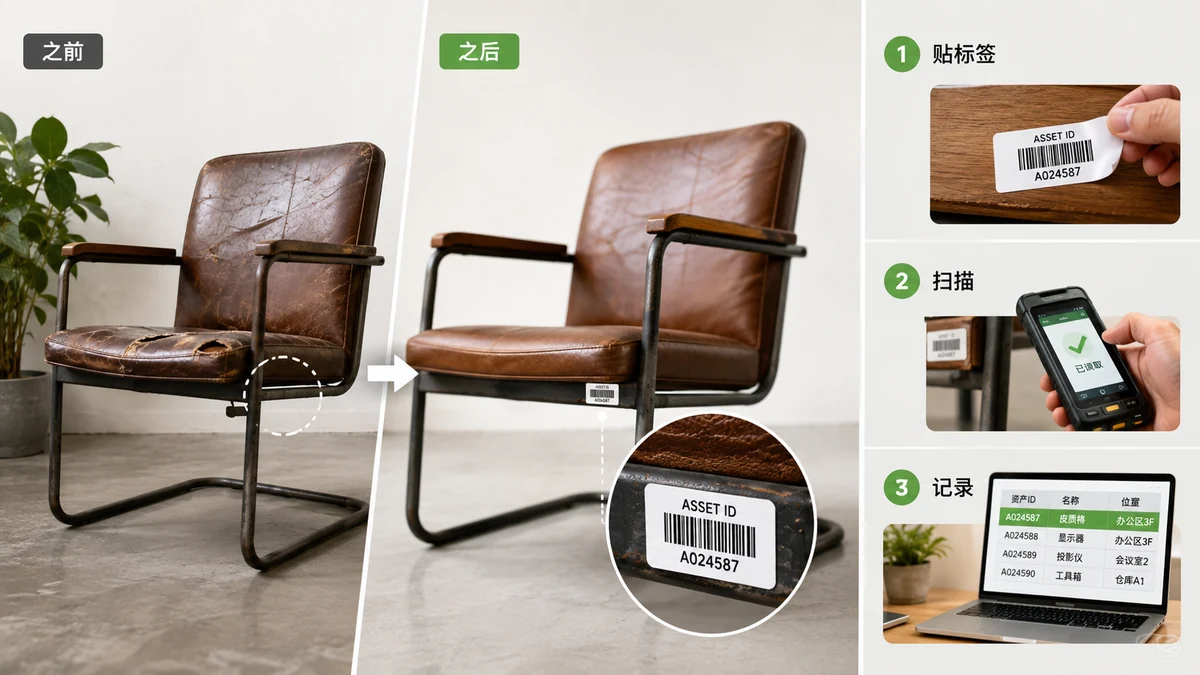
Barcodes for Inventory and Asset Tags Without a Paid System
You don't need expensive software to barcode your stockroom or tag your equipment. Here's how to set up a simple CODE128 scheme and print tags that any scanner reads.
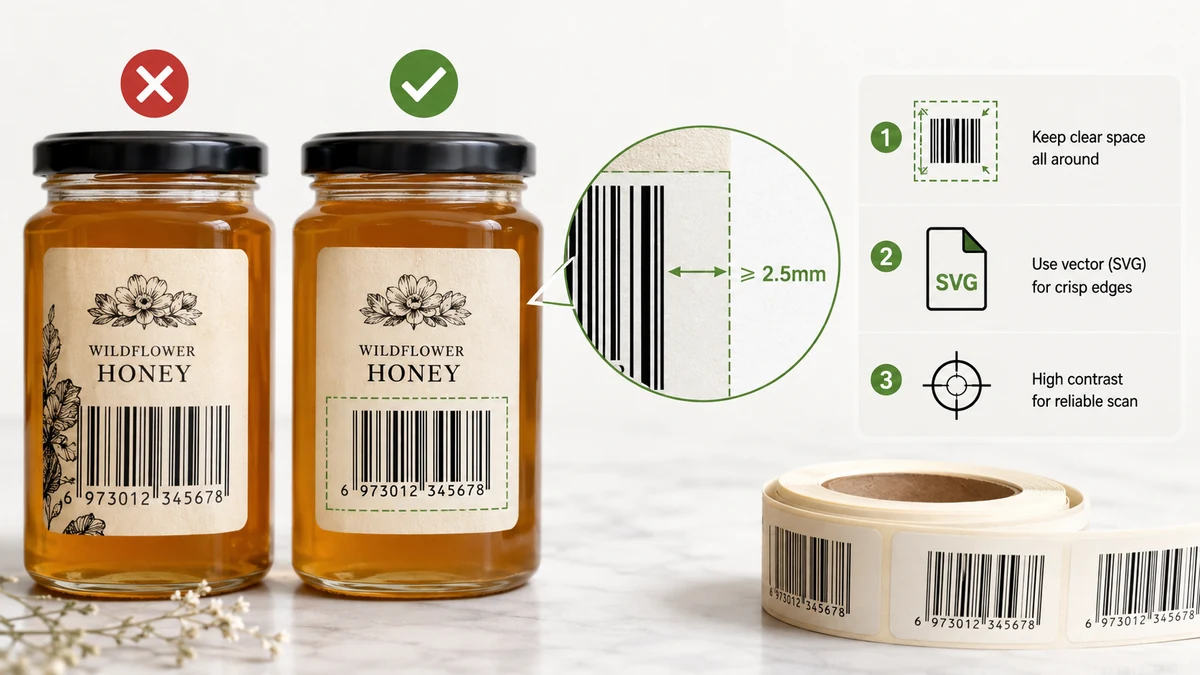
Print-Ready Barcodes That Actually Scan — SVG, Size, and the Quiet Zone
A barcode that looks fine on screen can fail every scanner once it's printed. Here's how to get size, quiet zone, contrast, and file format right so it reads on the first pass.
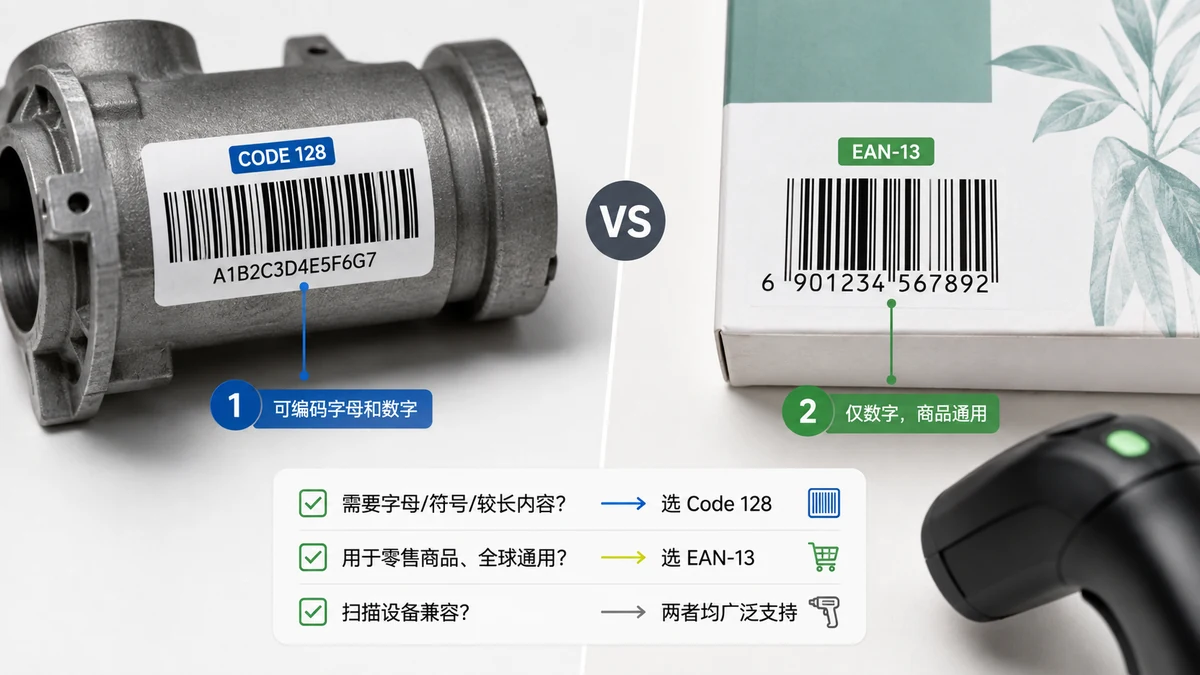
CODE128 vs EAN-13: Which Barcode Should You Actually Use in 2026?
The choice between CODE128 and EAN-13 is really one question — is this code for your own use or for a retail checkout? Here's the answer, plus the GS1 reality nobody explains.
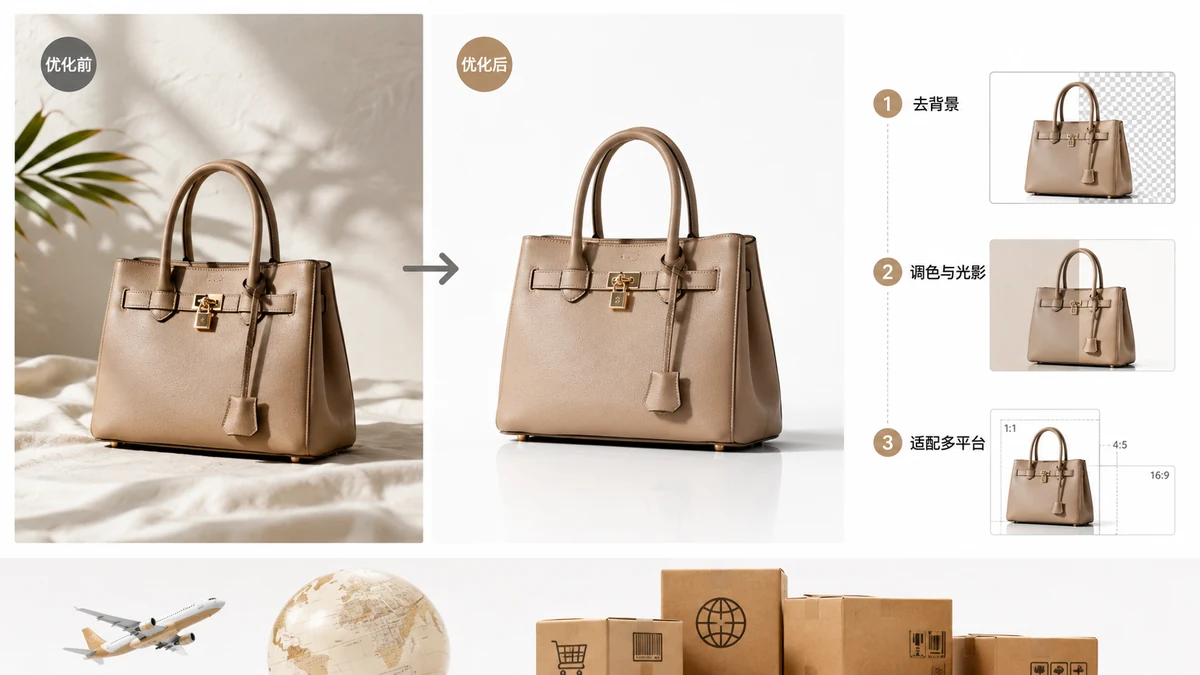
Cross-Border E-commerce Image Guide (2026): Amazon, Shopify, TikTok, Shein
The 2026 cross-border image guide: per-marketplace sizes, white backgrounds, file weight, and long detail images for Amazon, Shopify, TikTok Shop, and Shein.
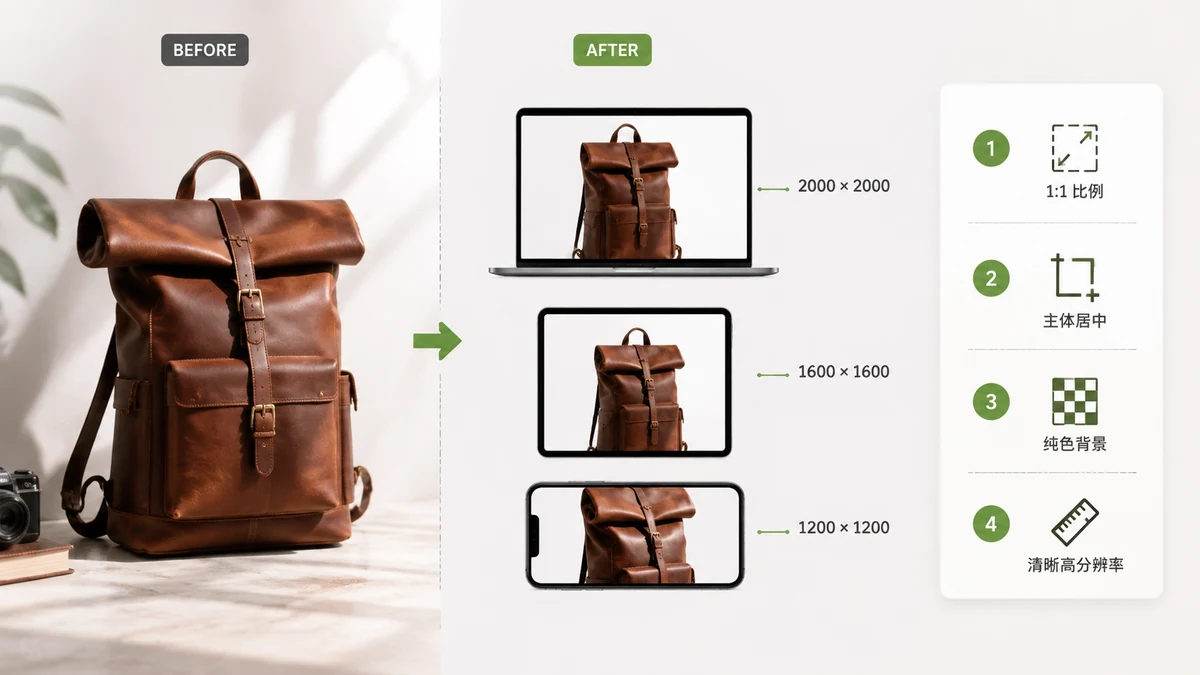
Shopify Image Size Guide (2026): Sizes, Ratios, and Fast File Prep
Shopify image size guide for 2026: product photo dimensions, aspect ratios, file weight, and a browser workflow to resize and compress your whole catalog fast.
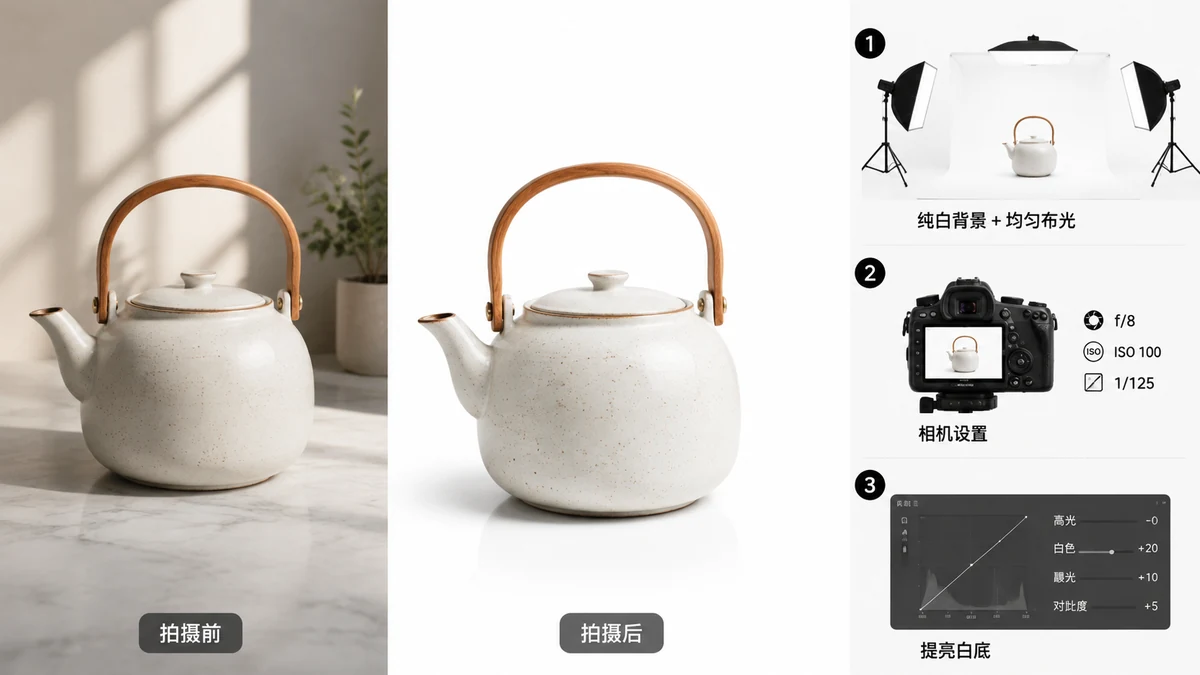
How to Make White-Background Product Photos (No Studio)
Turn any product photo into a clean white-background image in the browser: AI cutout, then resize onto true white for Amazon, Shopify, eBay and more. Free, no upload.
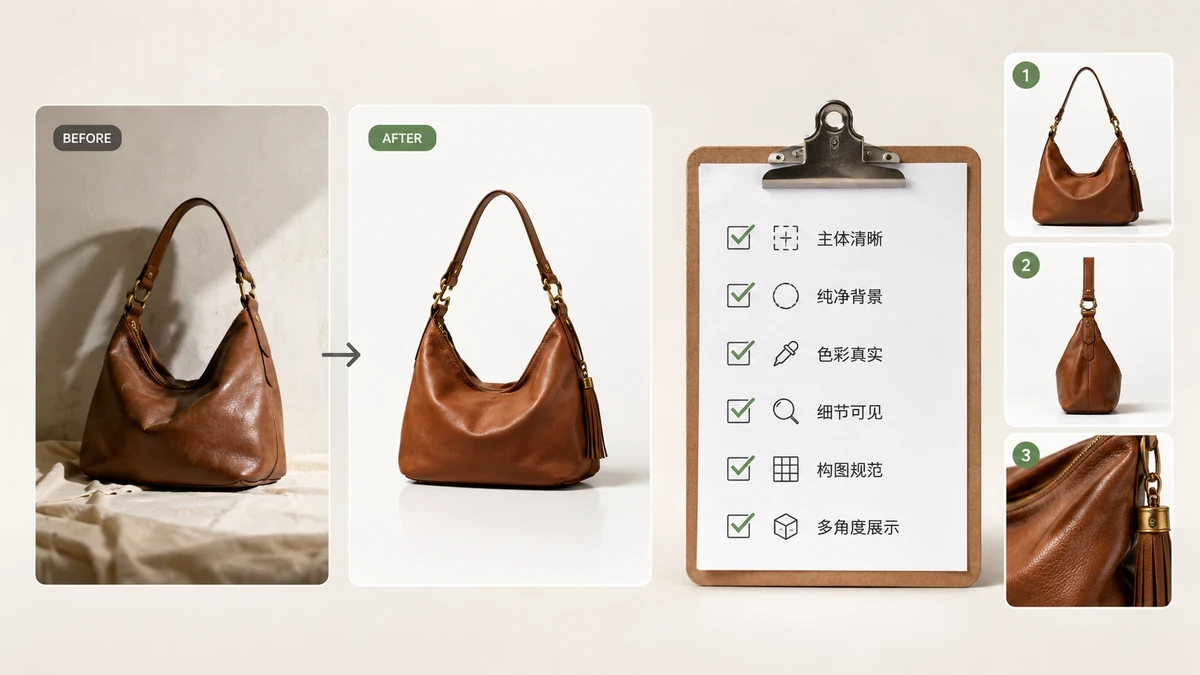
E-commerce Product Image Checklist (2026)
A practical 2026 e-commerce product image checklist: sizes, white backgrounds, file weight, gallery slots, and a page-speed audit — everything to ship listings that convert.
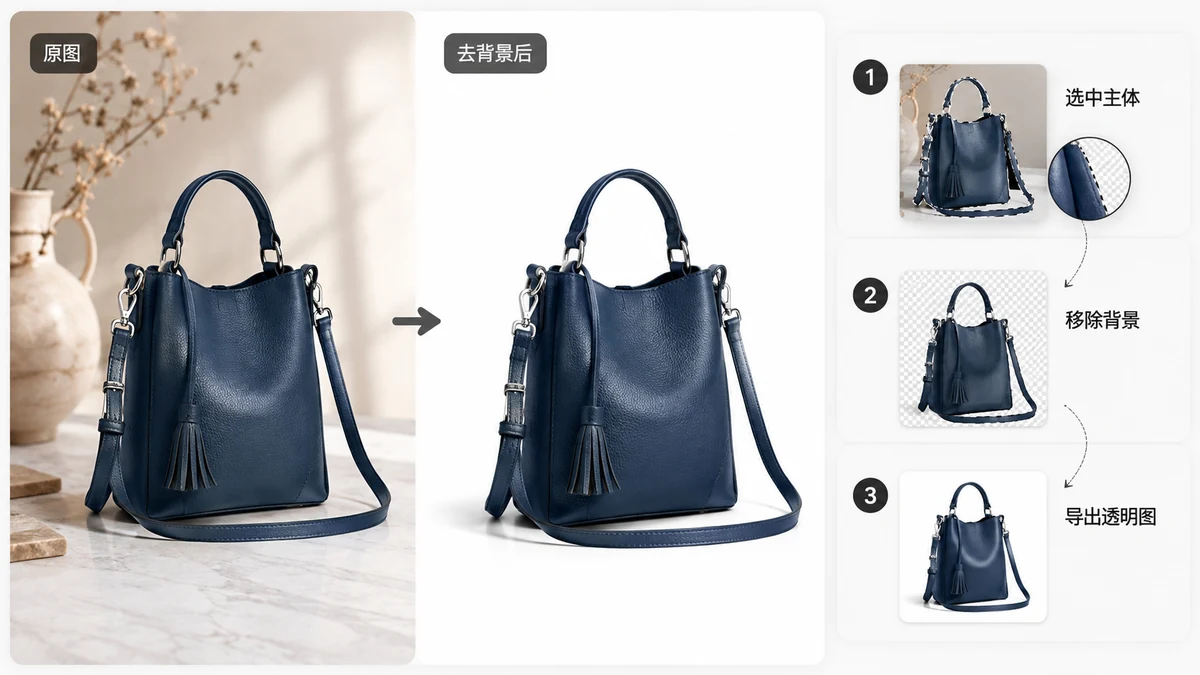
Remove the Background From Product Photos for Clean Listings
Get crisp white or transparent product cutouts for Amazon, Etsy, and Shopify right in your browser. Batch a whole set at once, no upload, no watermark, free.
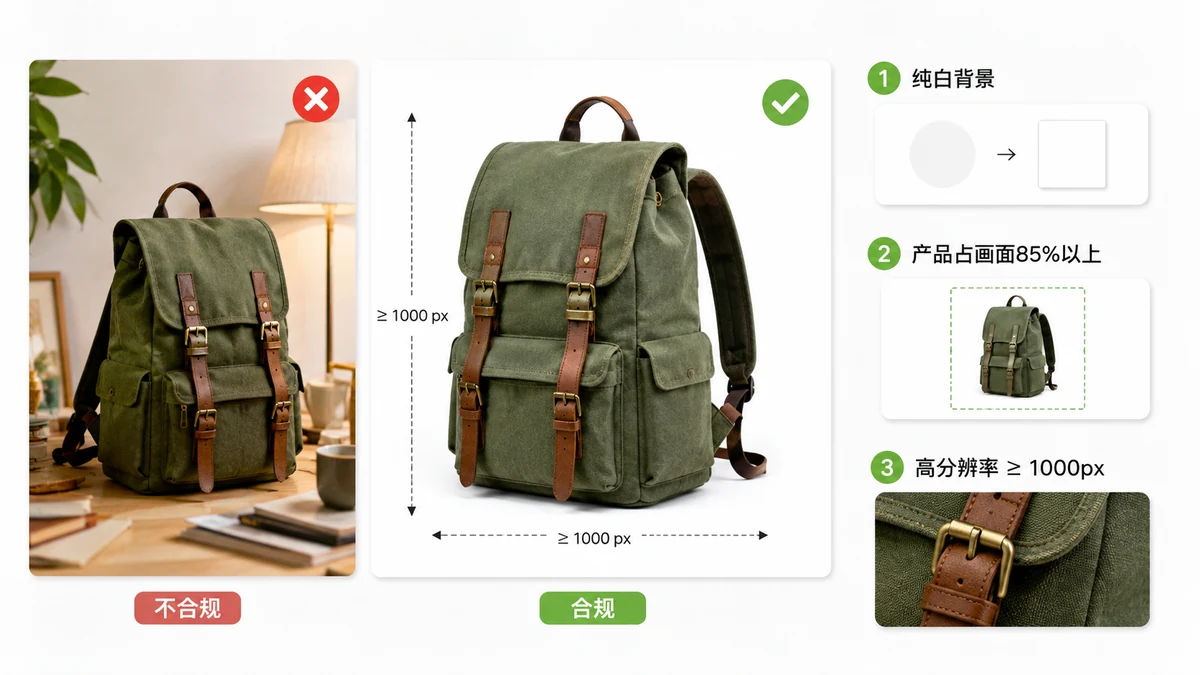
Amazon Product Image Requirements (2026): Specs and How to Hit Them Fast
Amazon product image requirements for 2026: main-image rules, pixel sizes, white background, and a fast browser workflow to meet them without a photo studio.
PDF, QR codes & barcodes
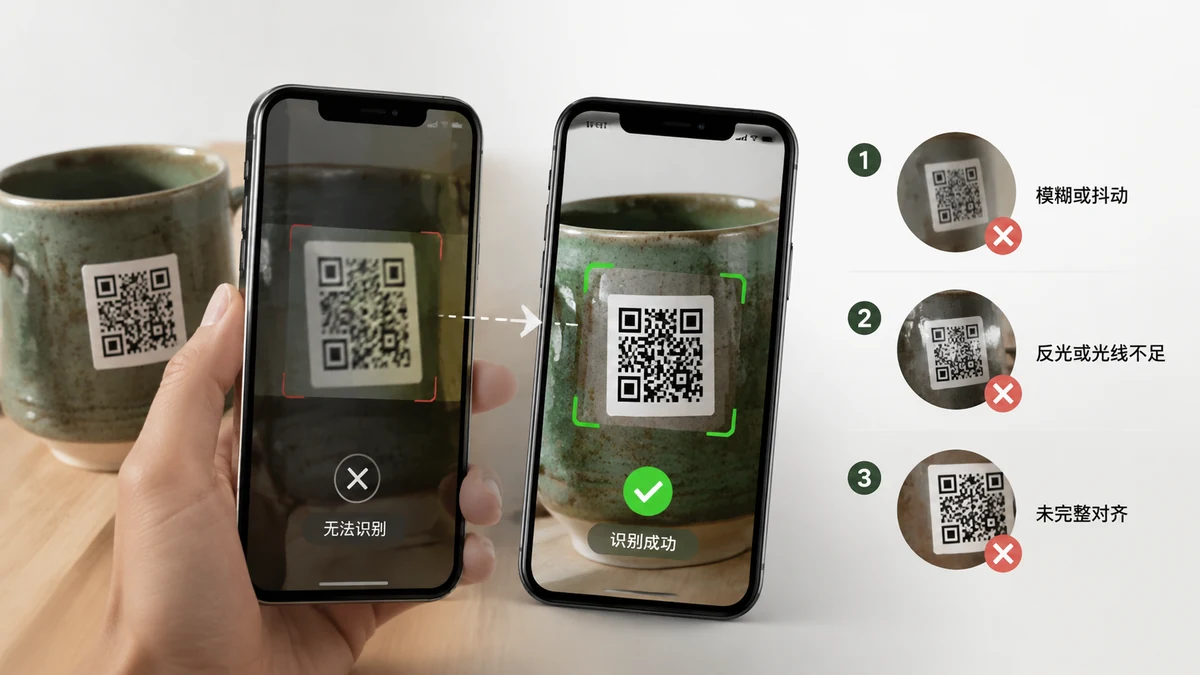
Why Can't I Scan This QR Code? (And How to Fix It)
Blur, tiny size, low contrast, glare, or damage — most failed QR scans come down to a handful of fixable causes. Here's how to diagnose and rescue a code that won't read.
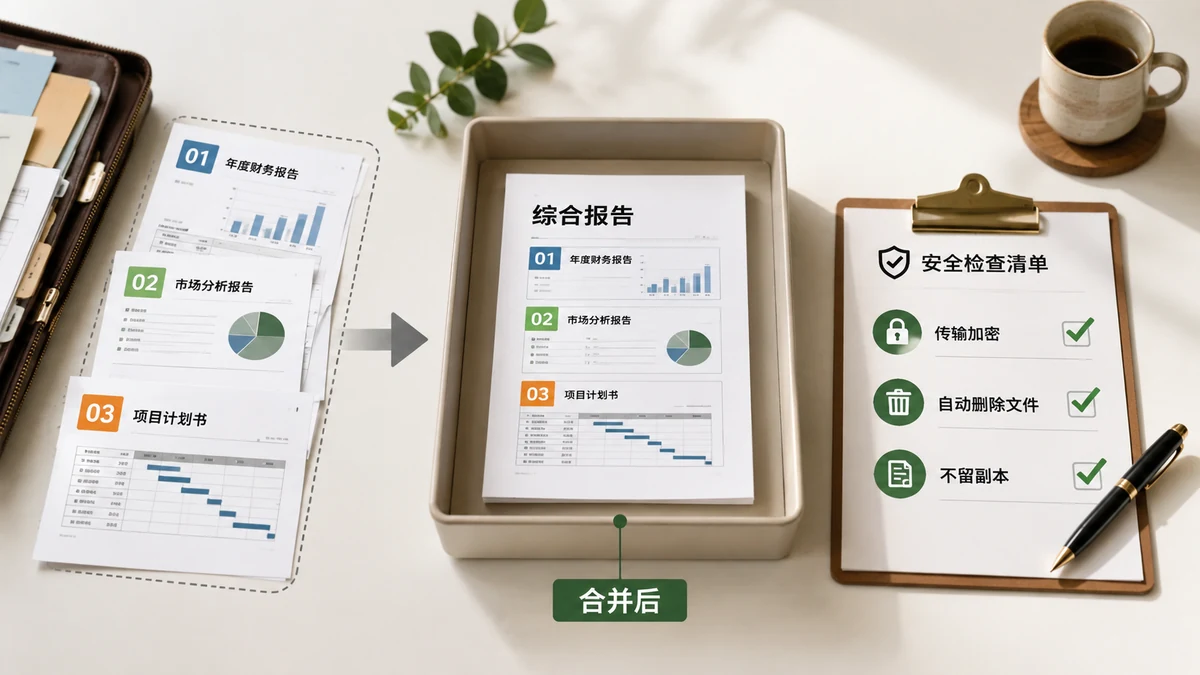
Is It Safe to Merge PDF Online? How to Check Before You Trust a Site
"Free online PDF mergers" usually upload your files to a server. Here's how to tell whether a site does, a two-minute airplane-mode test, and how to merge safely without uploading at all.

Static vs Dynamic QR Codes — Which One You Actually Want in 2026
"Free dynamic QR code" often means a link that can expire or track you. Here's the real difference between static and dynamic codes, and when each makes sense.
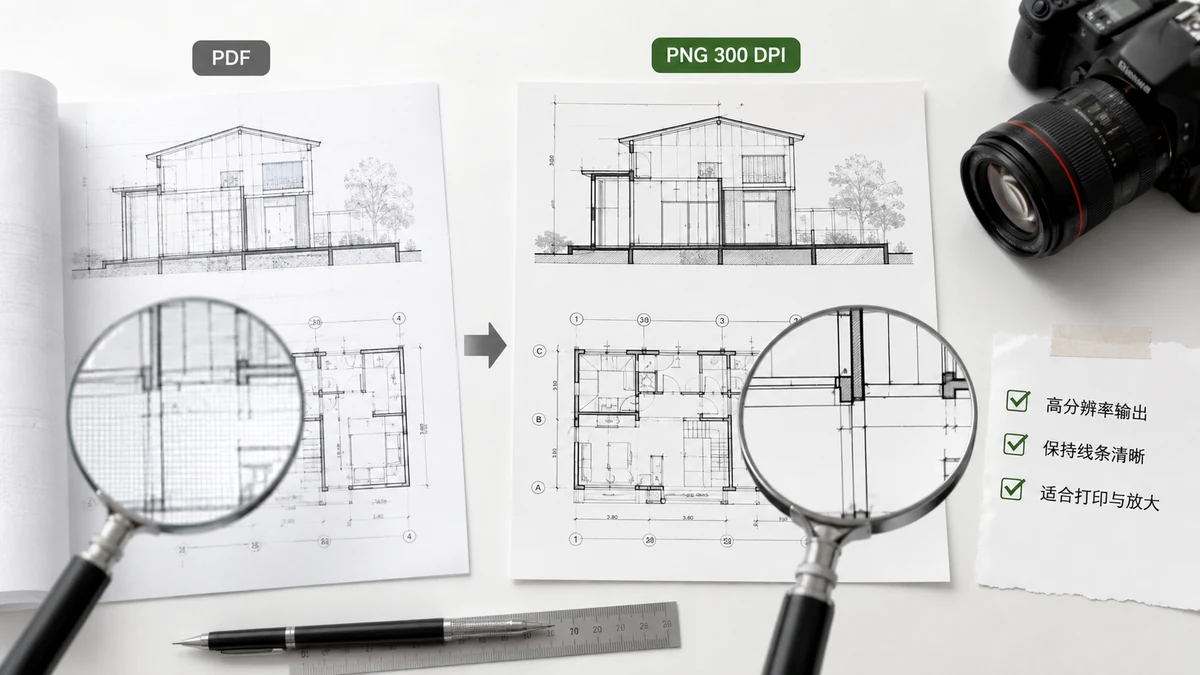
Export PDF Pages to High-Resolution PNG (2026)
When a PDF page needs to be a crisp, lossless image — for slides, print, or zoomable diagrams — PNG at the right resolution is the answer. Here's how to get sharp PNGs in 2026 without uploading the file.
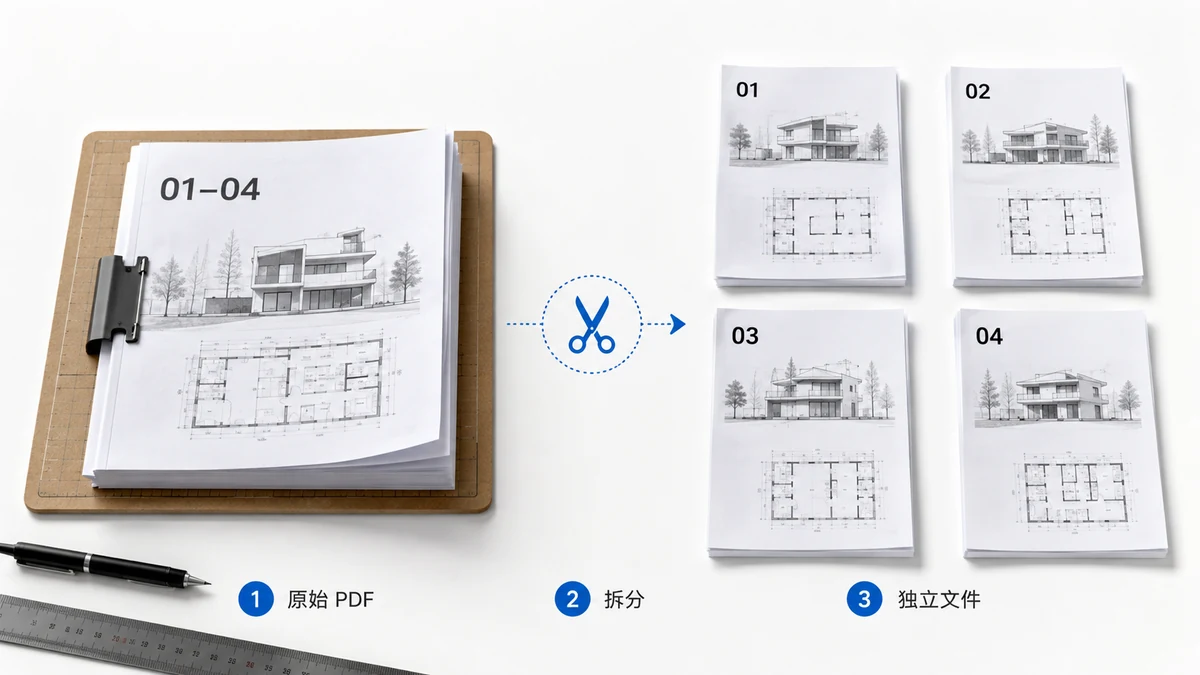
How to Split a PDF Into Separate Files, One Per Page (2026)
When every page of a PDF needs to be its own file — a batch of scanned forms, receipts, certificates — here's how to split them all at once and get a ZIP back, without uploading anything.
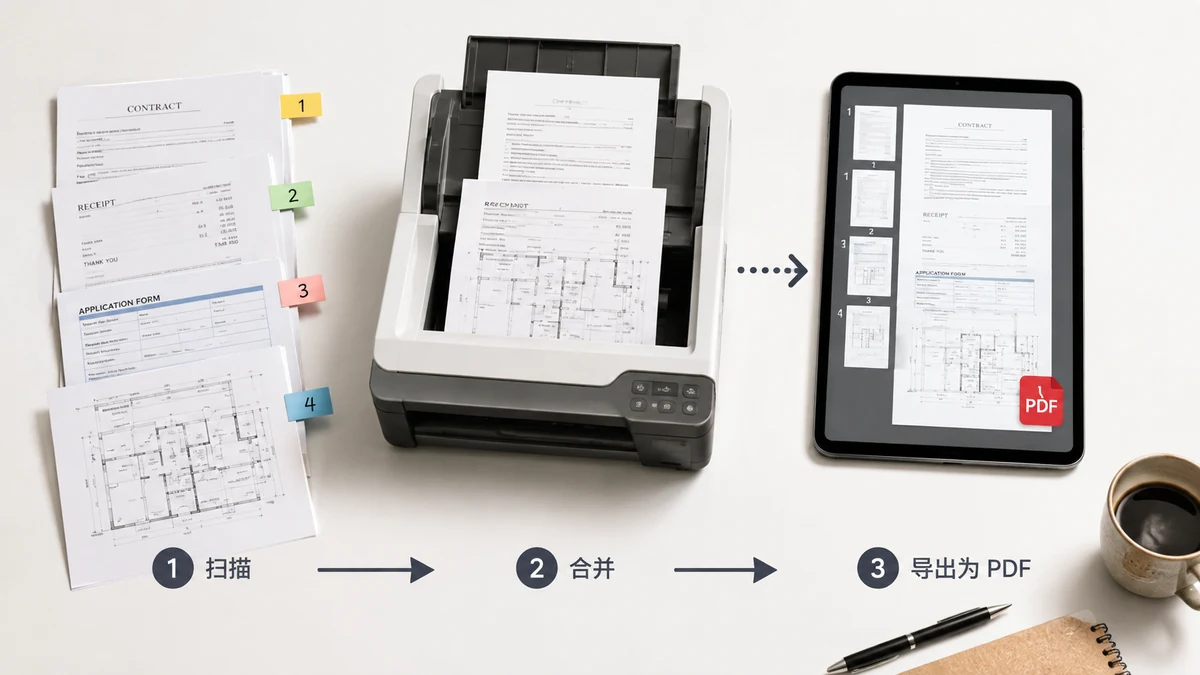
How to Combine Scanned Documents Into One PDF, in Order
Phone scans, receipts, and contract pages usually come out as separate files. Here's a clean way to combine them into a single, correctly ordered PDF — without uploading anything.
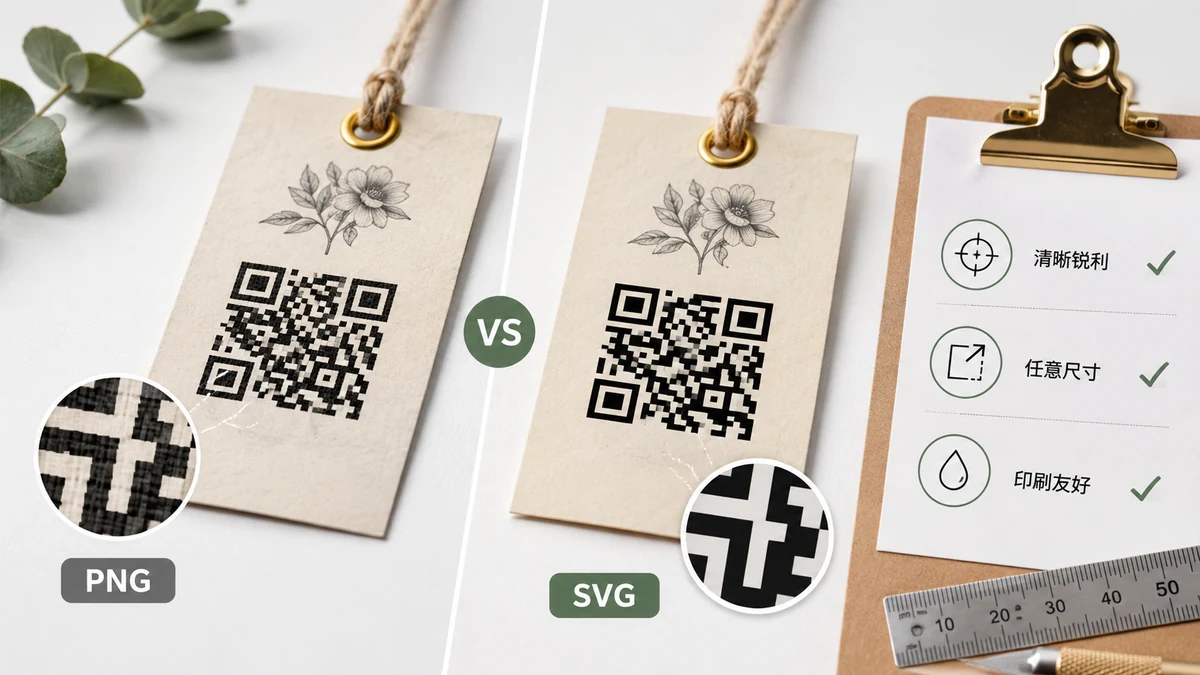
QR Code for Print — PNG or SVG, What Size, and Which Error-Correction Level
A QR code that scans on screen can fail on paper. Here's how to pick PNG vs SVG, the right size, quiet zone, and error correction for print in 2026.
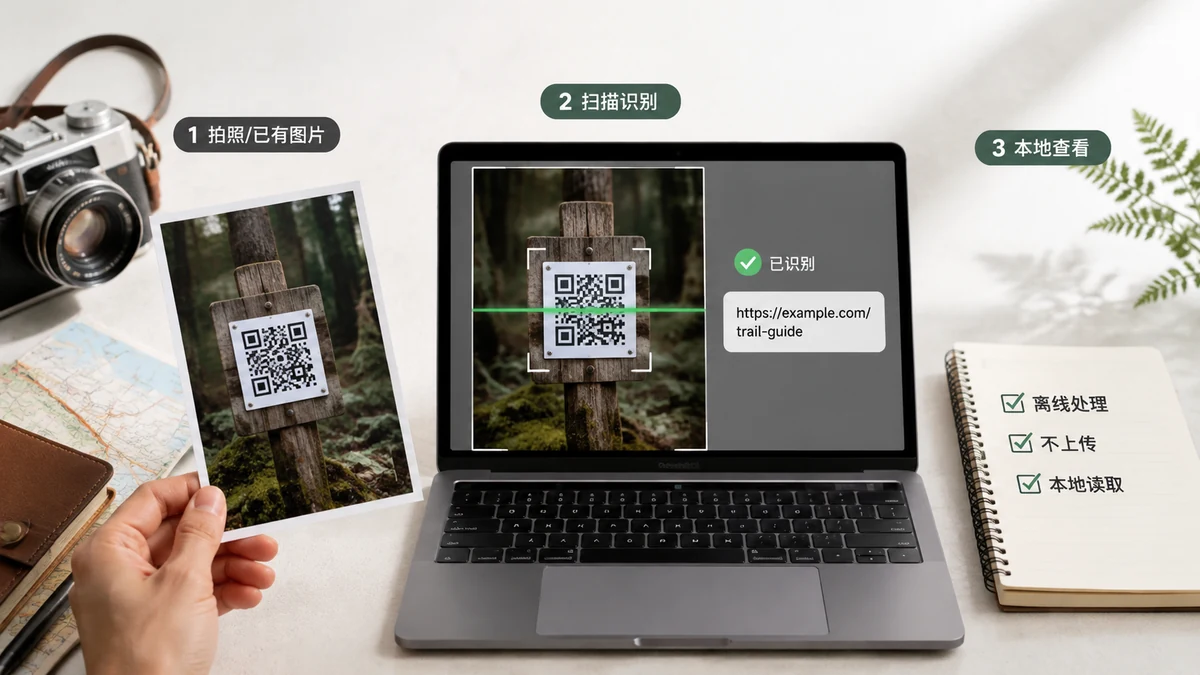
Read a QR Code From an Image — Privately, on Your Own Device
A QR code can hold a Wi-Fi password, a login link, someone's contact card. Decoding it on a random website means uploading that secret. Here's how to read it locally instead.

How to Convert a PDF to JPG (2026)
Turning PDF pages into JPG images is easy — the tricky parts are the white background, the loss of selectable text, and doing it without uploading the file. Here's how JPG conversion actually works in 2026.

How to Extract Specific Pages From a PDF (2026)
Need pages 1-3 of a contract or one page from a big scan? Here's how to pull exactly the pages you want into a new PDF, with the page-range syntax explained, all in your browser.

How to Merge PDFs Without Uploading Them Anywhere (2026)
Merging PDFs online almost always means uploading them to someone else's server. Here's why that happens, why it matters for private documents, and how to combine PDFs entirely in your browser.
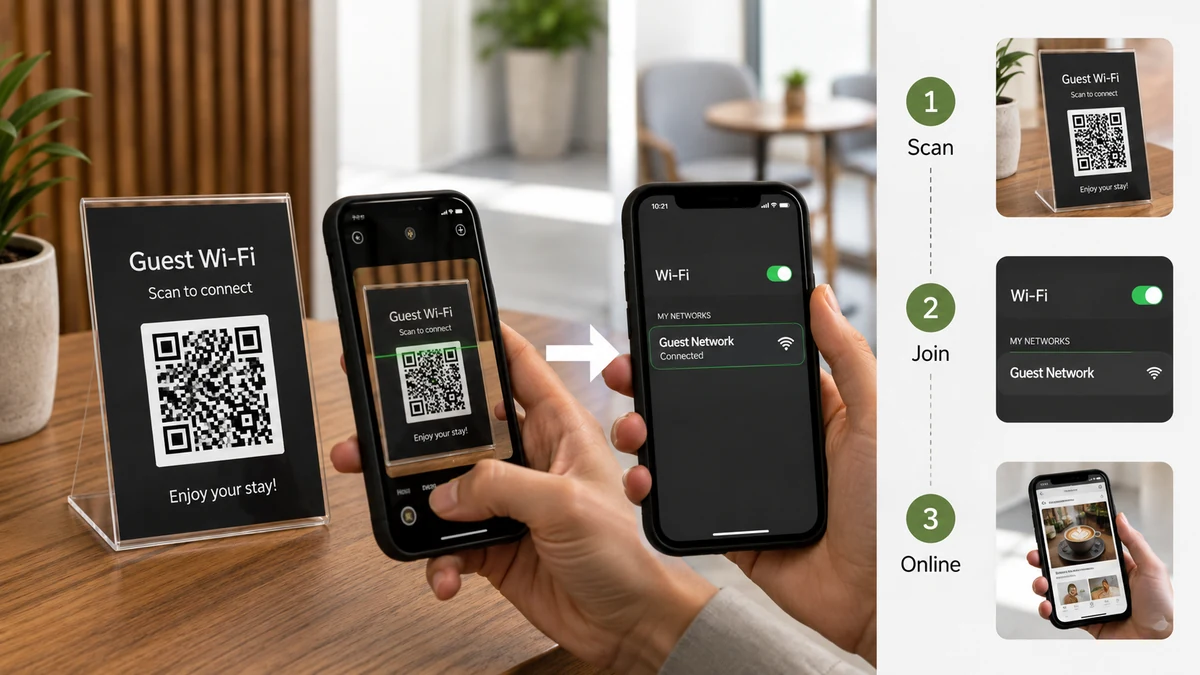
Make a Wi-Fi QR Code for Guests — Café, Airbnb, or the Kitchen Fridge
Stop reading your Wi-Fi password out loud. Here's how a Wi-Fi QR code works, how to make one in your browser in 2026, and why the password never has to touch a server.

How to Scan a QR Code From a Screenshot (No Second Phone)
The QR code is a screenshot on your own phone or desktop — so the camera can't reach it. Here's how to read it from the image itself, without a second device.
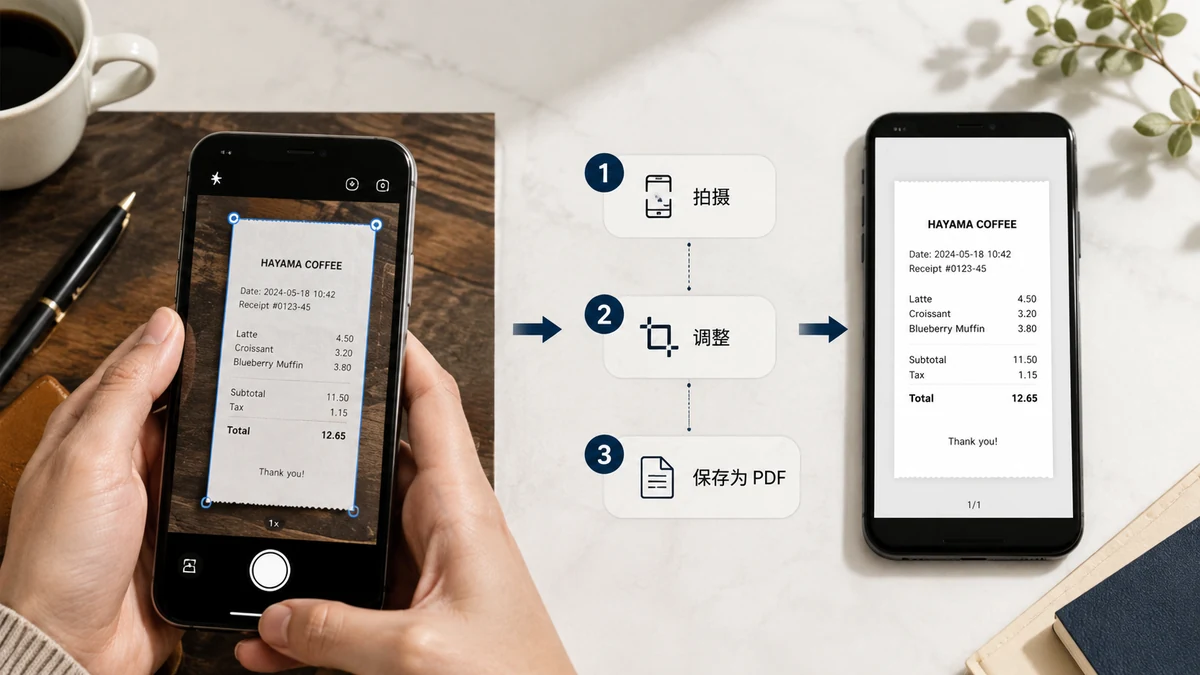
Scan Documents to PDF With Your Phone — Privately, No App
Turn phone photos of a document into a clean multi-page PDF, without uploading a signed contract or ID to anyone's server. Crop each page, order them, export. Free and in your browser.
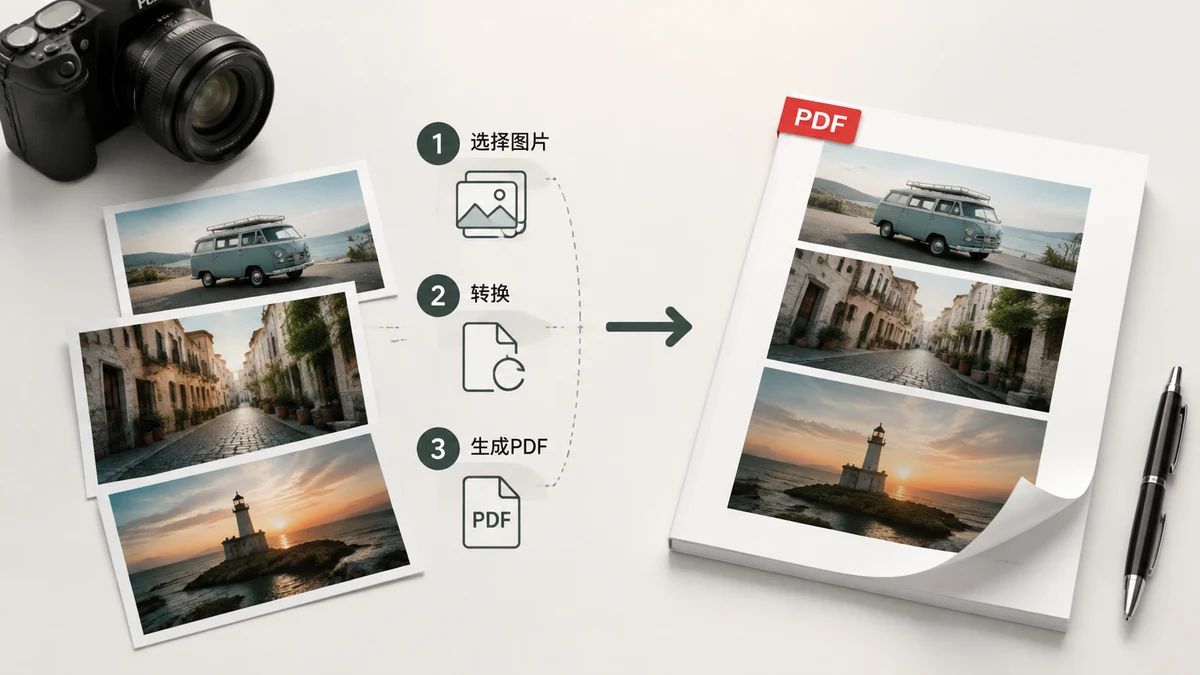
How to Convert Images to PDF (JPG or PNG to a Single File)
Turn one image or a stack of them into a single PDF — set the page size, orientation, and order. A free browser tool, no upload, no watermark. Here's the how and the why.
Privacy, watermarks & AI content
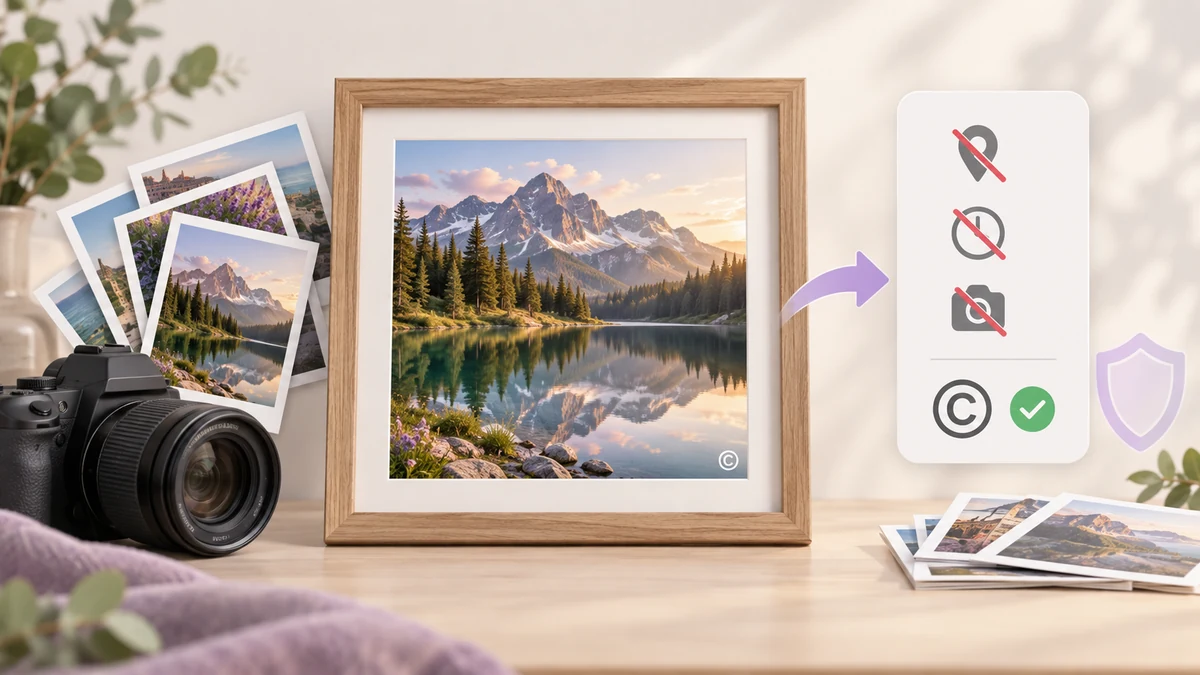
Batch Watermark Photos and Strip EXIF: The Privacy and Credit Checklist Before You Share
Before a set of photos goes to a client, a portfolio or a social feed, two things belong together: remove GPS and camera data, and put your name on the image. How big and how transparent a watermark should be, what EXIF actually leaks, and why both steps should happen in one pass.

How to Hide Personal Info in a Screenshot Before You Share It
Screenshots leak more than you think — names, emails, order numbers, addresses. Here's a fast way to cover the sensitive parts on your own device, with nothing uploaded.
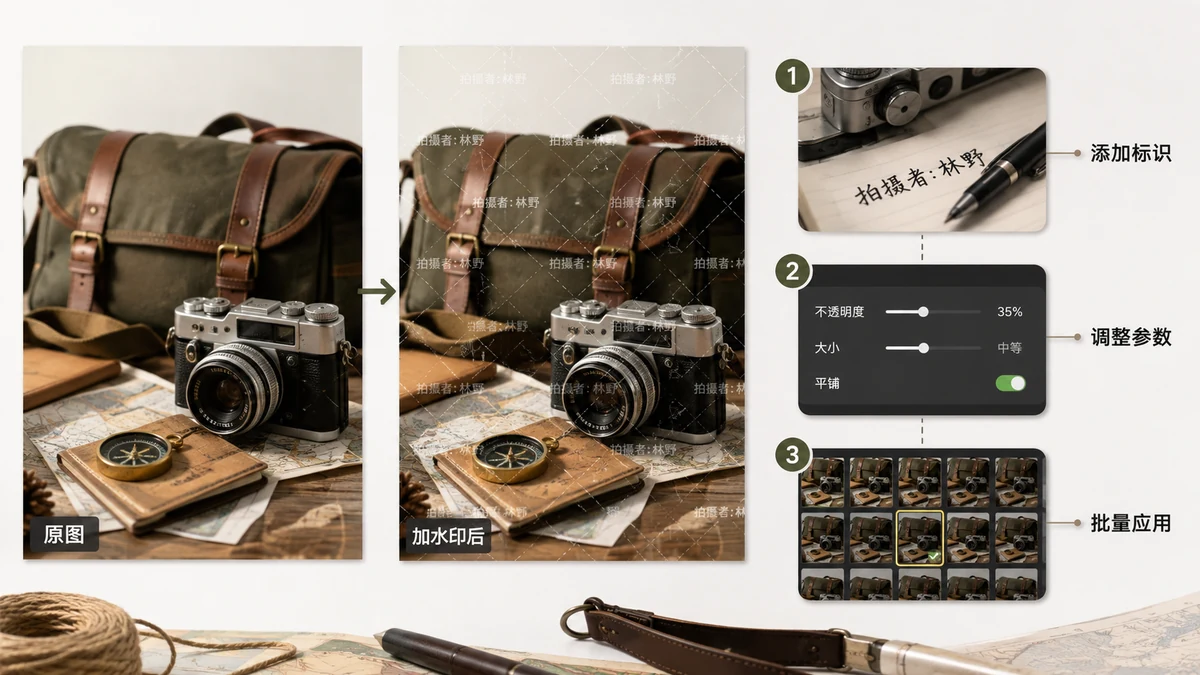
How to Protect Your Photos From Theft With a Watermark
A tiled watermark is the practical way to stop people reusing your images. Here's how to place, angle, and set one so it actually deters theft — free, in your browser, no upload.

How to Remove GPS Location From Photos (Step by Step)
Your phone quietly stamps GPS coordinates into photos. Here's how location gets embedded, why it's a real risk when you share, and how to strip it in a few clicks.
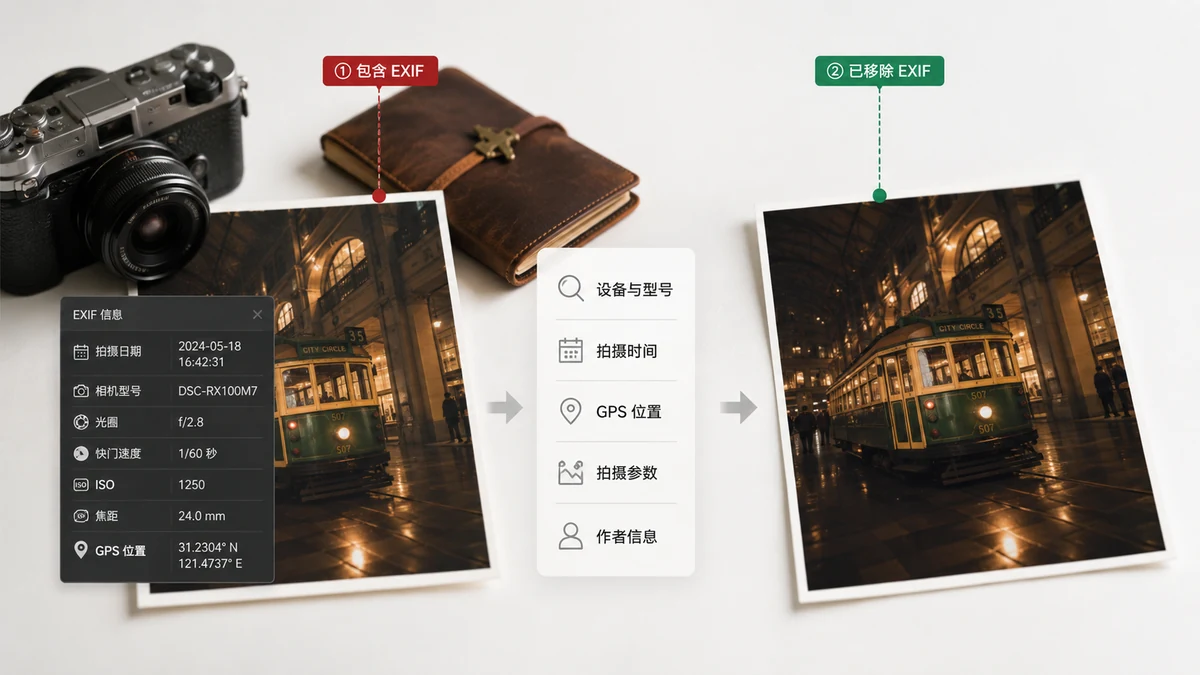
What Is EXIF Metadata, and Why Should You Remove It?
EXIF is the hidden data tucked inside your photos — camera, timestamp, sometimes GPS. Here's what it contains, the real risks of sharing it, and when to clear it.
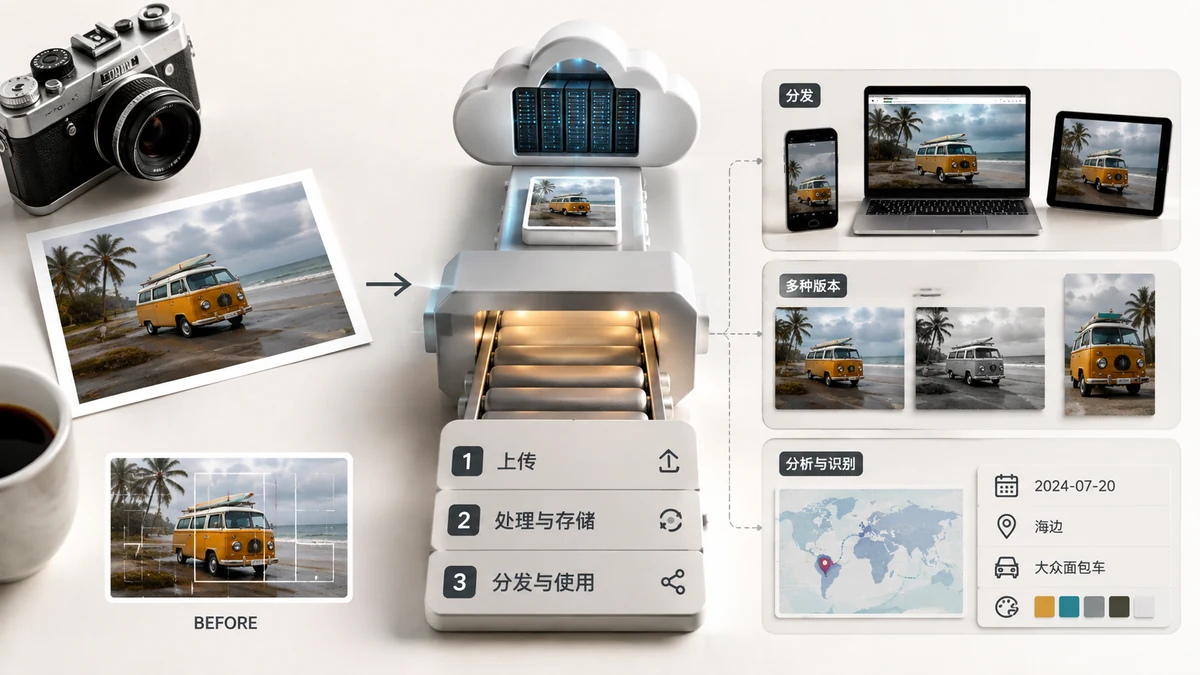
What Happens to Images You Upload Online?
When you upload a photo to a website or app, where does it actually go? Here's the real path your file takes, how long it's kept, whether it trains AI, and how to check for yourself.
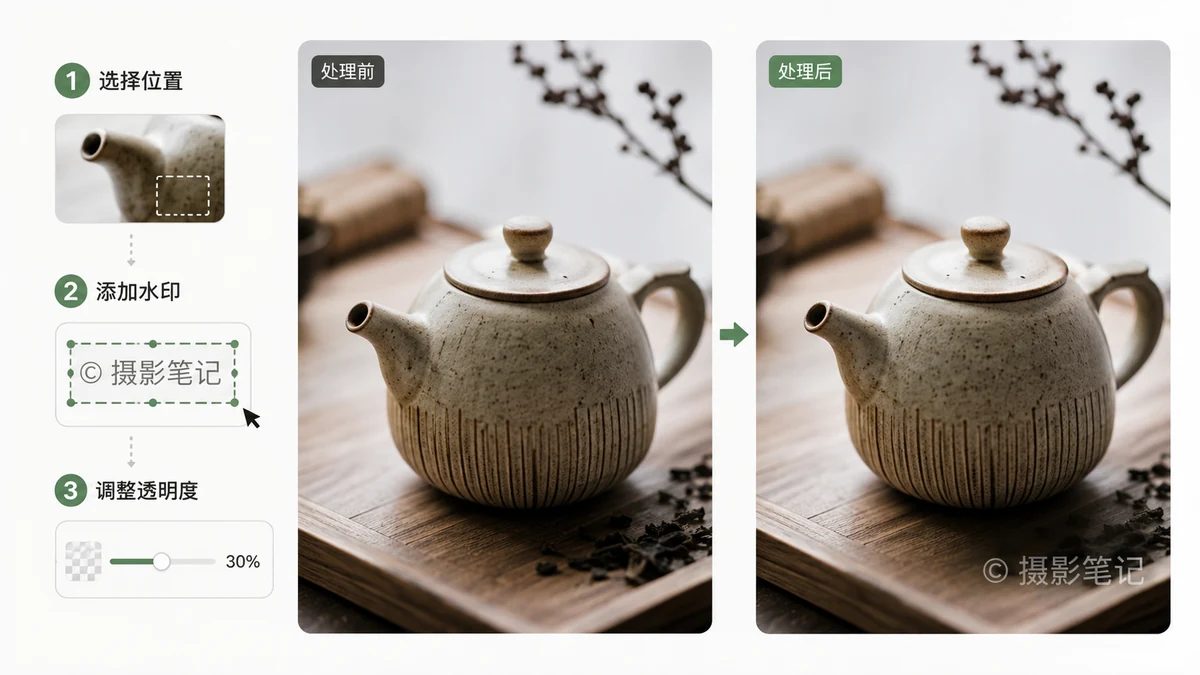
How to Watermark Images: Text, Logos, and Protecting Your Photos
Add a text or logo watermark that protects your work without ruining the photo. Tile it, tuck it in a corner, batch a whole folder — free and in your browser, no upload.
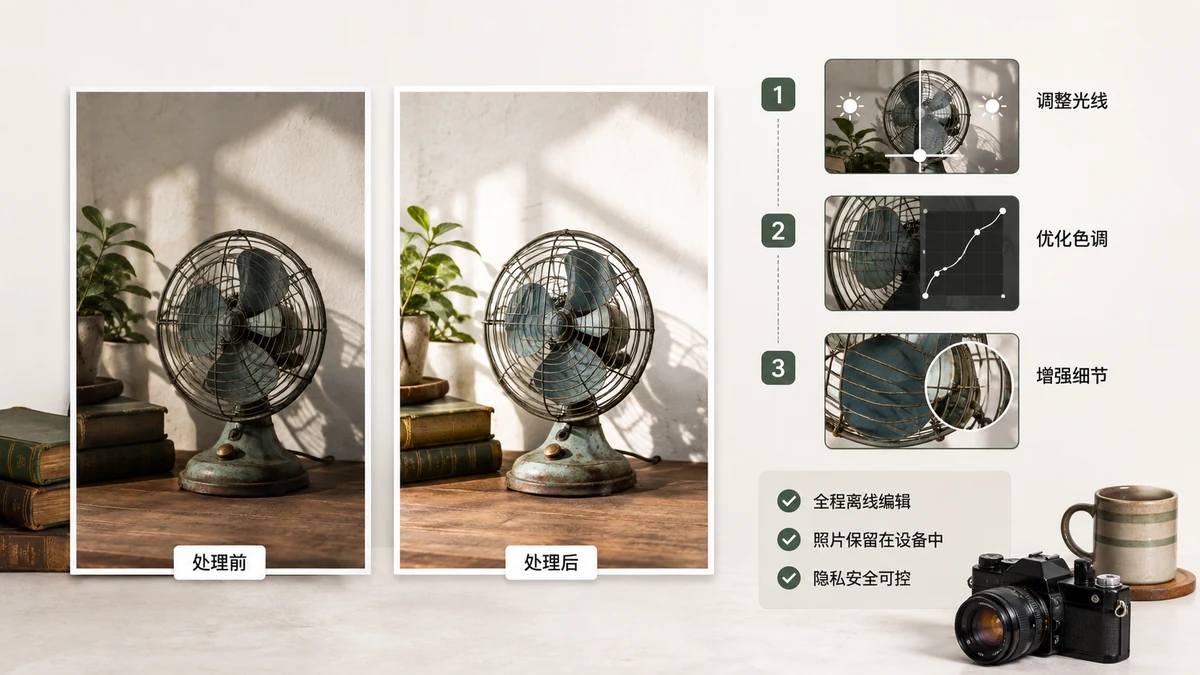
How to Edit Photos Without Uploading Them Anywhere
You can compress, crop, and remove backgrounds from photos without a single file leaving your device. Here's how private, browser-based photo editing actually works.
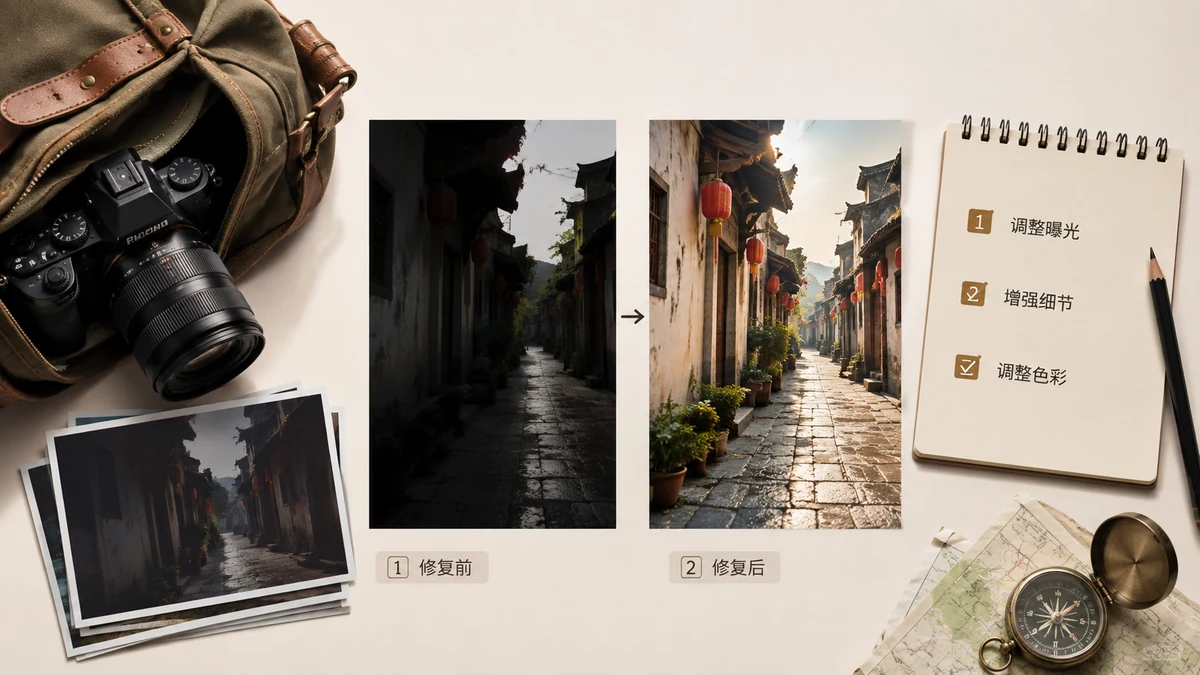
Image Tools That Work Offline (Airplane Mode Included)
Which image editing tasks work with no internet at all? Here's exactly what runs offline on tools.faxianai.com, what needs a one-time download, and the one tool that needs a connection.
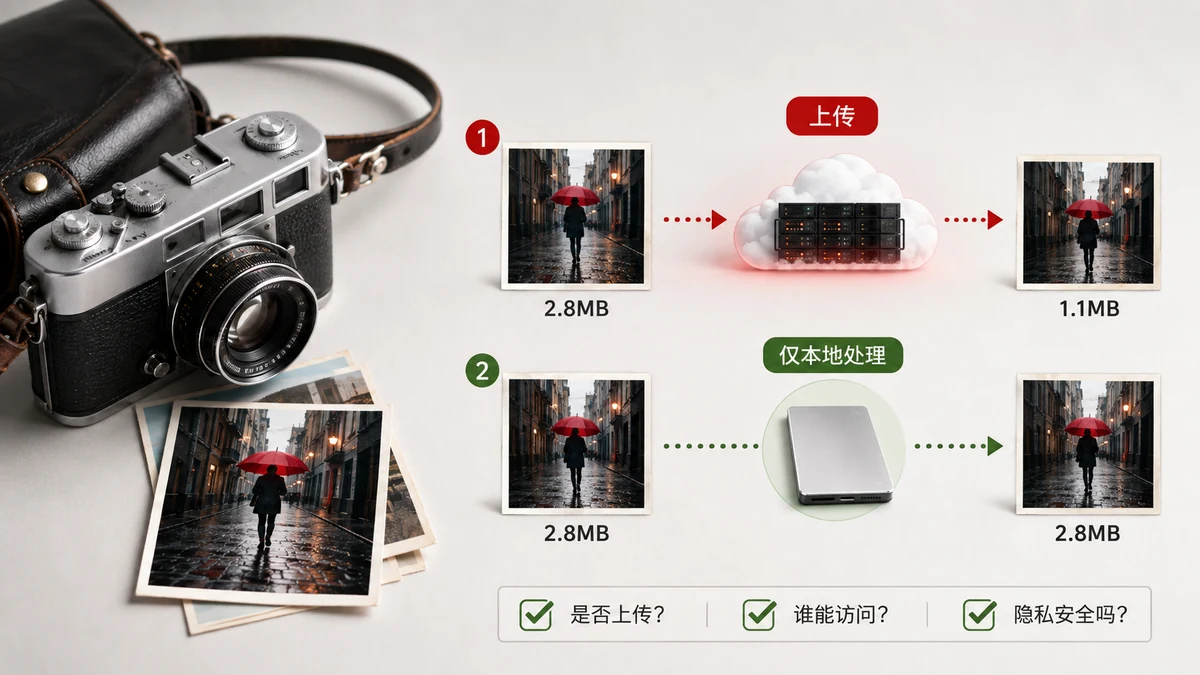
Do Image Compressors Upload Your Photos? How to Check
Most online image compressors send your photos to a server. Here's how to tell whether a tool uploads your files, and how a browser compressor keeps them on your device.
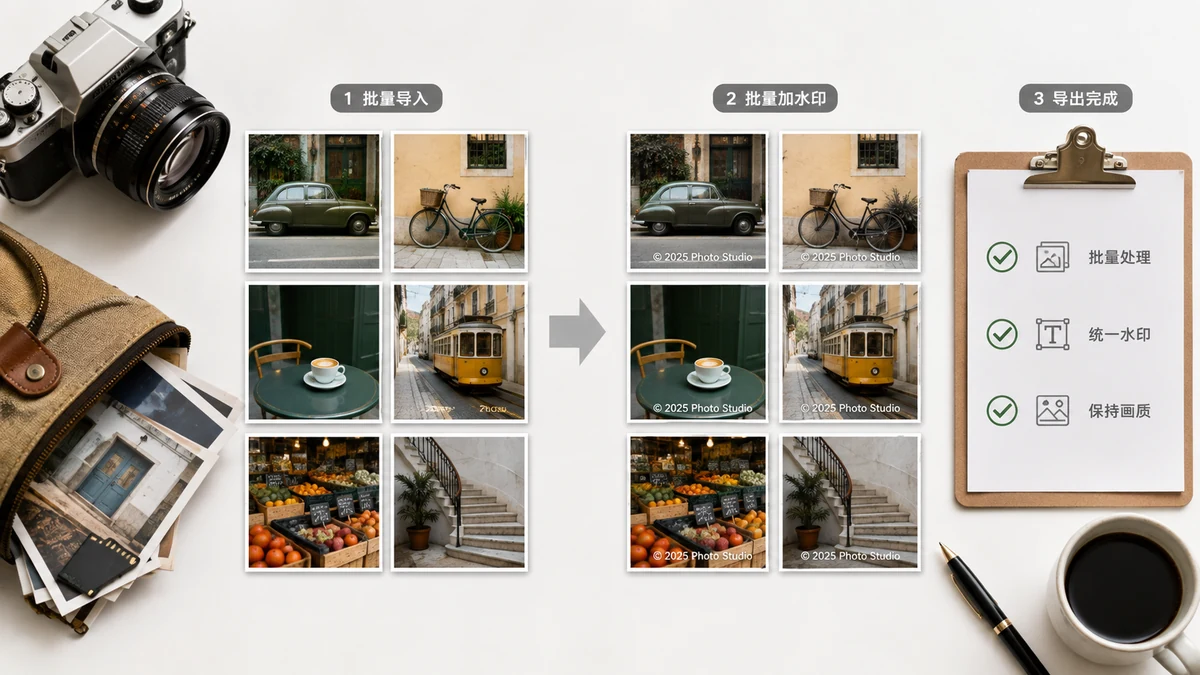
How to Batch Watermark Photos: Stamp a Whole Folder at Once
Watermarking one image is quick; watermarking a hundred by hand is a waste of an evening. Here's how to batch watermark multiple photos in one pass and download them as a ZIP — free, no upload.
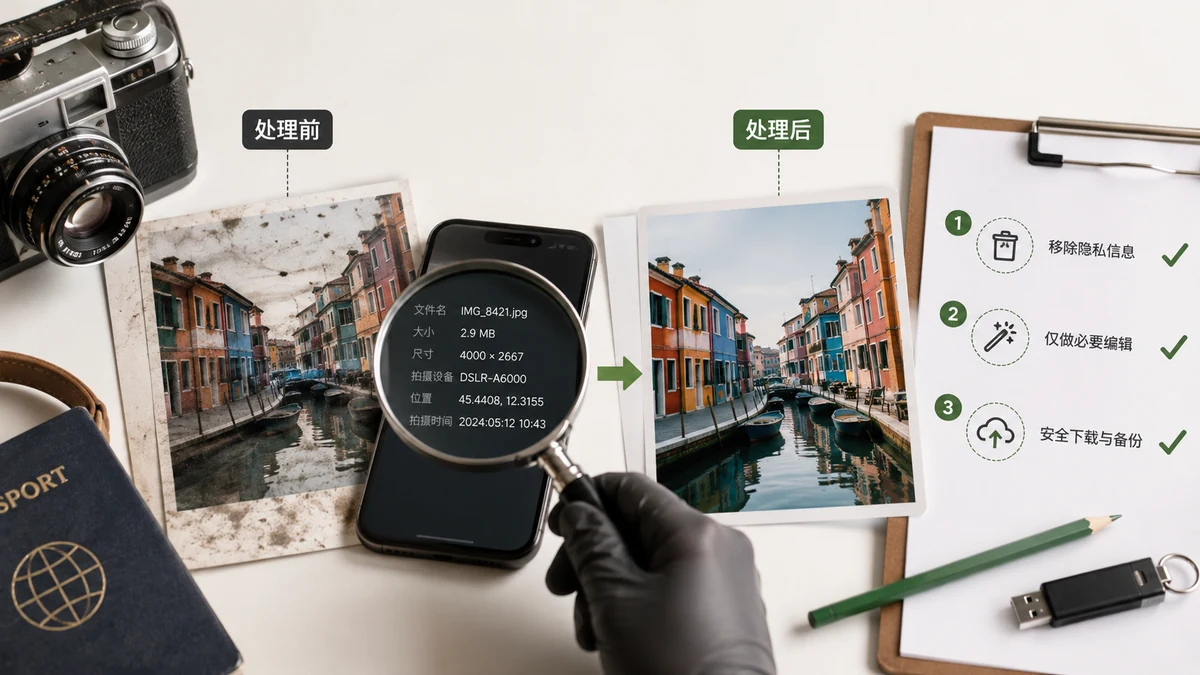
Are Online Image Tools Safe? What Really Happens to Your Photos
Most "free" online image tools upload your photos to a server you can't see. Here's how to tell, why it matters, and how to compress or edit images without them ever leaving your device.
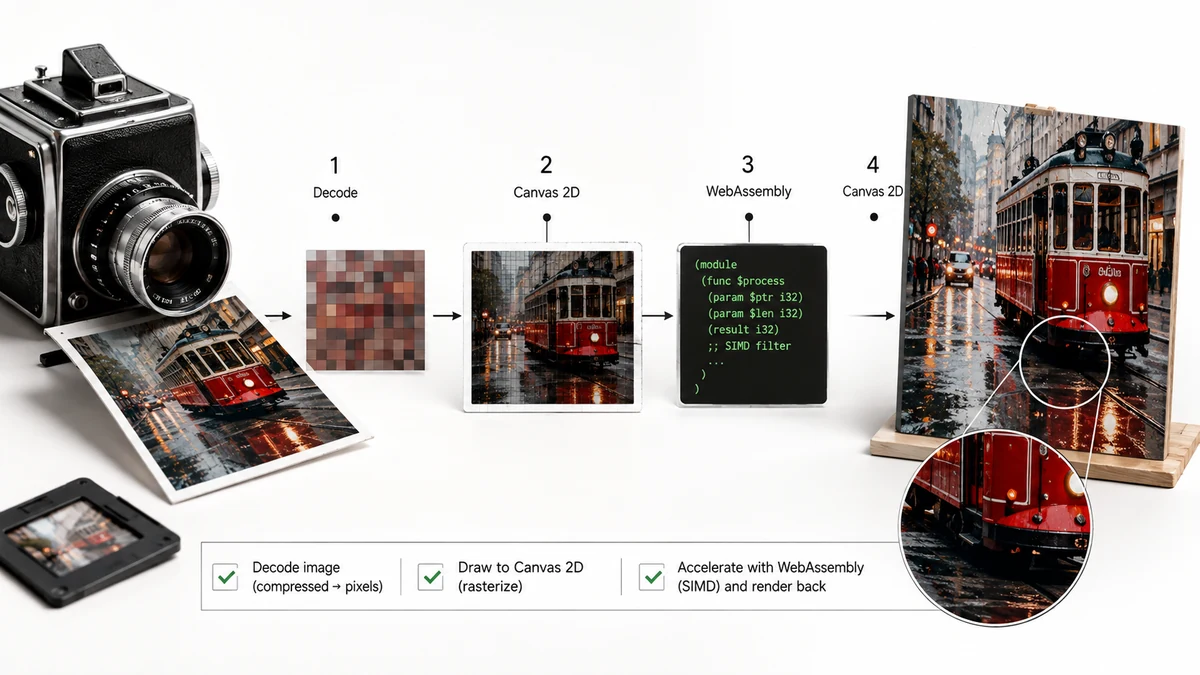
How Browsers Process Images: Canvas and WebAssembly Explained
Modern browsers can compress, convert, and edit images on their own, no server needed. Here's a plain-language look at Canvas and WebAssembly — why they make in-browser tools both private and fast.
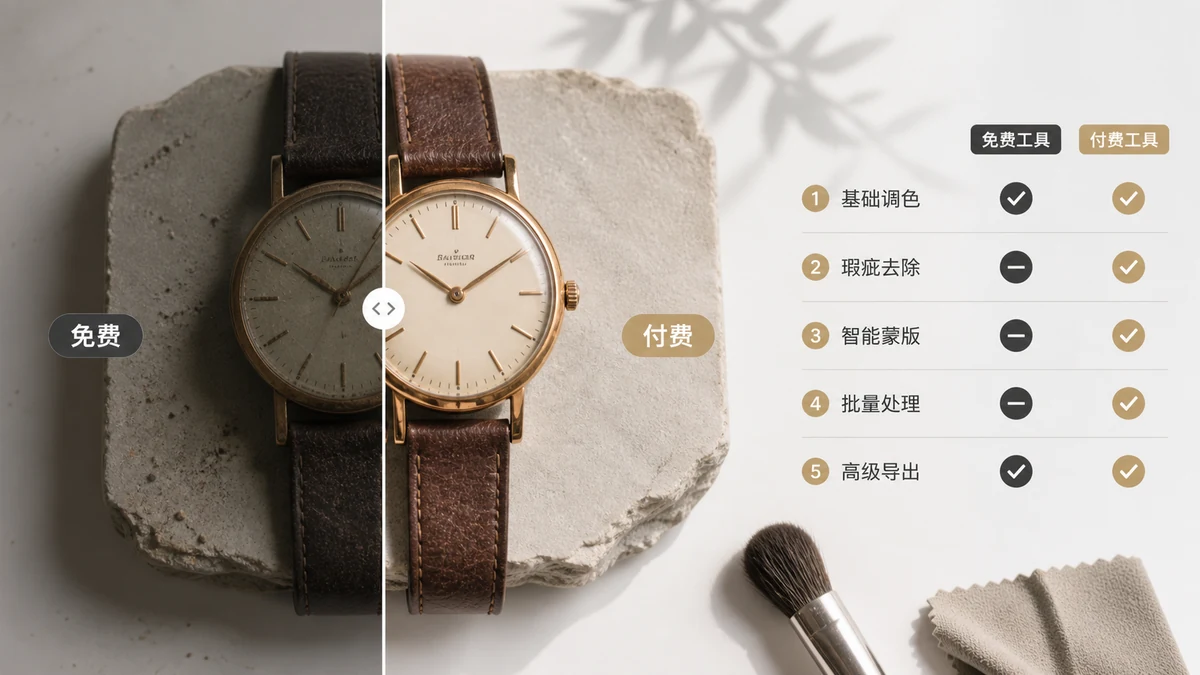
Free vs Paid Image Tools: The Real Trade-Offs
"Free" and "paid" isn't the real divide for image tools — how your data is handled is. Here's an honest look at ads, watermarks, subscriptions, and why some free tools are actually more private.