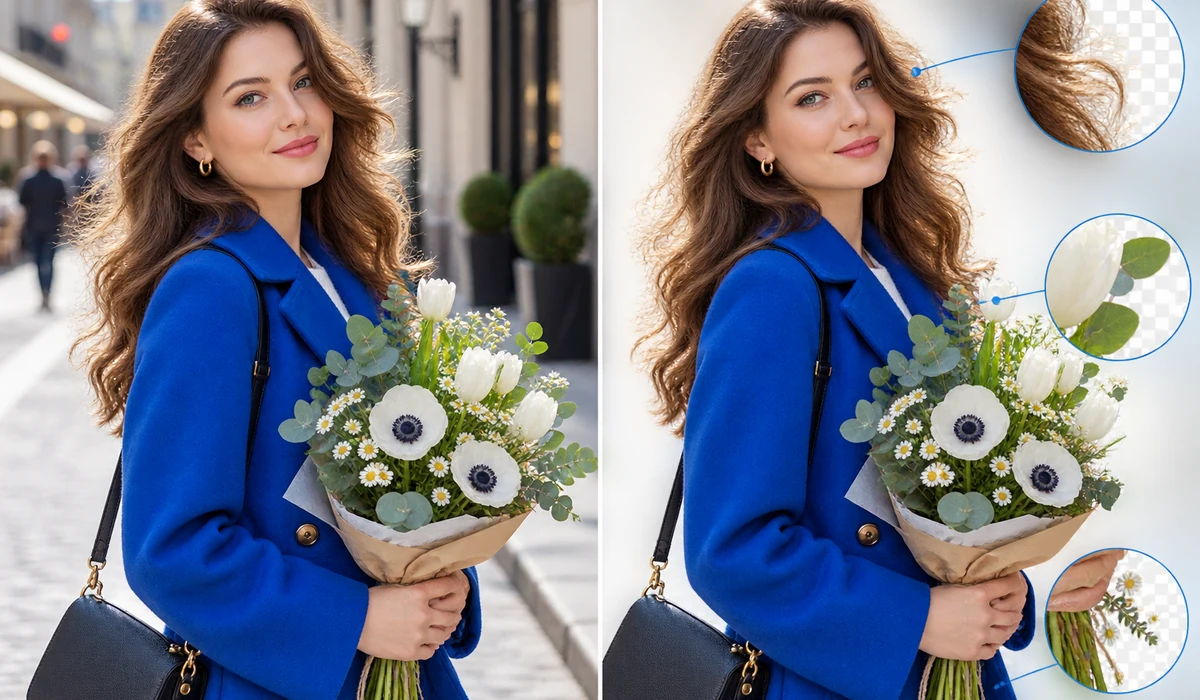

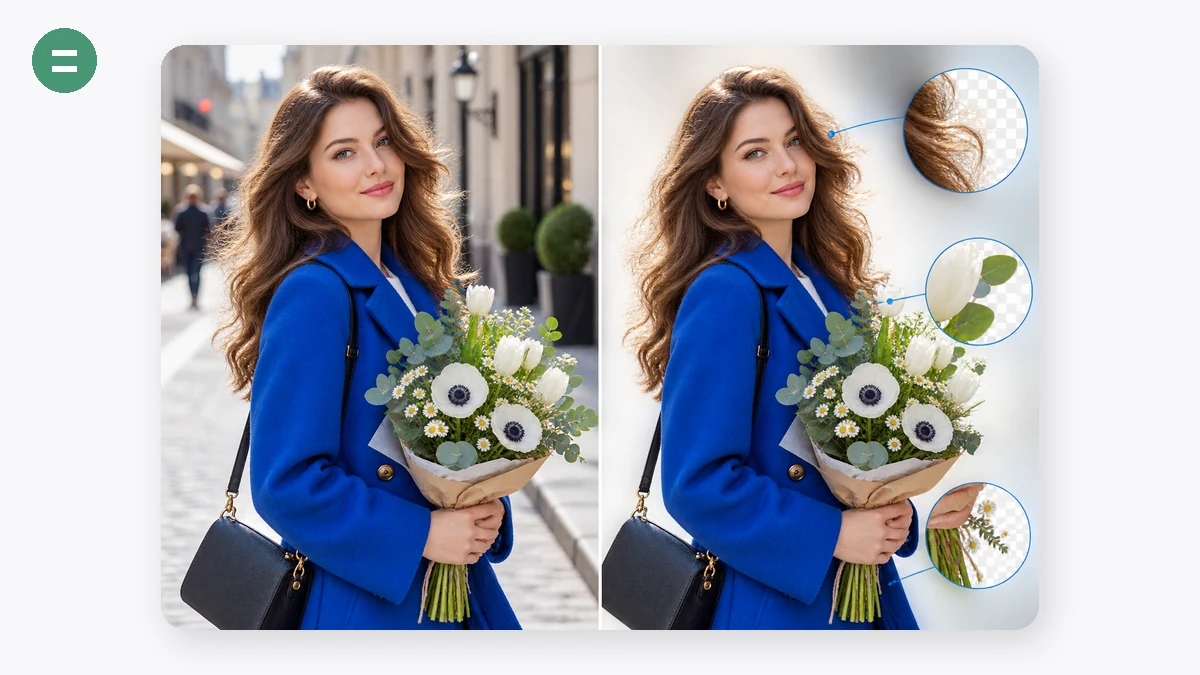

Background removal normally means uploading your product shots to someone's server. Here the neural network itself (a compact U²-Net model, ~4.4 MB) downloads into your browser once, and every image after that is processed locally. Your photos stay on your machine.
Choose a transparent PNG for design work, or a pure white JPG that's ready for Amazon and other marketplaces. Works in batches, free, no sign-up, no credits.
How to use
- Add photosDrop in one or many. The AI model loads automatically on first use (about 4 MB, cached afterwards).
- Pick the backgroundTransparent PNG, white, or any custom colour.
- DownloadSave images one by one or grab the whole batch as a ZIP.
Remove backgrounds without uploading a single file
This background remover runs a real neural network in your browser. The U-2-Net family model loads through WebAssembly and ONNX, then does all the segmentation on your own machine, so the image never leaves your computer. Our server only hands over the model file once, and after that it stays cached for the next time you need it.
That matters for anyone working with client photos, product shots, or ID pictures. You get a clean transparent PNG without handing your files to a cloud service, and there's no account, watermark, or per-image fee. Load an image, wait a moment for the cutout, and save.
Two models: fast preview or clean edges on hair and fur
Pick the Fast model (u2netp, about 4MB) when you want a quick cutout and don't need pixel-perfect edges. It downloads in a second and processes almost instantly, which is handy for batches of simple product photos on plain backgrounds.
Switch to the High quality model (silueta, about 43MB) when the subject has fine detail like hair, fur, or wispy plant edges. It's a bigger download but traces those tricky boundaries far more cleanly, so you spend less time patching the mask afterward.
Transparent PNG, white background, or any color you choose
After the cutout you decide what sits behind the subject. Keep it transparent for logos, overlays, and mockups; drop in white for marketplace listings that require a plain background; or pick a custom solid color to match a brand or a catalog layout.
You can run several images in a batch and export them the same way, which keeps a product set consistent. The original resolution is preserved, so the result is ready to drop straight into a store page or design file.
What people use it for
E-commerce product photos — Cut a product out of its shooting background and place it on clean white to meet Amazon, eBay, or Shopify listing rules.
Transparent logos and stickers — Turn a flat image into a transparent PNG so a logo or sticker layers cleanly over any background.
Portraits with flyaway hair — Use the High quality model to keep strands of hair intact instead of leaving a hard, cut-out halo.
ID and profile photos — Swap a messy background for a solid white or colored one for passport-style or profile pictures.
Marketing and social graphics — Isolate a person or object to composite into banners, thumbnails, and ad creatives.
Removing a plain white background — Strip an existing white or single-color backdrop to get a subject you can drop onto anything.
Batch catalog cleanup — Process a whole folder of product shots at once so the set looks uniform without editing each by hand.
Design mockups and collages — Extract objects to reuse in mood boards, presentations, and layered compositions.
The cutout is the bottleneck between a phone photo and a listing-ready image
Every clean product listing starts with the same step: separate the product from whatever was behind it. A kitchen table, a warehouse floor, your hand holding the item — all of it has to go so the product can sit on white, drop into a lifestyle scene, or export as a transparent PNG for an A+ module or a slide. For a solo seller with a growing catalog, that one step, repeated hundreds of times, is the actual work. It's also where the usual tools quietly tax you.
Online removers like remove.bg do a great job, but the trade is real: your photos are uploaded to their servers, free output is limited, and full-resolution or bulk downloads sit behind credits and a paywall. Photoshop can produce a flawless cutout, but it costs a subscription and takes genuine skill to mask well. Canva's remover is convenient if you're already inside Canva, but it's tied to a paid tier and your images still leave your machine. Across all of them, two costs stack up for a high-volume seller: money per image, and the fact that your product shots — including designs you haven't launched — are traveling to someone else's cloud.
This background remover runs the AI entirely in your browser using WebAssembly. You choose between a fast model (about 4 MB) for quick everyday cutouts and a larger, higher-accuracy model (about 43 MB) for fine edges like hair, fur, or wispy fabric. It exports a transparent PNG or drops the product straight onto white, and it batches a whole folder. The photos are never uploaded — the segmentation happens on your own hardware — so there's no per-image charge, no credit meter, and no unreleased SKU sitting on a third party's server. One honest caveat: the AI model has to download once (that first fetch needs a connection), but after that the tool works fully offline.
What makes it different
- Nothing is uploaded. The model runs locally in your tab. Confidential samples, pre-launch designs, and client work under NDA never leave your computer — a guarantee an upload-based service structurally cannot make.
- No credits, no HD paywall. Full-resolution output is just the output. There's no "free preview, pay for the real file" step, and no per-image meter as your catalog grows.
- Two models, your call. Fast model for the common case, high-accuracy model when an edge has to be perfect. You switch and it re-processes.
- Transparent PNG or white background in one step, ready for a marketplace main image or a composite.
- Batch built in. Drop a folder, get clean cutouts back, packed together.
- Offline after a one-time model download. No connection needed once the model is cached — useful in a studio, a warehouse, or on the move.
- Free, no sign-up, no watermark.
tools.faxianai.com vs other background removers
| tools.faxianai.com Background Remover | remove.bg | Photoshop | Canva | |
|---|---|---|---|---|
| Price | Free | Free tier + paid credits | Subscription | Paid tier |
| Uploads your photo | No — runs in browser | Yes | Local | Yes |
| Full-res / HD | Free | Behind credits | Yes | Paid |
| Fine-edge quality | High-accuracy model available | Very good | Best, with manual masking | Good |
| Manual edge control | Limited | Limited | Extensive | Limited |
| Batch | Yes → local | Paid/API | Via actions | Limited |
| Offline | Yes, after first model load | No | Yes | No |
| Skill required | None | None | Real | Low |
Credit where it's due: remove.bg's automatic quality is excellent and its API is convenient if uploading isn't a concern. Photoshop still wins for flyaway hair, heavy compositing, and total manual override — when an edge absolutely must be perfect, hand-masking beats any automatic pass. Canva is a fine choice if you're already designing there. This tool wins the everyday, high-volume case a seller actually faces: fast, accurate cutouts on your own machine, at full resolution, with nothing uploaded and nothing metered — free, and offline once the model is loaded.
Why tools.faxianai.com
On-device AI
The model runs in your browser — photos are never uploaded.
E-commerce ready
One click to a pure-white Amazon-style background.
Batch + ZIP
Cut out a whole product line in one go.
Actually free
No credits, no watermark, no account.