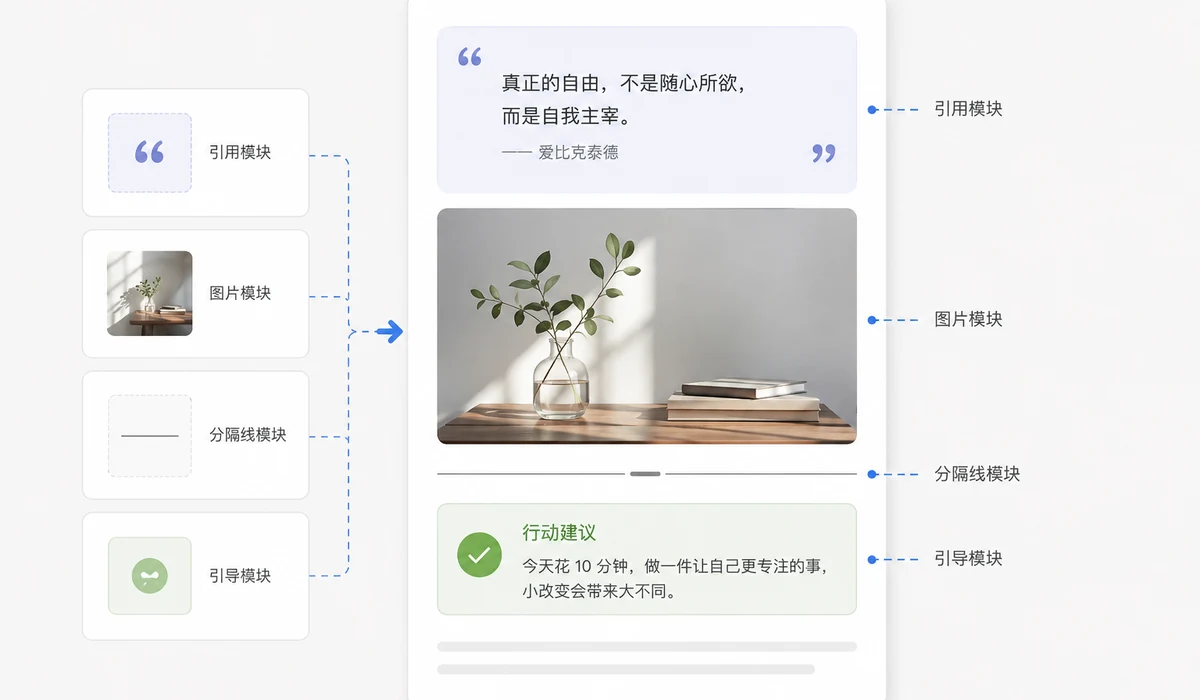
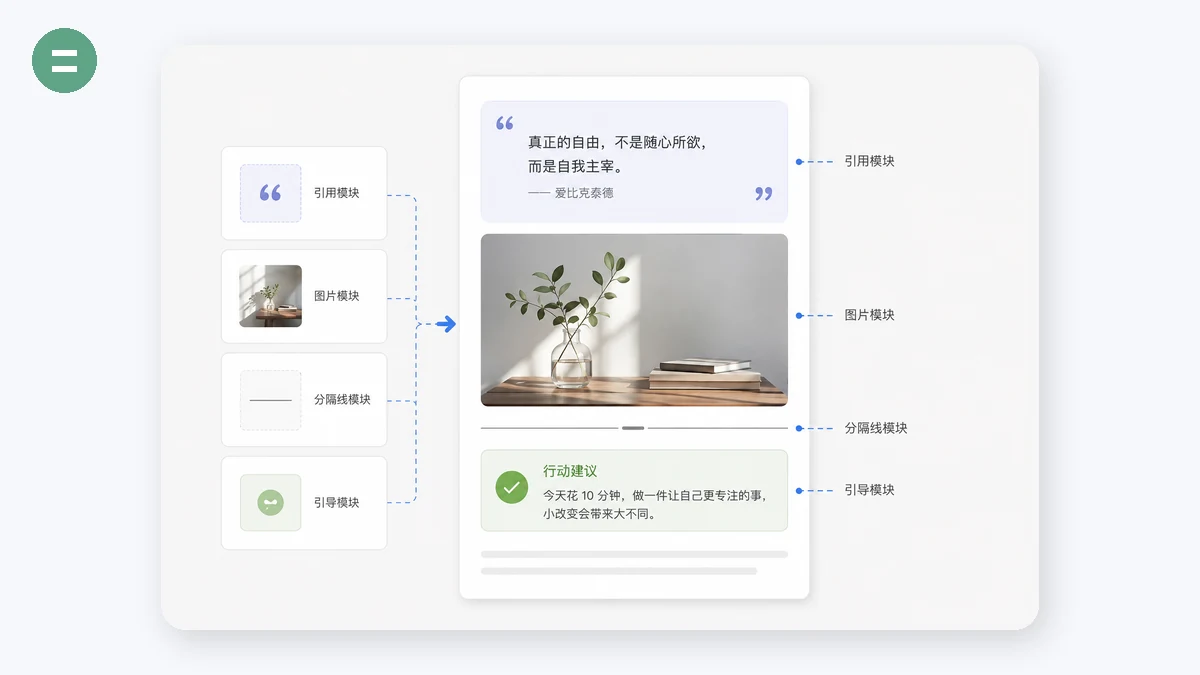
If you run a WeChat Official Account (or any rich-text publication), you have seen layouts you wish you could reuse — a titled section card, a follow-us block, a styled quote, a divider. Copying them by hand means digging through nested HTML, and one wrong edit breaks the whole SVG. This tool does the tedious part for you: paste an article, and it pulls each styled block out as an independent, reusable module.
From there you can swap the images inside a block (upload a new one or paste a URL), recolor it by clicking any colour it uses, copy the block as inline HTML ready to paste into the WeChat editor, a CMS, or any rich-text box — and save the ones you like to a local library that lives in this browser. Nothing is uploaded; your materials are yours.
Because everything runs client-side with the Clipboard and localStorage APIs, there is no account, no cloud, and no backend — the same local-first idea behind the rest of tools.faxianai.com.
How to use
- Paste an articleCopy a WeChat article (or any rich content) and paste it into the box. You can also paste raw HTML source.
- Extract the modulesClick Extract — each styled block appears as its own preview card, isolated so page styles can't interfere.
- Edit and reuseSwap images, recolor, then Copy HTML to paste elsewhere, or Save to your local library for next time.
Why extract layout modules instead of rebuilding them
The good-looking blocks in WeChat articles — titled section cards, follow-us prompts, styled quotes, SVG dividers — are almost always hand-assembled inline HTML and SVG. Rebuilding one from scratch means matching padding, colours, gradients and nested spans exactly, and a single wrong edit collapses the SVG. Extracting the finished block instead keeps every detail intact and turns it into something you can reuse in seconds.
This tool parses the article you paste and lifts each styled block out as an independent module. You are not scraping a whole page into one blob; you get a tidy list of individual, reusable pieces — the exact thing you wanted when you saw a nice layout in someone else's post.
Local-first, so the assets are actually yours
Cloud editors keep your saved blocks on their servers behind an account. Here the library lives in your own browser via localStorage, and you can export it to a JSON file to back up or move between machines. Nothing is uploaded, there is no sign-up, and the parsing, image swapping and recolouring all run on your device with the browser's own DOM and Clipboard APIs.
The practical payoff is a personal, portable module library that grows as you work: paste an article, keep the two or three blocks worth reusing, and next time drag them straight back out as inline HTML.
What people use it for
Reuse a layout you liked — See a nice titled card or divider in another article — extract it, recolour it to your brand, and copy it into your own draft.
Build a house-style kit — Collect the section headers, quote styles and follow-us cards you use every issue into one local library.
Swap the images in a template block — Keep a favourite image-card layout and just replace the picture each time with your own upload.
Recolour to your brand — Change a block's accent colour everywhere at once instead of hunting through inline styles.
Move blocks between editors — Copy inline HTML that pastes with styling intact into the WeChat editor, a CMS, or any rich-text box.
Keep a private, portable stash — Export your library as JSON to back it up or carry it to another browser — no account, no cloud.
The good layout blocks are trapped inside other people's articles
Anyone who runs a WeChat Official Account collects layout blocks the slow way. You read an article with a beautiful SVG title card, a tidy "follow us" panel, a section header with a coloured tab down the side, and you think: I want that structure. So you copy the whole article into your editor, then spend twenty minutes deleting everything except the one block you wanted, praying you don't nick a stray <span> that makes the SVG collapse. WeChat's SVG typography is notoriously fragile — one misplaced attribute, one image you resized in the wrong place, and the card renders as a broken box on half of readers' phones. The blocks you want are real, reusable, and sitting right there in the HTML, but there's no clean way to lift one out and keep it.
The other half of the pain is ownership. The obvious answer is a template editor like 秀米 or 135编辑器: huge libraries, drag-and-drop, genuinely powerful. But the assets live in their cloud, behind an account, and often behind a membership tier. Your carefully assembled style kit isn't a folder you own — it's a login you rent. If you want to hand a block to a teammate, tweak a colour across every card at once, or just keep a personal library of the five headers you actually reuse, you're working inside someone else's product on someone else's terms.
This tool takes the opposite approach. You paste an article (or any rich content, or raw HTML) and it parses the markup right in your browser, pulling out each reusable styled block — SVG typography cards, titled section headers, follow-us cards, styled quotes, dividers — as its own independent module. From there you edit each one directly: swap the image inside a card, recolour it, copy it as clean inline HTML ready to paste into the WeChat editor or any rich-text box, and save it to a local library you can export as JSON. Nothing is uploaded, there's no account, and once the page has loaded it keeps working offline. One honest limit up front: it can't fetch an article by its URL — browsers block cross-site requests to mp.weixin.qq.com, so the input is always copy-paste.
What makes it different
- Local-first, nothing uploaded. Parsing happens in the browser with
DOMParser. The article you paste never leaves your machine — no server, no account, no backend. - Per-module extraction. Each styled block comes out as a separate, self-contained module instead of a wall of tangled markup you have to prune by hand.
- Image swap, in place. Replace the picture inside a card by uploading a new one or pasting an image URL — without touching the surrounding SVG structure that makes it fragile.
- Recolour everywhere at once. Click any colour a module uses and change it across the whole block in one move, so a card matches your brand without a hunt through hex codes.
- Clean inline-HTML copy. One click puts the module on your clipboard as inline HTML (via the Clipboard API), ready to paste straight into the WeChat editor, a CMS, or any rich-text field.
- A library you own. Save modules to local storage and export or import the whole collection as JSON — a real, portable asset kit, not a login you rent.
- Isolated previews. Each module renders inside Shadow DOM, so one block's styles can't leak into another and the preview shows you exactly what you'll paste.
- Works offline once loaded. After the page loads, no connection is needed to extract, edit, or copy.
tools.faxianai.com vs other layout tools
| tools.faxianai.com Module Extractor | 秀米 (xiumi.us) | 135编辑器 | i排版 | Copy the HTML by hand | |
|---|---|---|---|---|---|
| Core purpose | Extract & own reusable blocks | Full template editor | Full template editor | Full template editor | — |
| Template library | None (you build from what you paste) | Huge | Huge | Large | None |
| Account required | No | Yes | Yes | Yes | No |
| Anything uploaded | No | Yes (cloud) | Yes (cloud) | Yes (cloud) | No |
| Own the assets | Yes (local JSON) | Rented / cloud | Rented / cloud | Rented / cloud | Yes, but manual |
| Per-block image swap | Yes | Yes (in editor) | Yes (in editor) | Yes (in editor) | Manual |
| Recolour a whole block | Yes, one click | Yes (in editor) | Yes (in editor) | Yes (in editor) | Manual |
| Works offline | Yes, once loaded | No | No | No | Yes |
| Price | Free | Free tier + paid | Free tier + paid | Free tier + paid | Free |
To be fair, this is not a replacement for a template editor, and it doesn't pretend to be. 秀米, 135编辑器, and i排版 are mature products with enormous template libraries, live drag-and-drop layout, and years of polish — if you're building a rich article from scratch, that's where you go, and they earn their reputation. What they don't give you is a private, portable folder of the specific blocks you reuse, editable without a login and free of anything leaving your machine. This tool is an extractor and organizer, not an editor: it turns blocks you admire in the wild into modules you own, recolour, re-image, and paste anywhere. Use the big editors to compose; use this to keep the pieces.
Why tools.faxianai.com
Block extraction
Pulls SVG cards, headers, quotes and dividers out as independent modules.
Swap images inline
Replace any image in a block with your own — upload or URL.
One-click recolor
Click any colour a block uses and change it everywhere at once.
Copy inline HTML
Paste straight into the WeChat editor, a CMS, or any rich-text box.
Local library
Save modules to this browser and export/import them as JSON.
No upload
Runs entirely in your browser — your materials never leave your device.