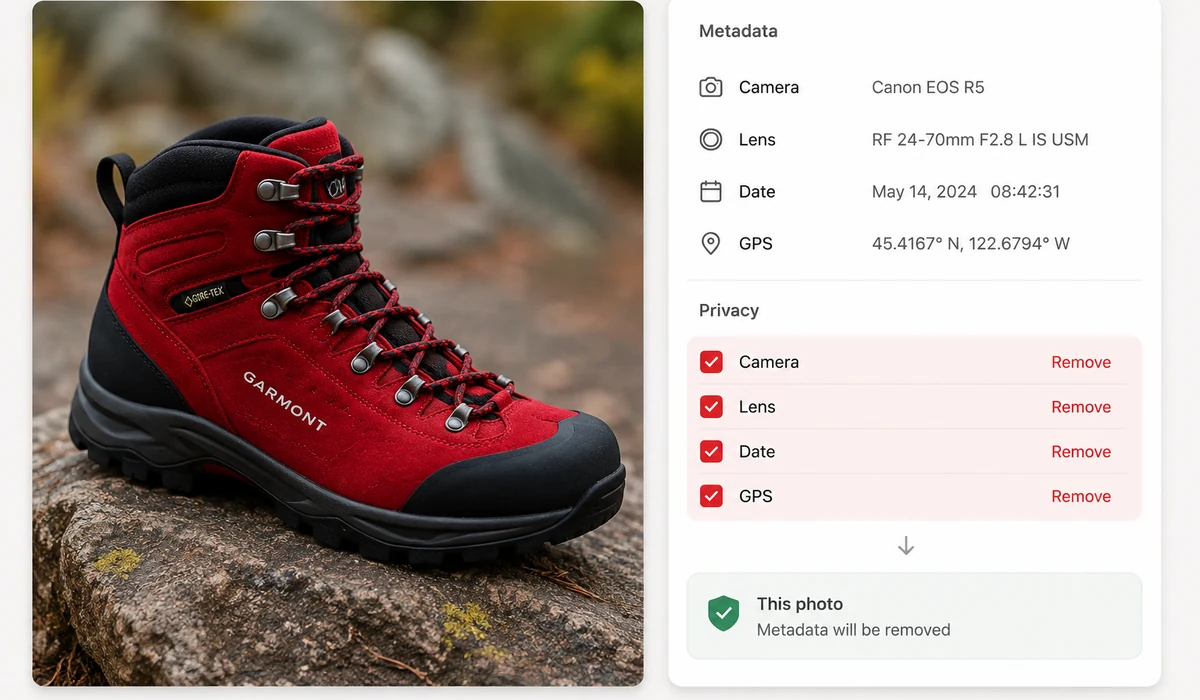
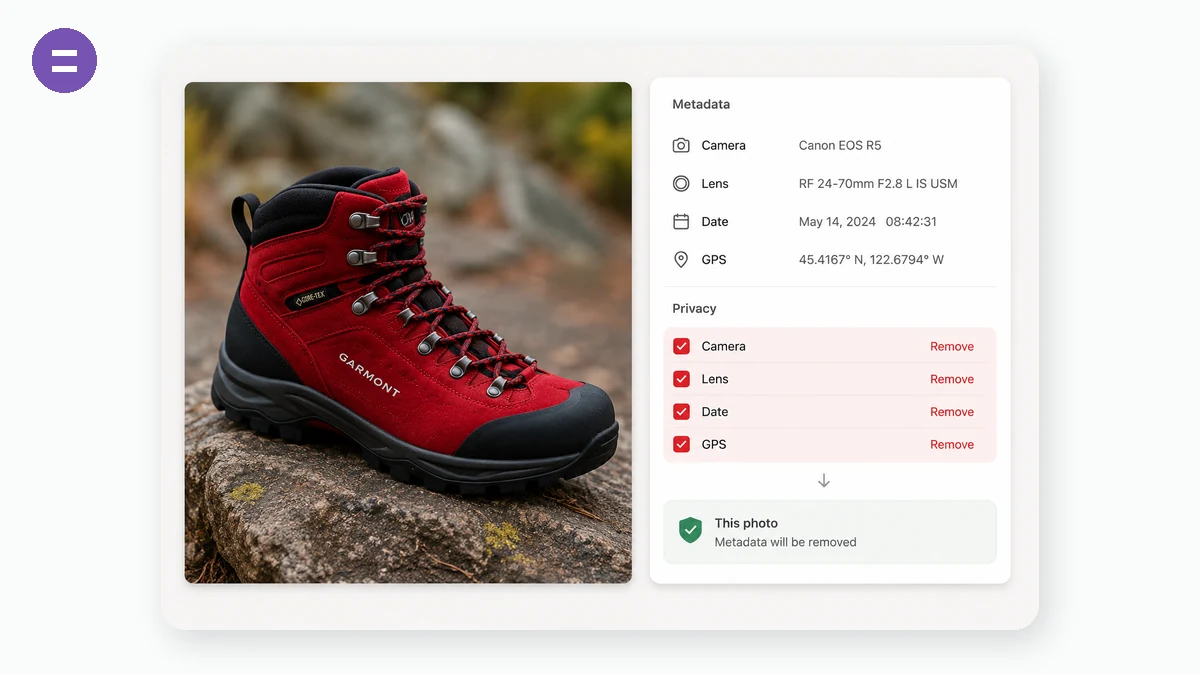
Photos quietly carry metadata: where they were taken (GPS), when, with what phone or camera, sometimes even the owner's name. Share the file and you share all of it. This tool shows you exactly what's embedded, flags the privacy-sensitive fields, and gives you a clean copy with every byte of metadata removed.
Fittingly for a privacy tool, it runs entirely in your browser — the photo you're checking is never uploaded anywhere.
How to use
- Add a photoJPG photos from phones and cameras carry the most metadata.
- Review what's insideGPS coordinates and identity fields are flagged; the rest is listed below.
- Download the clean copyOne click saves an identical-looking image with zero metadata.
What EXIF data hides in your photos
Every photo your phone or camera saves carries a block of embedded metadata called EXIF. It records the camera make and model, exposure settings, the exact date and time of the shot, the editing software you used, and often the GPS coordinates of where you stood. This EXIF viewer reads all of it in the browser using exifr, so you can see exactly what a JPEG is telling the world before you post it.
The tool highlights the privacy-sensitive fields for you, GPS location above all. If a photo was taken at home and still has its coordinates attached, anyone who downloads it can pin your address on a map. Checking the metadata takes a couple of seconds and tells you whether that risk is real for a given file.
Strip metadata without touching the picture
When you want a clean copy, the remover re-encodes the image through an HTML canvas. That process drops every EXIF, GPS, and software tag while leaving the pixels you see untouched, so the exported file looks identical but carries no hidden history. It runs entirely on your device, and nothing is uploaded.
This is the safe way to share screenshots, product shots, or camera photos publicly. Remove EXIF data online, download the stripped version, and post it knowing the location and timestamp are gone.
What people use it for
Before posting on social media — Strip GPS from a photo taken at home so followers can't work out where you live.
Selling on marketplaces — Remove the location and camera serial from listing photos before uploading to Facebook Marketplace or eBay.
Checking a downloaded image — View the metadata of a photo someone sent you to see when and where it was actually taken.
Journalists and sources — Clear identifying metadata from images before they change hands to protect who captured them.
Verifying a claim — Read the timestamp and camera model on an image to sanity-check when it was really shot.
Cleaning a batch for a client — Strip EXIF from finished photos so no editing software or device details leak in the deliverables.
Real estate and rentals — Remove GPS coordinates from interior shots that would otherwise reveal a property's exact position.
Personal privacy audit — Scan your own photo library to find which pictures still carry your location before you archive or share them.
See what your photo is telling on you — then strip it, locally
Every photo from a phone or camera carries a hidden second file bolted onto it: EXIF metadata. It can include the exact camera and lens, the date and time down to the second, the settings used, and — the part that surprises people — GPS coordinates precise enough to drop a pin on your front door. When you post a picture "from home," sell an item on a marketplace, or send a photo to someone you've just met, that invisible layer can travel with it. Two useful things follow: you'll sometimes want to read this data (which camera took a shot, when a photo was really taken, whether a claim about a picture holds up), and you'll often want to remove it before sharing.
Here's the irony worth naming: plenty of "EXIF remover" and "metadata scrubber" websites ask you to upload the very file whose privacy you're trying to protect. To strip the location off your photo, you first hand the photo — location and all — to their server. tools.faxianai.com refuses that trade. It reads the EXIF in your browser and shows you the fields, and when you download the clean copy, the stripping also happens locally: the image is re-encoded without the metadata block and handed back as a fresh file. The original with its GPS tag never leaves your device, which is the only version of "privacy tool" that isn't self-defeating.
Reading and cleaning both run on-device, so there's no upload wait and no server to trust. After the first visit the PWA works offline. Free, no account, no watermark on the cleaned image.
What makes it different
- Read and remove in one place. Inspect the camera, timestamp, and GPS, then export a metadata-free copy — no second tool needed.
- A privacy tool that's actually private. The file you're scrubbing is never uploaded, so you're not leaking the exact data you came to delete.
- Plain-language view. See where a photo was taken and when, laid out readably rather than as a raw dump.
- Clean copy, real file. The stripped image is a genuine re-encoded file with the EXIF block gone — not just hidden in a viewer.
- Offline and free. Cached PWA, no sign-up, no watermark.
tools.faxianai.com vs other EXIF tools
| Aspect | Online EXIF remover (verexif.com) | Online EXIF viewer | Desktop app (ExifTool) | tools.faxianai.com |
|---|---|---|---|---|
| Files uploaded | Yes — ironic for a privacy task | Yes | No, local | No, stays in browser |
| View + remove in one | Usually remove-only | Usually view-only | Yes (command line) | Yes |
| Price | Free with ads | Free with ads | Free, open source | Free |
| Works offline | No | No | Yes | Yes, after first visit |
| Ease of use | Simple | Simple | Steep (CLI) | Simple |
| Account required | No | No | No | No |
| Adds watermark | No | N/A | No | Never |
In fairness: ExifTool is the gold standard — it reads and writes more metadata formats than anything else, runs entirely on your machine, and is free and open source. If you're comfortable on the command line and need exhaustive control, use it. The online viewers and removers like verexif are simpler than ExifTool and fine for non-sensitive images. The specific problem tools.faxianai.com solves is the mismatch at the center of most web-based removers: asking you to upload a file to protect its privacy. By doing both the reading and the stripping in the browser, tools.faxianai.com gives you ExifTool's local-only guarantee with a viewer's ease of use — and no install. For the everyday task of "show me what's embedded, then give me a clean copy to share," that combination is the point.
Why tools.faxianai.com
GPS alert
Instantly flags photos that reveal where they were taken.
Full strip
The clean copy carries no EXIF, no XMP, no thumbnails.
Truly private
The check itself happens on your device only.
Quality kept
The visible image is re-encoded at high quality.