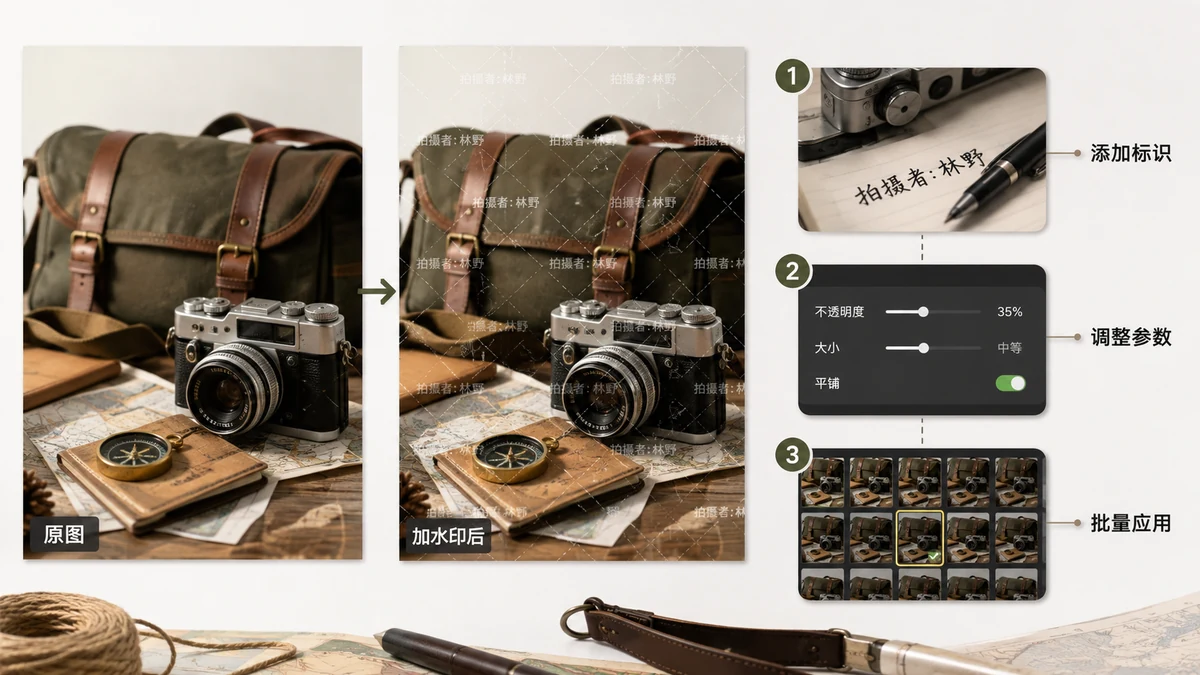
You can't make an image impossible to steal. Anyone can screenshot a screen or crop a corner. What you can do is make theft annoying enough that most people give up and either credit you, license the photo, or move on. A watermark is the cheapest, fastest way to raise that cost — but only if you place it where it can't just be cropped away.
The short answer: for real protection, tile a semi-transparent mark across the whole frame at a slight angle. A single logo in the corner looks tidier but comes off in one crop. Below is the reasoning, and the exact settings that work.
Why a corner mark doesn't protect much
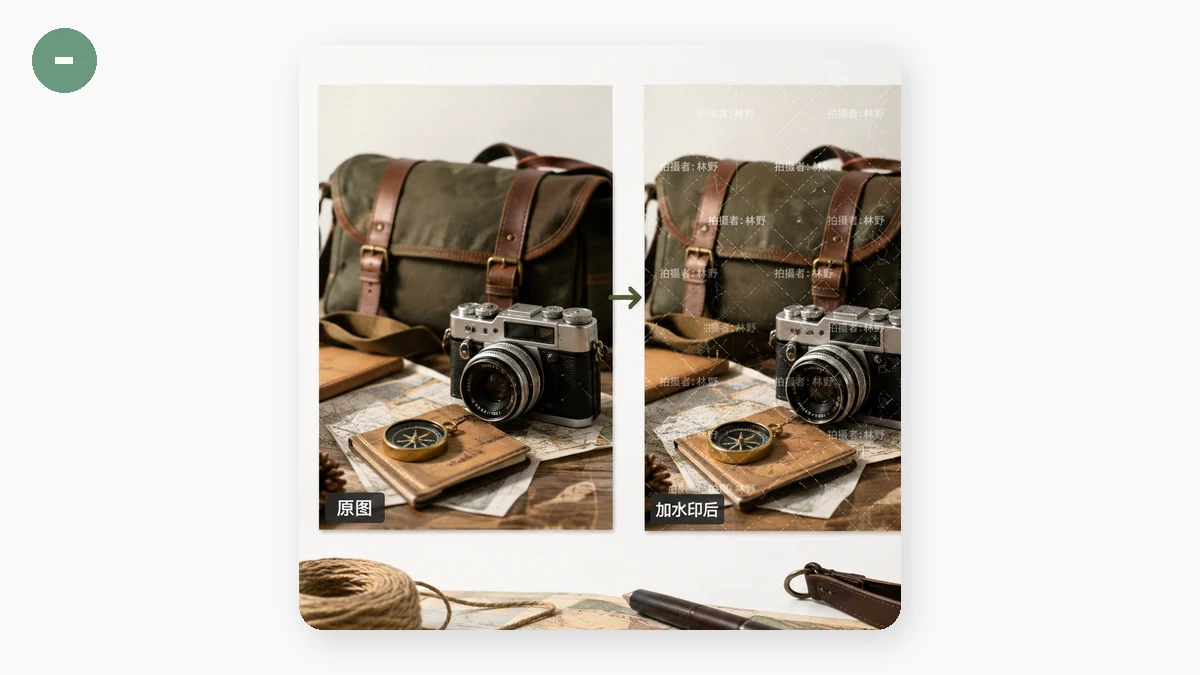
A small mark in the bottom corner is the most common watermark, and the least protective. It sits out of the way, it looks professional, and it takes a thief about three seconds to crop the bottom inch off the image and post it clean. Corner marks are fine for attribution — reminding honest people who made the photo — but they do almost nothing against someone determined to lift it.
If losing the image would actually cost you money or credit, a corner mark is the wrong tool.
Tiling: the mark you can't crop out
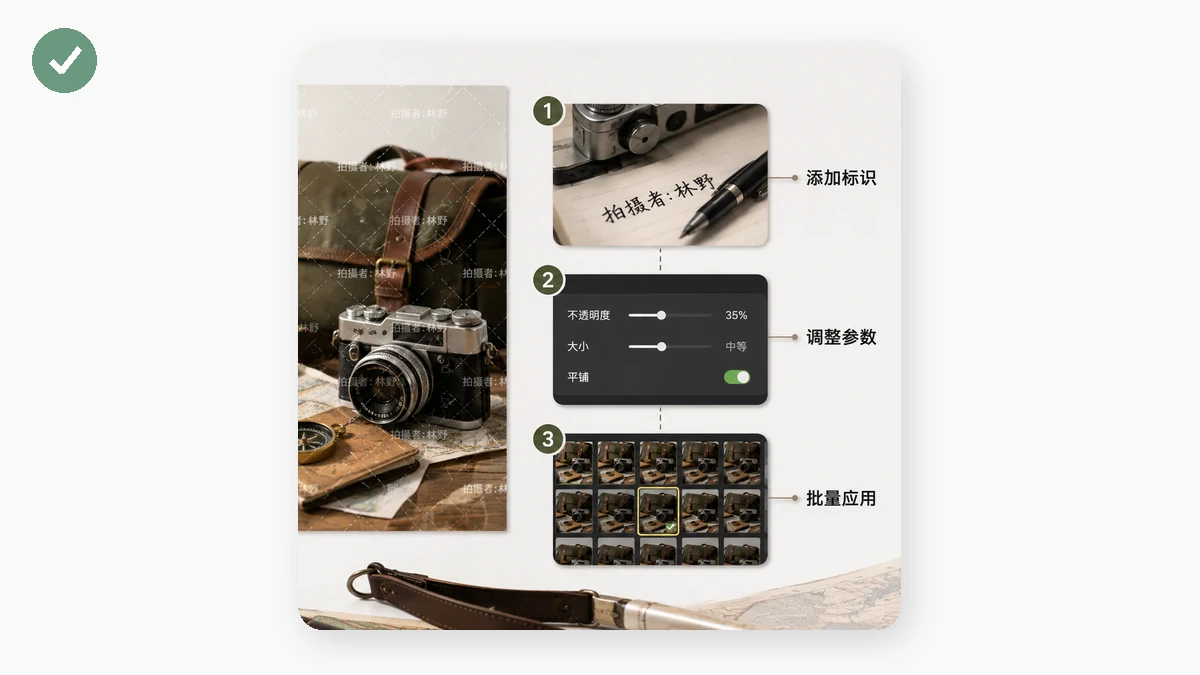
Tiling repeats the watermark across the entire image in a grid, so it covers the subject itself, not just the edges. There's no clean part left to crop to. Removing it means painting over every instance by hand — slow, fiddly work that leaves visible damage. For most casual thieves that's more effort than the image is worth, which is exactly the point.
A tiled mark is more intrusive than a corner logo, so save it for images you genuinely need to defend: preview shots of paid work, client proofs sent before payment, portfolio pieces you don't want reposted, stock you're licensing rather than giving away.
Settings that deter without ruining the photo
Three controls decide whether your watermark protects the image or just wrecks it:
- Opacity. For tiling, somewhere around 25–40% usually reads clearly while letting the photo show through. Because there are many repetitions, you can go lighter than you'd think and still cover the frame. Too solid and nobody wants to look at the picture — including you.
- Rotation. Angle the tiled text 30–45°. A diagonal mark is meaningfully harder to clone out or crop around than a straight horizontal one, and it discourages the lazy "just crop the top and bottom" trick.
- Size and spacing. Medium marks spread evenly beat a few giant ones. You want the mark present everywhere the eye lands, without turning the whole thing into a wall of text.
Use your name, your handle, or your site URL as the watermark text. That way, even if someone does repost it, the mark points back to you — free attribution baked into the pixels. The Watermark tool lets you set text or a logo, choose corner or tile, and dial in size, opacity, and rotation while previewing the result before you export.
Do it to a whole set at once
If you're protecting a portfolio or a proofing gallery, watermarking one photo at a time is a waste of an afternoon. The tool runs in batch: load the whole folder, set your watermark once, and it stamps every image identically, then hands them back as a ZIP ready to upload. Set it once, run it, download.
Why browser-based matters here specifically
This tool processes everything on your own device — your photos are never uploaded to a server. For watermarking that's not a nice-to-have, it's the whole logic of the thing. The point of a watermark is to protect your originals, so uploading the unmarked files to some stranger's server first would defeat the purpose. Here the originals never leave your machine, and after your first visit the tool works offline too.
Quick checklist
- Tile, don't corner — cover the frame so there's nothing clean to crop to.
- Opacity around 25–40% — visible everywhere, still see the photo.
- Angle it 30–45° — harder to remove or crop around.
- Use your name or URL — the mark doubles as attribution.
- Batch the set — apply once, download the ZIP.
No watermark is unbeatable. But a well-tiled one makes stealing your work more trouble than it's worth, and that's usually enough.