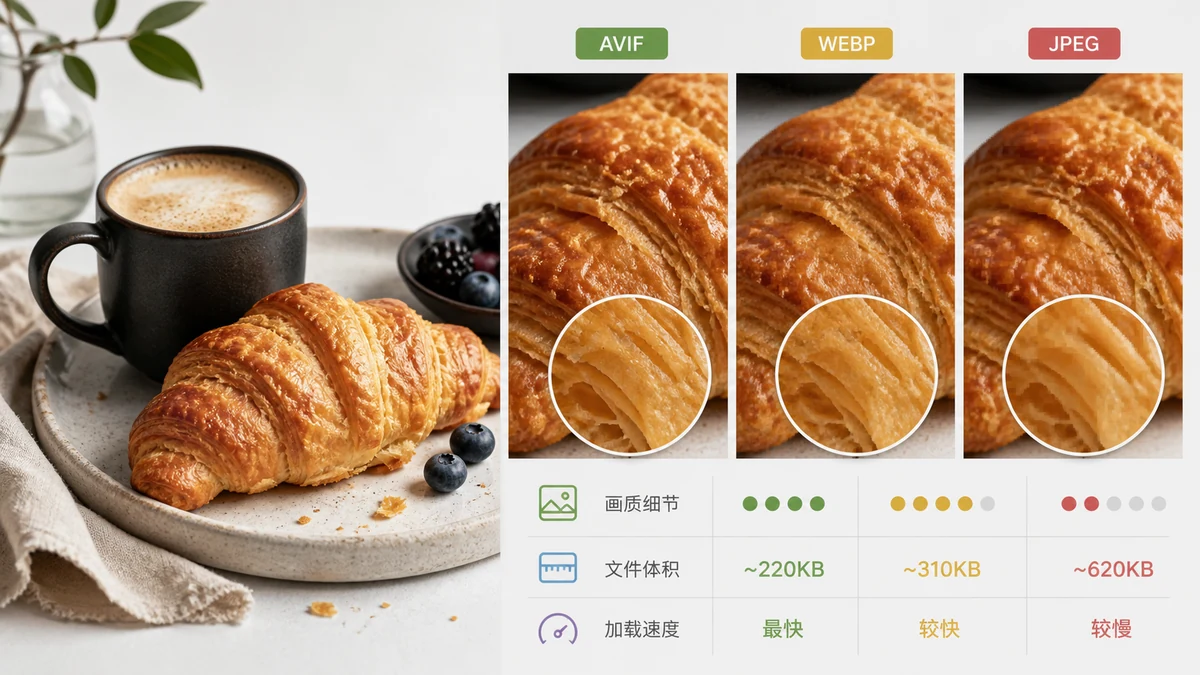
Three formats, one question: which gives you the smallest file that still looks good and still opens everywhere? The honest ranking for raw compression is AVIF > WebP > JPEG. But "smallest" isn't the only thing that matters, and there's a practical catch with AVIF that most comparison articles skip. Let's go through it properly.
The quick comparison

| JPEG | WebP | AVIF | |
|---|---|---|---|
| Released | 1992 | 2010 | 2019 |
| Compression | Baseline | ~25–35% smaller than JPEG | ~50% smaller than JPEG |
| Transparency (alpha) | No | Yes | Yes |
| Animation | No | Yes | Yes |
| Color depth | 8-bit | 8-bit | Up to 12-bit, HDR |
| Browser support | Universal | Universal | Very good, slightly behind |
| Encode speed | Fast | Fast | Slow |
On paper AVIF wins nearly every row. It compresses hardest, supports transparency and HDR, and looks remarkably clean at low file sizes. WebP sits comfortably in the middle — smaller than JPEG, universally supported, no drama. JPEG is the old reliable: it can't do transparency or animation, but every device, app, and email client on earth reads it.
The AVIF catch nobody mentions
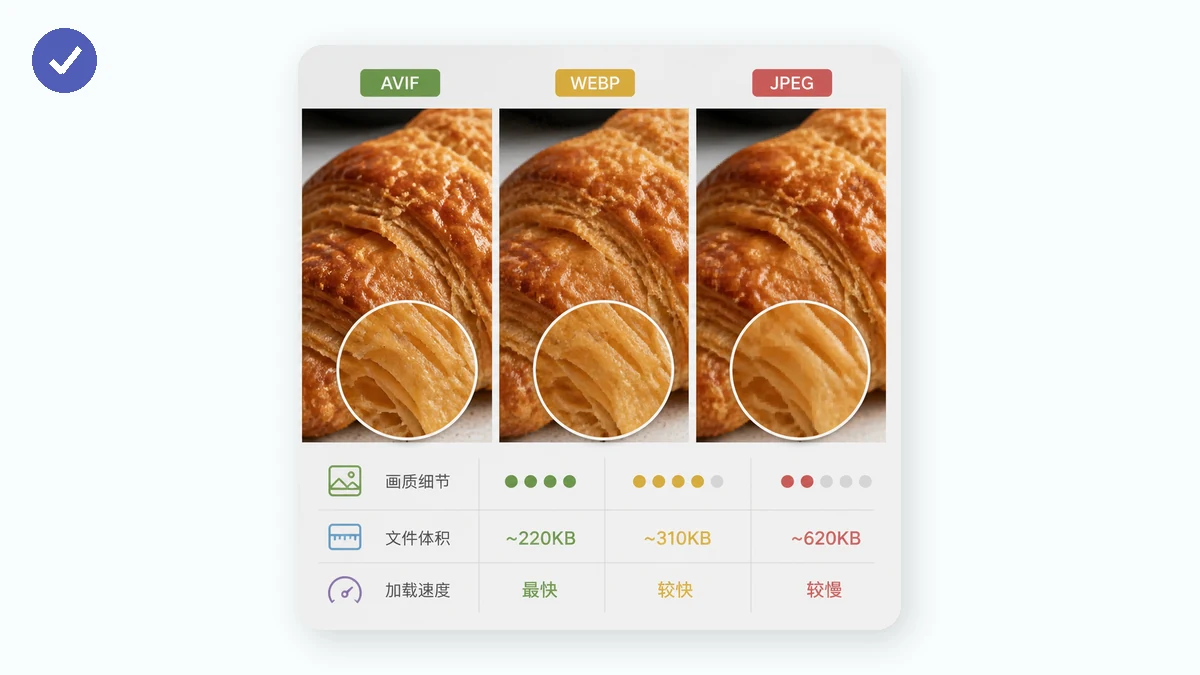
Here's the part you need to know before you plan around AVIF. Browsers can decode AVIF, but they cannot reliably encode it from a canvas. The web's built-in image export path (canvas.toBlob) simply doesn't produce AVIF in a dependable, cross-browser way. Encoding AVIF well requires heavy computation that browser canvas APIs don't expose.
What that means in practice: a purely in-browser tool can display AVIF but can't reliably create it. So when you pick AVIF as an export target in a browser-based converter, the sensible behavior is to fall back to WebP — and that's exactly what happens here. You still get a modern, well-compressed file (smaller than JPEG or PNG) that opens in every browser, without a format your visitors might not be able to open. It's an honest trade: you lose AVIF's last slice of compression, you keep universal compatibility and instant conversion.
If you specifically need genuine AVIF files, you'll want a server-side encoder or a native desktop tool. For most web use, WebP gets you 90% of the benefit with none of the encoding headache.
Which should you actually pick?
- Publishing photos on a website and want the smallest reliable files? WebP. Universal support, big savings over JPEG, works from a browser tool today.
- Need maximum compression and control the whole pipeline (server-side)? AVIF — encoded server-side, not in a browser.
- Emailing, printing, or feeding older software? JPEG. Boring, but it always works.
- Need transparency? WebP or AVIF — never JPEG.
Converting in your browser
The Image Converter runs entirely on your device using Canvas. Nothing is uploaded, there's no sign-up, and it works offline after the first visit. Convert between PNG, JPG, and WebP in a batch. If you choose AVIF, it transparently falls back to WebP for the reasons above — you get a small, universally readable file either way.
The short version
For most people publishing to the web, WebP is the sweet spot: dramatically smaller than JPEG, transparency support, and it works everywhere including from an in-browser tool. AVIF is technically the compression champion, but true AVIF encoding belongs on a server, not in your browser. And JPEG remains the format you fall back to whenever maximum compatibility beats maximum efficiency.